3.3.3.1.3. Configuration 


The figures in this section depict the configuration in the sample
scenario.
Overview
- Network -> Host
- Network -> Interfaces
- SIP -> Gateways
- SIP -> Servers
- SIP -> Registrations
- ISDN -> Basic Rate Interface
- Telephony -> Call Routing Config
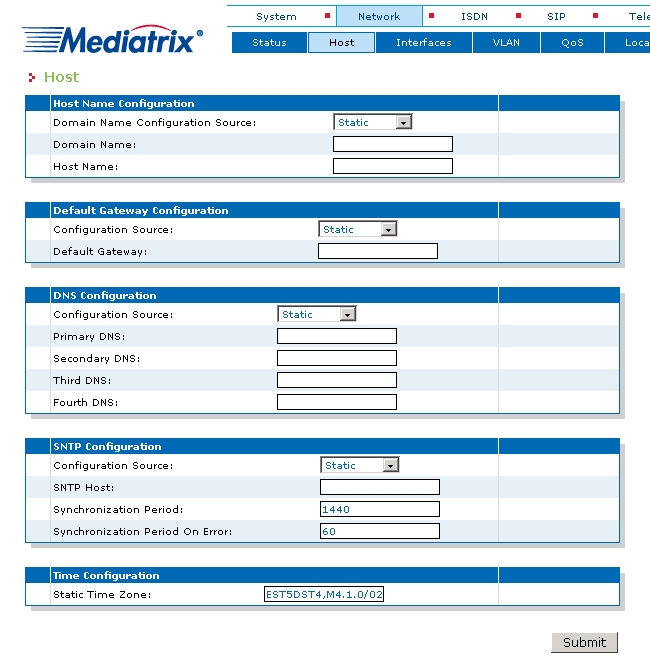
Network -> Host
Set Static for the host domain, the default gateway, the DNS
source and the SNTP source.
Figure 55. Mediatrix 44xx Gateway (Subs.) - Network -> Host
Network -> Interfaces
The network interfaces should be configured with unique LAN IP addresses.
A Mediatrix 4400 gateway can support up to 48 network interfaces.
IMPORTANT:
Care must be taken when assigning IP addresses
to ensure that they can be reached by OpenScape 4000 SoftGate.
A OpenScape 4000 SoftGate (or vHG3500)can only operate one network
interface in the Mediatrix gateway. It may be necessary to configure
subscriber and trunking scenarios over a network interface.
Configure a "subscriber interface" in this mask.
IMPORTANT:
The name "Subscriber" can be chosen at random
and does not yet define usage.
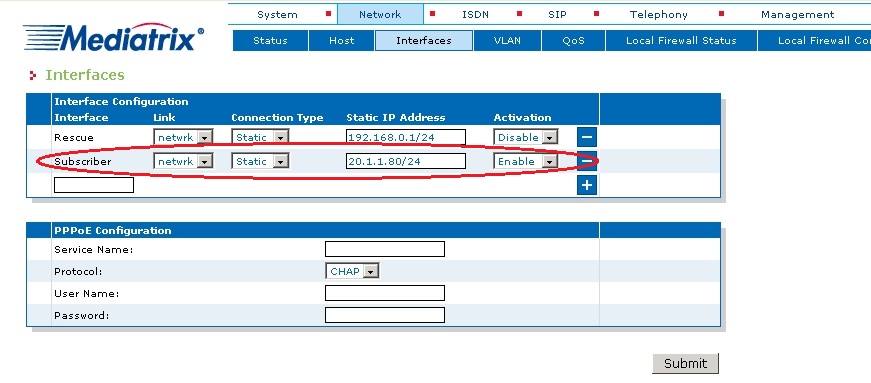
Mediatrix 44xx Gateway (Subs.) - Network
-> Interfaces
SIP -> Gateways
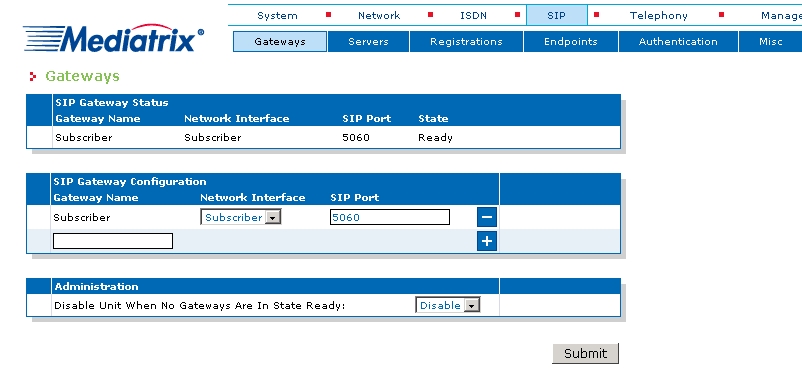
Select the value Subscriber in the "SIP Gateway Configuration"
field.
Figure 56. Mediatrix 44xx Gateway (Subs.) - SIP -> Gateways
SIP -> Servers
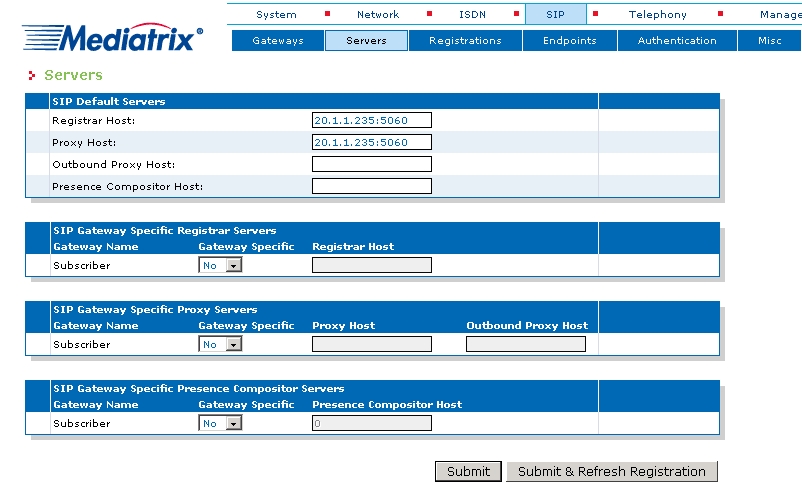
Enter values for "Registrar Host " and "Proxy Host" in the "SIP Default
Servers" field.
Figure 57. Mediatrix 44xx Gateway (Subs.) - SIP -> Servers
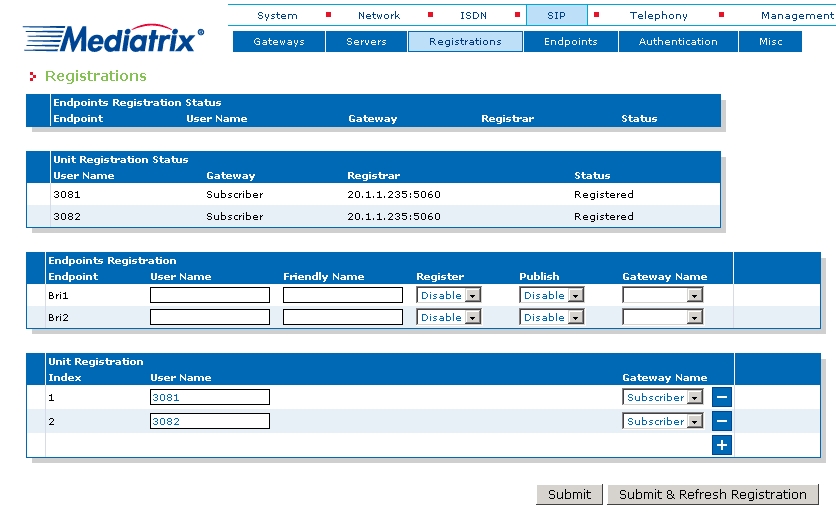
SIP -> Registrations
Enter the phone numbers of the ISDN stations for registration at the
SIP server. Add the subscriber terminals and select the SoftGate subscriber.
The "User Name" field contains the telephone number.
Figure 58. Mediatrix 44xx Gateway (Subs.) - SIP -> Registrations
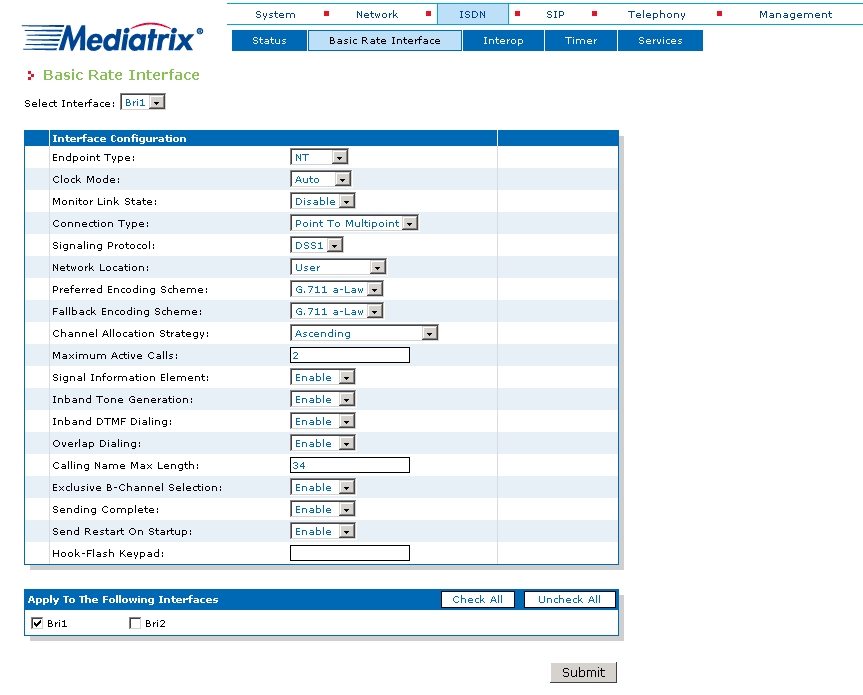
ISDN -> Basic Rate Interface
Configure the ISDN parameters for every interface that should be used.
- Endpoint Type: NT
- Connection Type: e.g.: Point To Multipoint
In a subscriber-only scenario, the other interfaces are generally identical
to the first one. "Exclusive B-Channel Selection" is usually enabled.
Figure 59. Mediatrix 44xx Gateway (Subs.) - ISDN -> Basic Rate Interface
Telephony -> Call Routing Config
Use this mask to define how calls from/to the VoIP network should
be routed to the ISDN telephones.
The example shows a configuration with two stations (3081 and 3082),
which are both connected over an ISDN bus to the gateway’s BRI2. This
example assumes that both subscribers supply their station numbers. This
example shows a number of exceptional configurations for CLIR that are
usually only used very rarely. The Mediatrix gateway also has a default
selection for using CLIR.
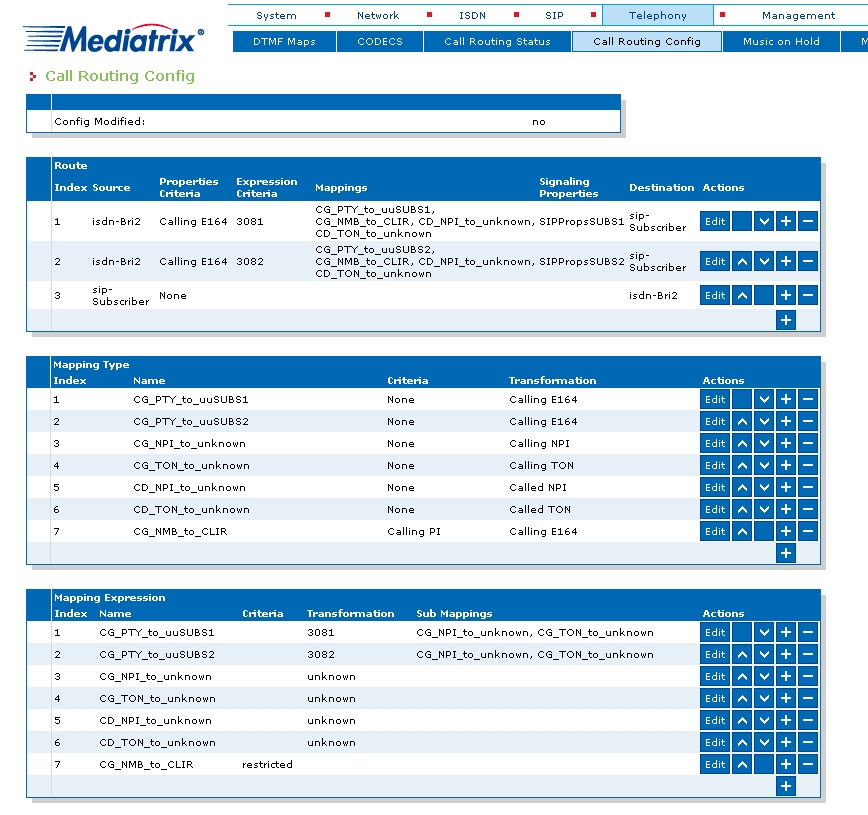
Mediatrix 44xx Gateway (Subs.) - Telephony
-> Call Routing Config 1
The "RequestLineWithCdPtyNmb" configuration may be needed in certain
situations for SIP protocol synchronization between the Mediatrix gateway
and OpenScape 4000 SoftGate.
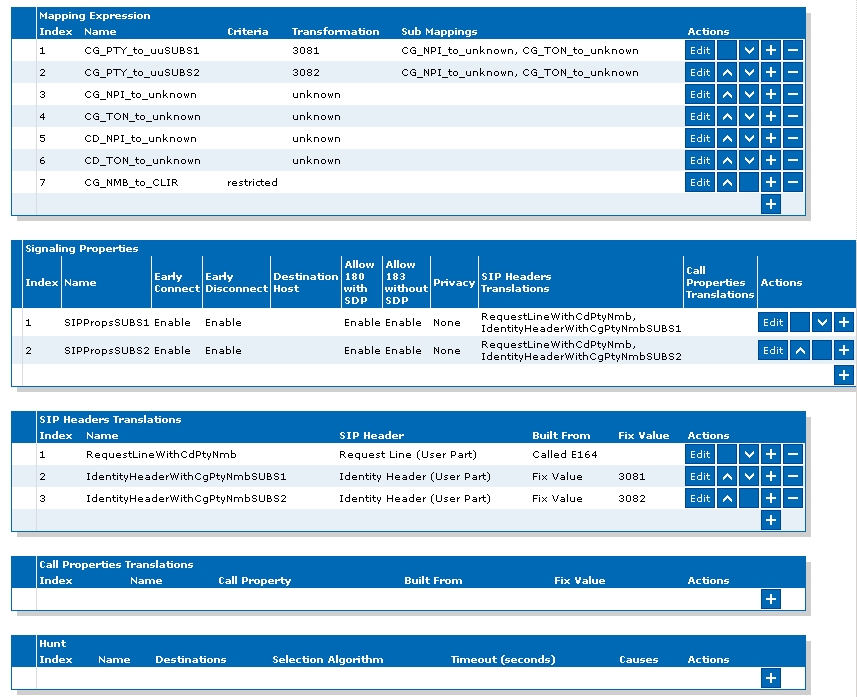
Mediatrix 44xx Gateway (Subs.) - Telephony
-> Call Routing Config 2