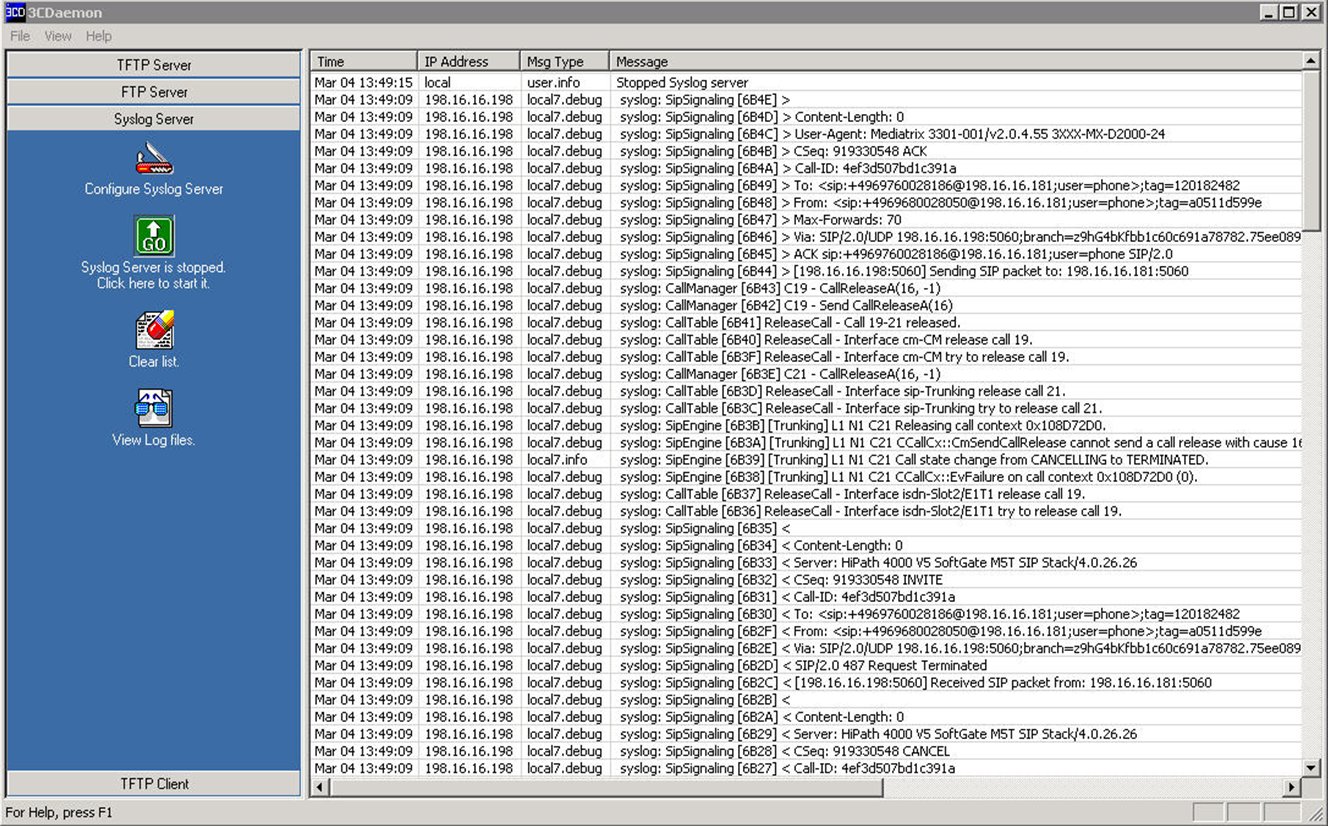
3.3.4. Error Detection with Syslog for Mediatrix 44xx and 36xx 


Logging/trace information or debugging messages are sent to an external
syslog-server. Therefore it is necessary to have a reachable syslog server
e.g. 3CDaemon. You must configure the Syslog daemon server to capture
those messages. Set the static IP address or domain name and port number
of the device where the syslog-server is running in the Remote Host field.
If no Syslog daemon address is provided by a DHCP server or specified
by the administrator, no messages are sent.
Figure 97. Syslog - System > Syslog > Diagnostic Traces
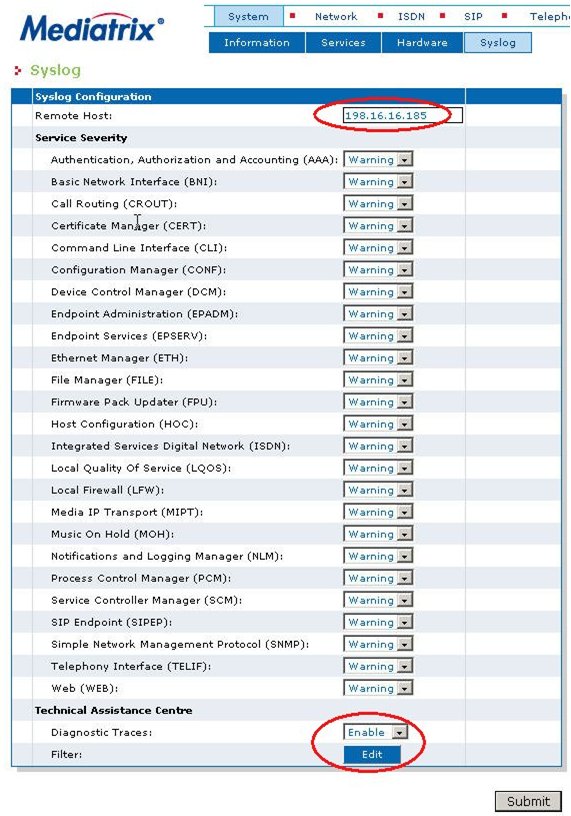
In the Service Severity section, select the minimal severity to issue
a notification message for the various services in the corresponding
drop-down menus.
When setting severity to Debug all notification messages are issued.
If you want to have detailed log information enable diagnostic traces
by setting the Diagnostic Traces drop-down menu to Enable.
If applicable, define the filter applied to diagnostic traces by clicking
the Edit button in the Filter field.
Figure 98. Syslog - System > Syslog > Diagnostic Traces > Edit
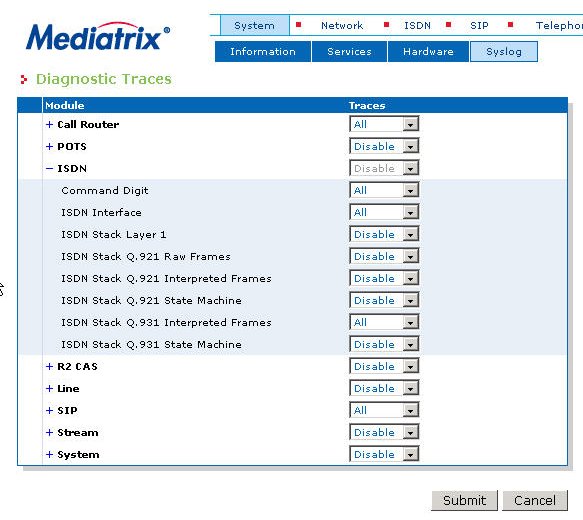
Problems with the ISDN interface:
- If you have problems with the ISDN interface (E1/T1/S0) it's recommended to set ISDN to All.
- You may not want the ISDN stack massages except the Layer 3 information, which is "ISDN Stack Q.931 Interpreted frames"
- For investigation problems with DTMF-Map, Mapping tables, hunting ... set Call Router to Debug
- SIP messages can be traced by setting SIP to Debug.
For general problems at least the following needs to be provided:
- An ethereal trace containing the SIP messages.
- A syslog trace with the following values set to debug:
- Integrated Services Digital Network (Isdn)
- Media IP Transport (Mipt)
- SIP Endpoint (SipEp)
- Telephony Interface (TelIf)
- Diagnostic Traces
Click edit for the filters and set to debug or ALL the following traces: - call Router
- ISDN
- Line
- SIP
- Stream