3.8.3.4. NGS Backup and Restore 


The NGS database can be backed up using:
Export/ Import tool:
OpenScape 4000 Platform Administration (Portal) > System >
IPv6 Addresses
Figure 117. NGS database: Export
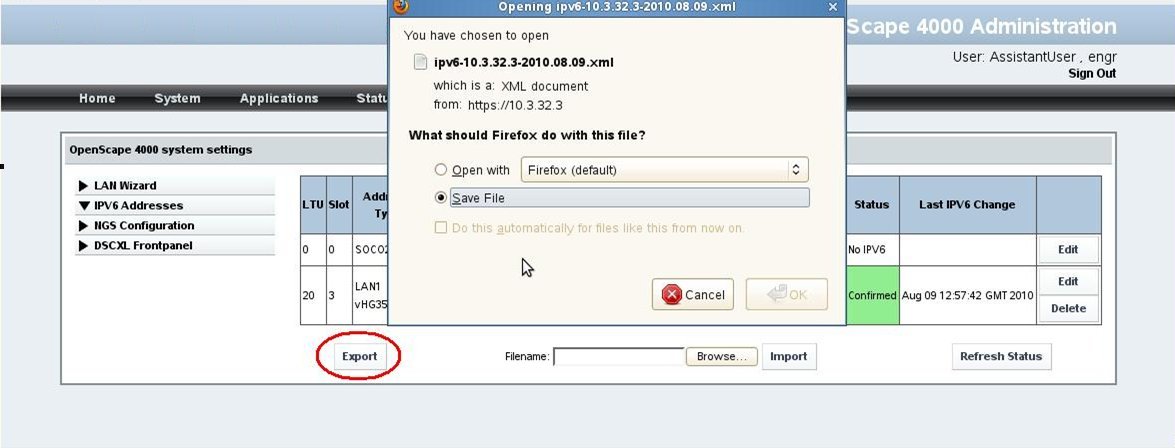
Using the "Export" option, the NGS database is exported as an ".xml"
file, which can be handled, edited, printed out with tools like "Microsoft
Office Excel":
Figure 118. NGS database: Export file

If needed, the Read/Write (RW) marked fields can be edited manually
before importing the table. The Read Only (RO) marked fields should not
be changed manually.
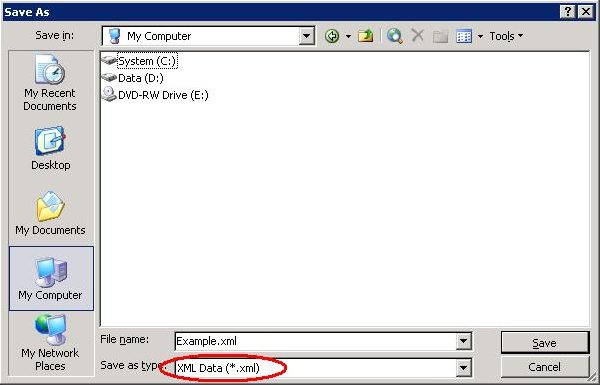
After editing the table, the file has to be saved as "xml Data".
Figure 119. NGS database: Save export file
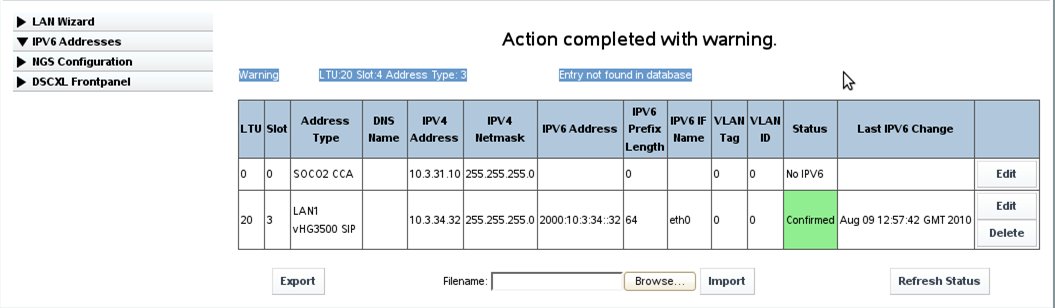
The key for accepting or rejecting an entry in the exported table
is the PEN (LTU, Slot) of the board and the address type.
If a table containing an entry for one board which is no longer configured
as IPv6 is imported, the corresponding entry will be dropped during the
importing procedure.
OpenScape 4000 Platform Administration (Portal) > System >
IPv6 Addresses
Figure 120. NGS database: Import with warnings
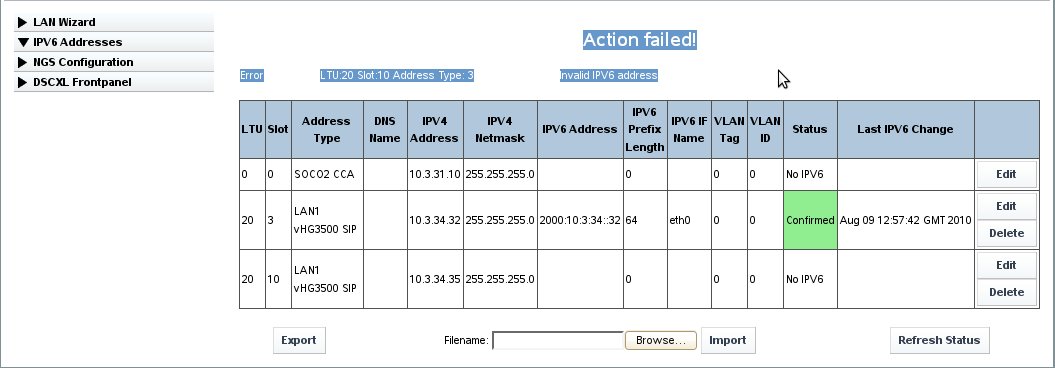
If a duplicate IP address is detected during the importing procedure,
the whole action will fail. In this case, the table has to be rechecked
manually in order to avoid database inconsistencies.
OpenScape 4000 Platform Administration (Portal) > System >
IPv6 Addresses
Figure 121. NGS database: Import failed