14.2.5.14. UFIP in Pickup Group 


Starting with V8, the chronologically first and only the first WABE
PU code configured in the system will be marked and used also for UFIP
devices.
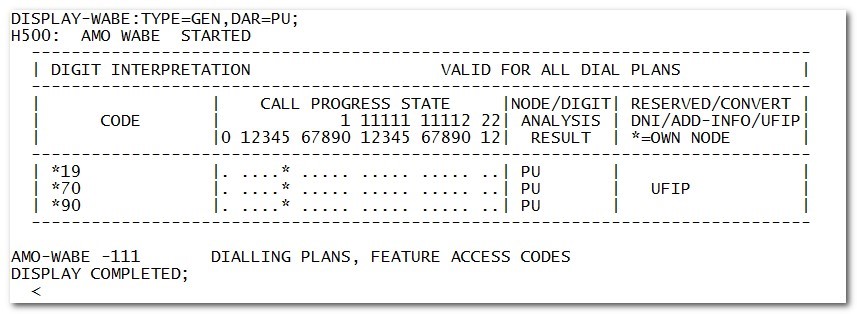
Once
the UFIP PU code is configured, it can be changed only via CHANGE-WABE
command. Deleting it is not allowed.
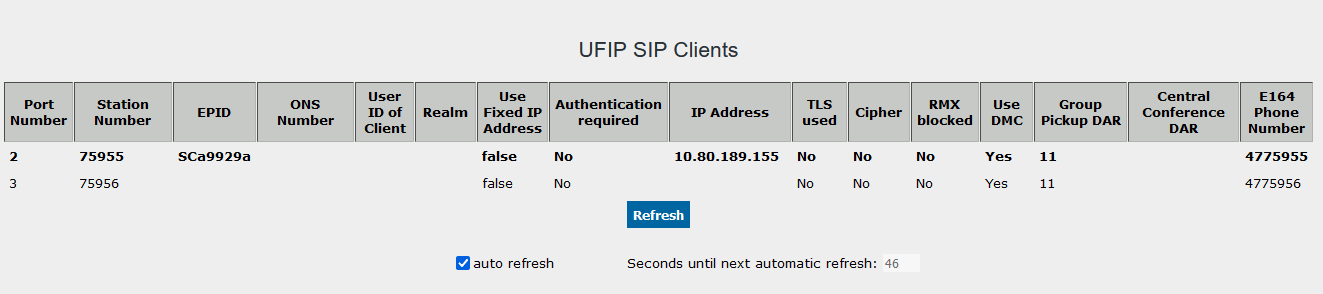
UFIP gateways must be restarted to load the new UFIP PU code, which
can be checked in WBM: Configuration -> Voice Gateway -> Clients
-> UFIP SIP: “Group Pickup DAR” column
Restrictions:
only one PU code at a time can be used for UFIP clients. Since REGENERATE-WABE
will return the codes in numerical order, after new generation of the
system (including upgrades via Auto-GENDB) manual adaption maybe needed
to change the order of configured codes.
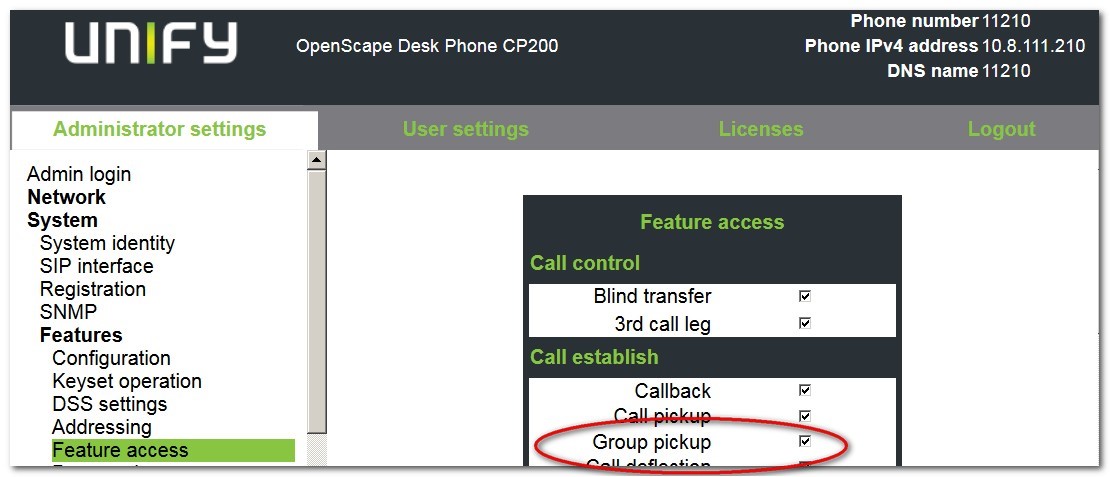
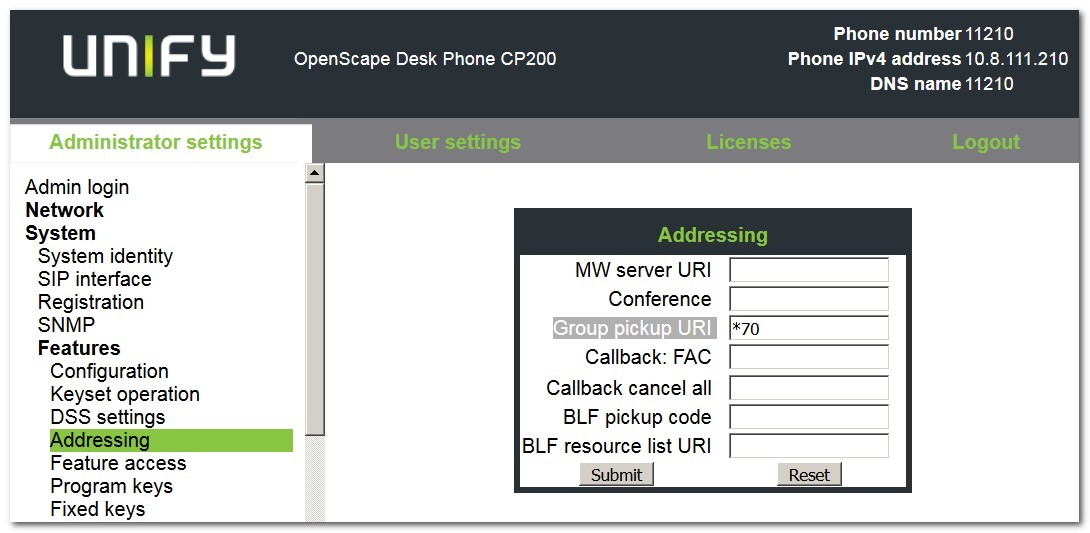
Following the system AUN configuration, for each UFIP device:
- “Group pickup” feature must be enabled:
- WABE UFIP PU code must be configured:
- Optional device pickup call behavior customization and key configuration:
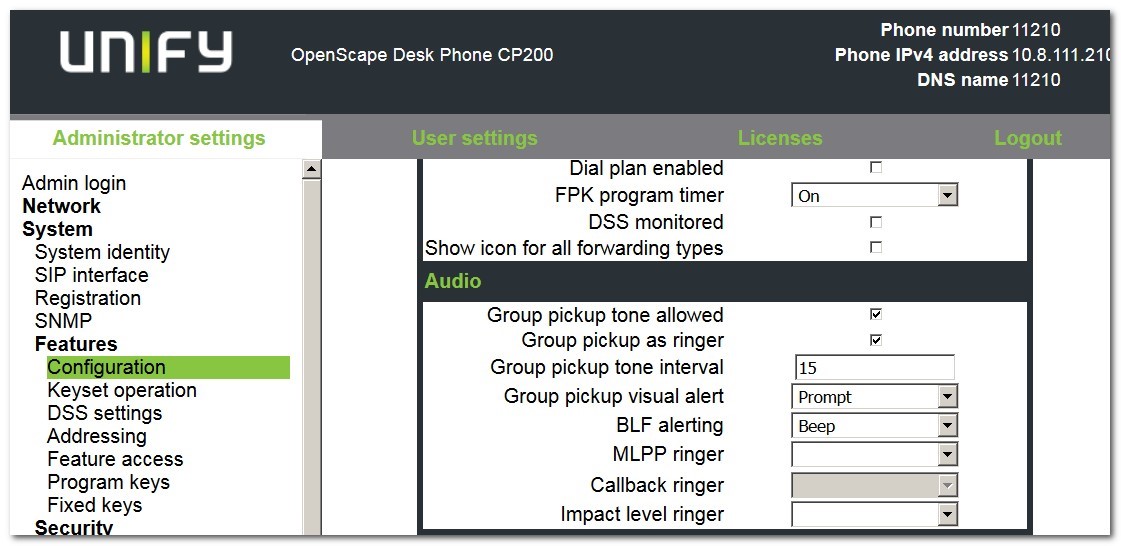
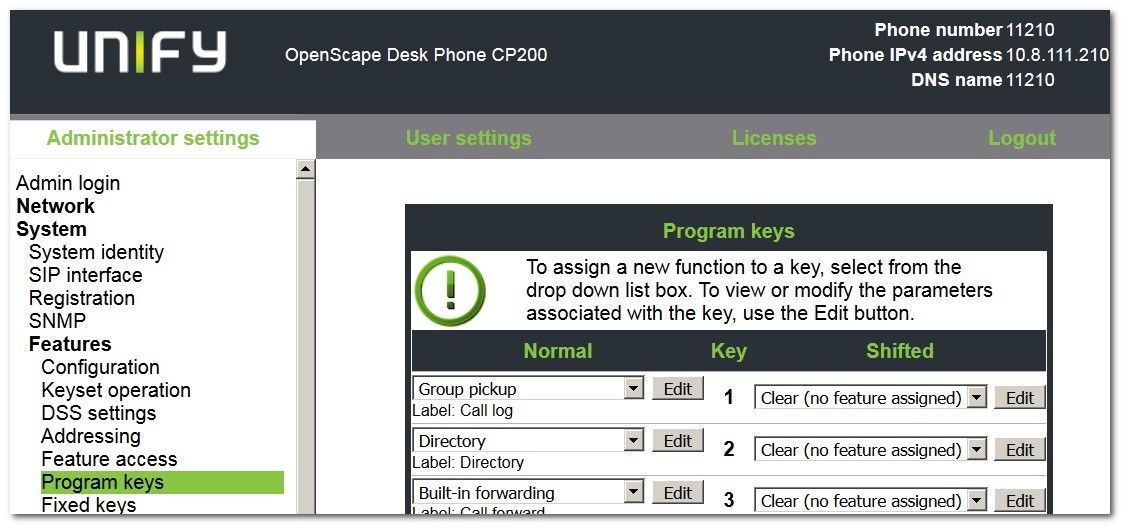
For details, please check phone documentation.