14.8.5.2.1. Add OpenScape 4000 vSTMI as a Gateway to the Lync
Server Topology 


- Start Topology Builder: Start > All Programs > Microsoft Lync Server 2010/2013 > Lync Server Topology Builder
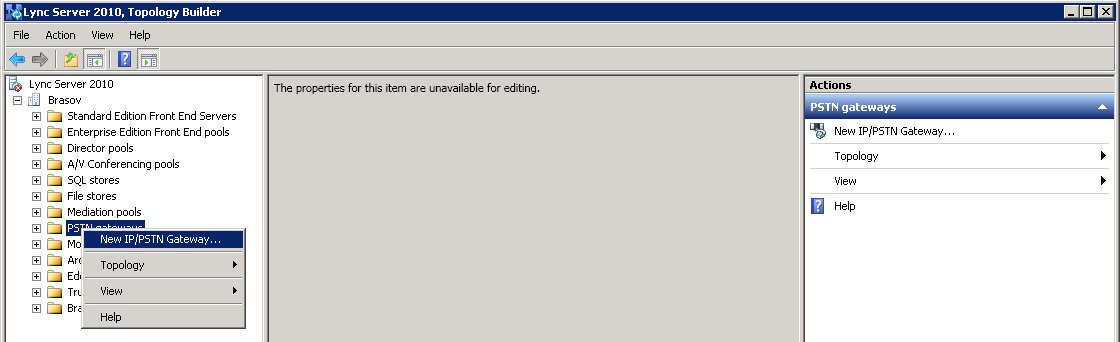
- Select PSTN Gateway and define a new gateway:
-
Right click PSTN Gateways and select New IP/PSTN Gateway
Figure 310. Microsoft Lync Server - Define new IP/PSTN gateway
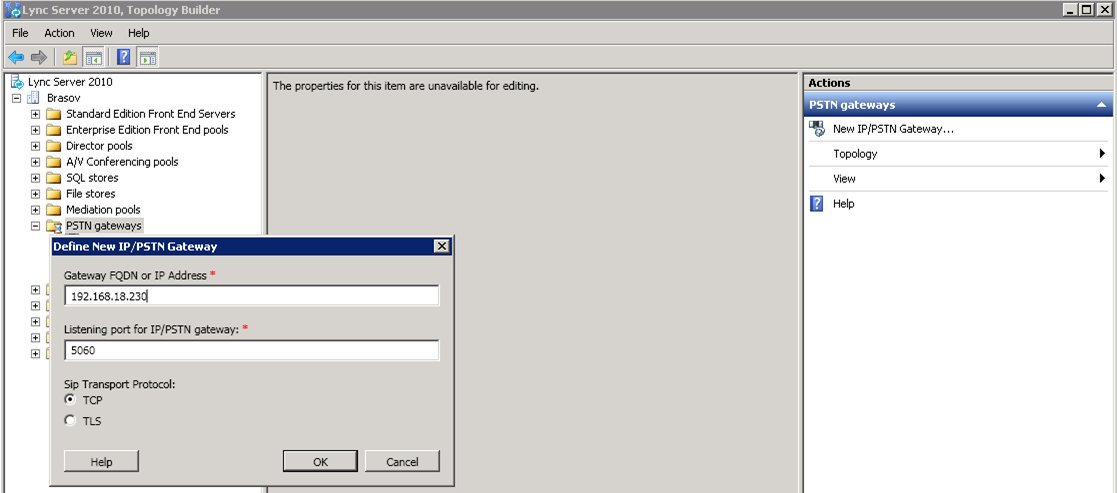
- Define New IP/PSTN Gateway dialog:
- Gateway FQDN or IP Address: specify the IP address of the OpenScape 4000
- Listening port for IP/PSTN gateway: enter 5060
- Select TCP as Sip Transport Protocol.
Figure 311. Microsoft Lync Server - Properties for new IP/PSTN gateway
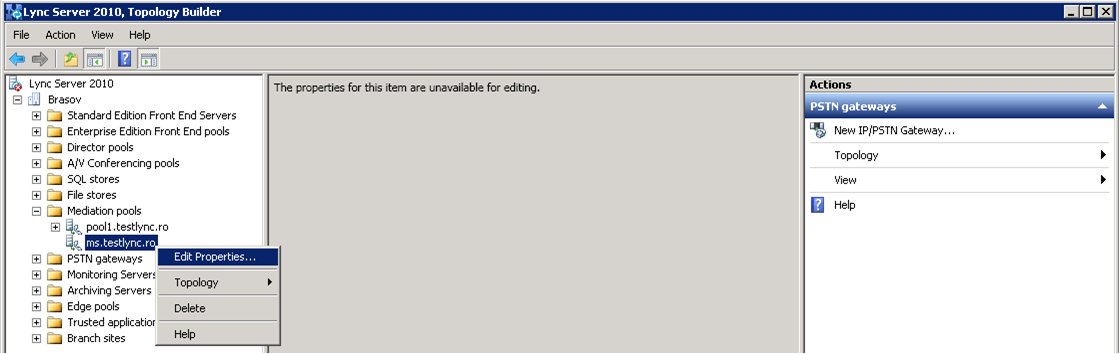
- Select Mediation pools.
-
Right click Mediation pool, select Edit Properties and click OK and then click OK again.
Figure 312. Microsoft Lync Server - Mediation pool properties
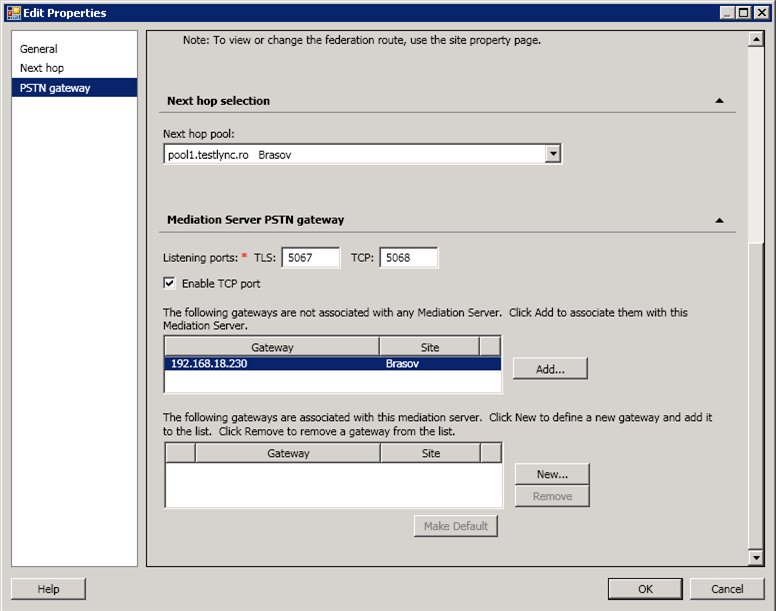
- Select Gateway on PSTN gateway tab and click Add.
Figure 313. Microsoft Lync Server - PSTN gateway properties
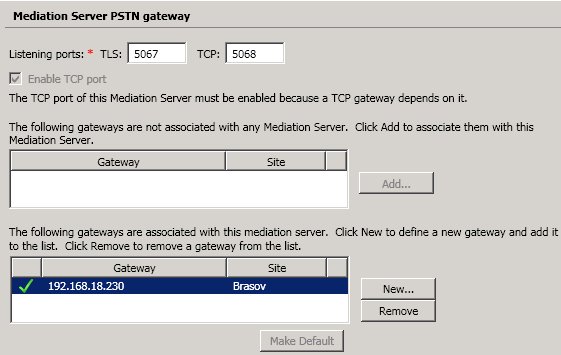
- Gateway has been assigned to Mediation Server. Click OK.
Figure 314. Microsoft Lync Server - Assign gateway to Mediation Server
- Publish your changes to the Lync Server topology:
-
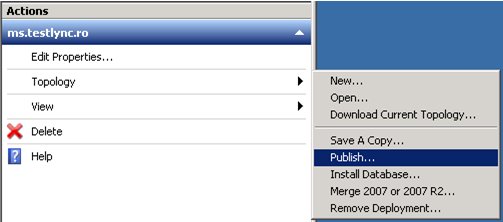
Actions panel of the Topology Builder > Topology > Publish
Figure 315. Microsoft Lync Server - Publish the changes to the Micorosft Lync Server topology