14.5.3.3. Gateway Configuration in WBM 


In the HG 3500 WBM under Configuration > Voice Gateway,
you will find the menu item SIP Trunk Profile. Here you will find
preset profiles for the released service providers. For a simulation,
we use a general profile with registration.
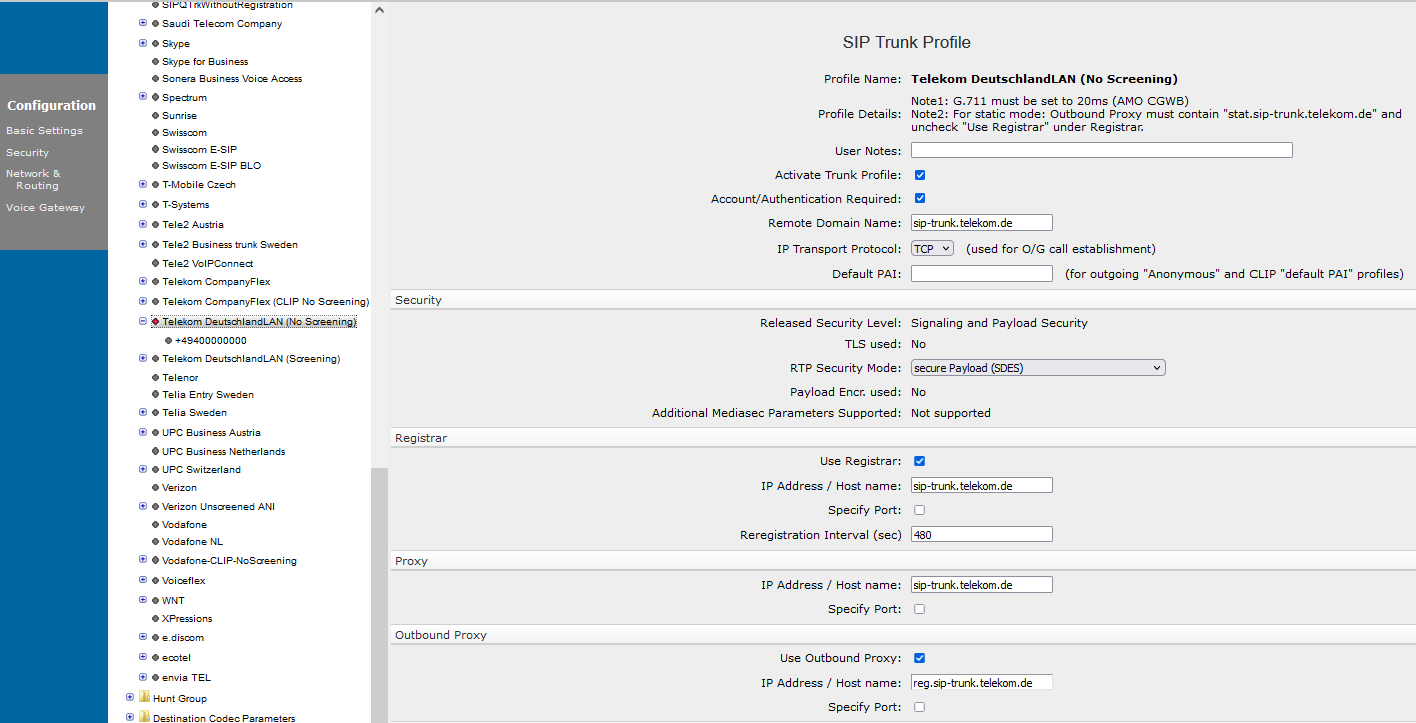
The following settings are configured under this profile (NatTrkWithRegistration):
- Domain name: supplied by the provider (here: iandc.training.com).
- IP address/hostname of the registrar: supplied by the provider (here DNS name: sip.iandc.training.com).
- IP address/hostname of the proxy: supplied by the provider (here DNS name: sip.iandc.training.com).
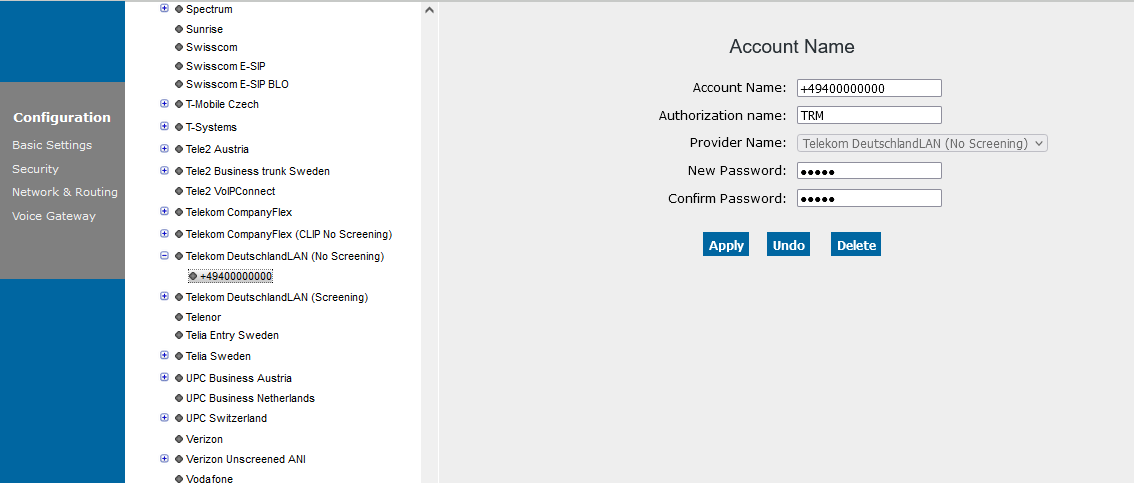
Figure 258. SIP service profiles in HG 3500 WBM (scenario 1)
Finally, enter the Account Name (click the menu item NatTrkWithRegistration).
In this example, you are registering under the system number assigned
to the connection by your provider.
Figure 259. SIP service profiles in HG 3500 WBM (scenario 1)