14.7.5.2. OpenScape Voice Endpoint 


Common Management Portal > OpenScape Voice > Business Group
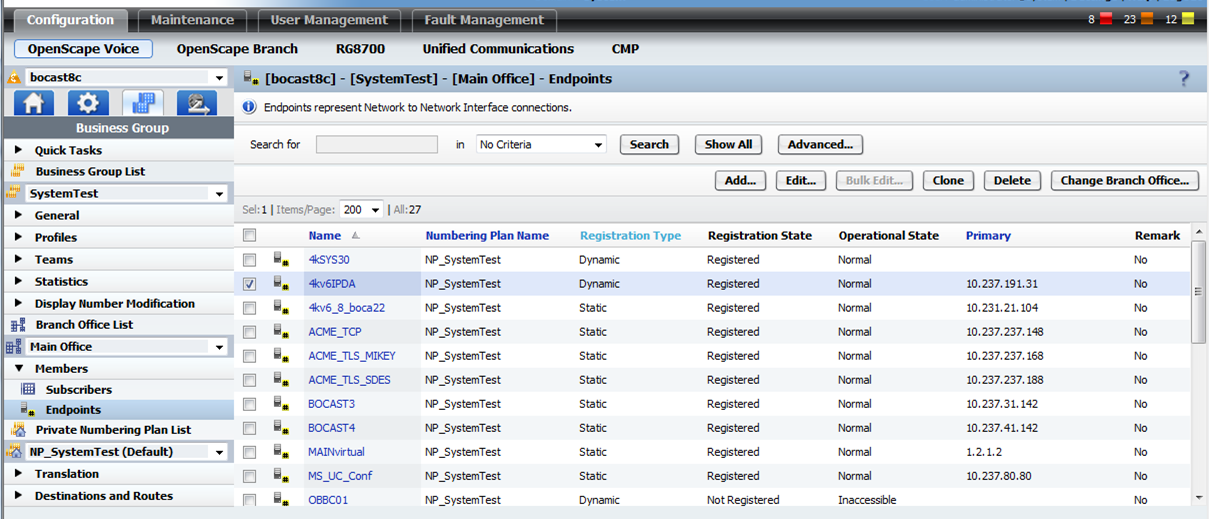
> Main Office > Members > Endpoints > Name (e.g 4kv6IPDA)
Figure 277. OpenScape Voice: Endpoint configuration
Endpoint toward the OpenScape 4000 folder “General”:
Name definition and profile:
Figure 278. OpenScape Voice: Endpoint toward OpenScape 4000 folder “General”
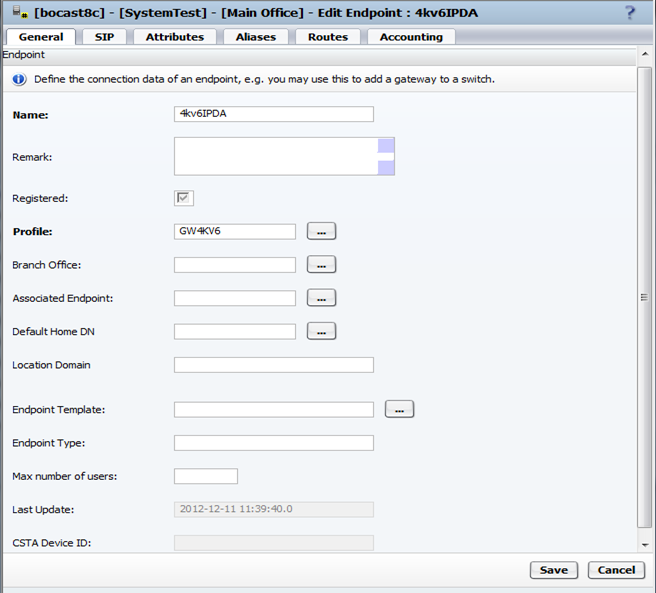
The check box Registered appears automatically when the HG
35xx is defined as Dynamic and is in state Registered.
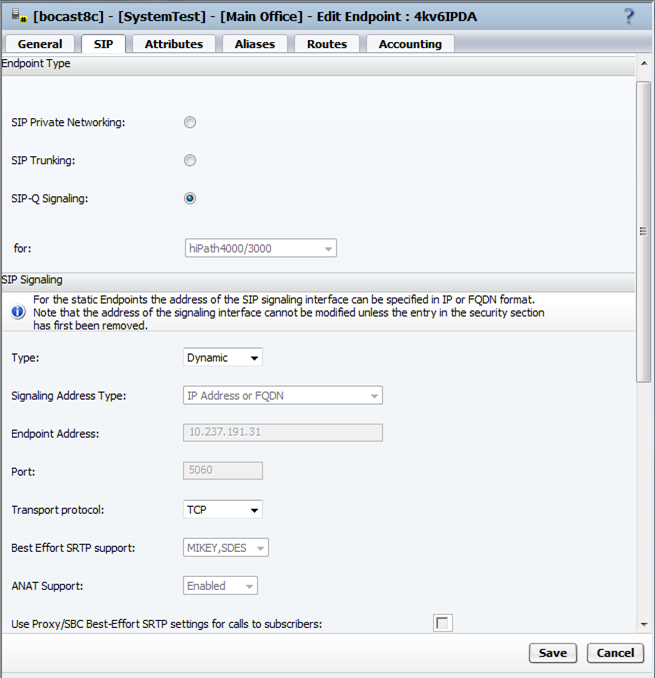
Endpoint toward the OpenScape 4000 folder “SIP” requirements:
- SIP-Q Signaling (activate with radio button)
- IP-Address for HG 35xx (Endpoint Address)
- Transport protocol (TCP)
Figure 279. OpenScape Voice: Endpoint toward OpenScape 4000 folder “SIP”
Endpoint toward the OpenScape 4000 folder “Attributes”:
Only Enable Session Timer is required.
Figure 280. OpenScape Voice: Endpoint toward OpenScape 4000 folder “Attributes”
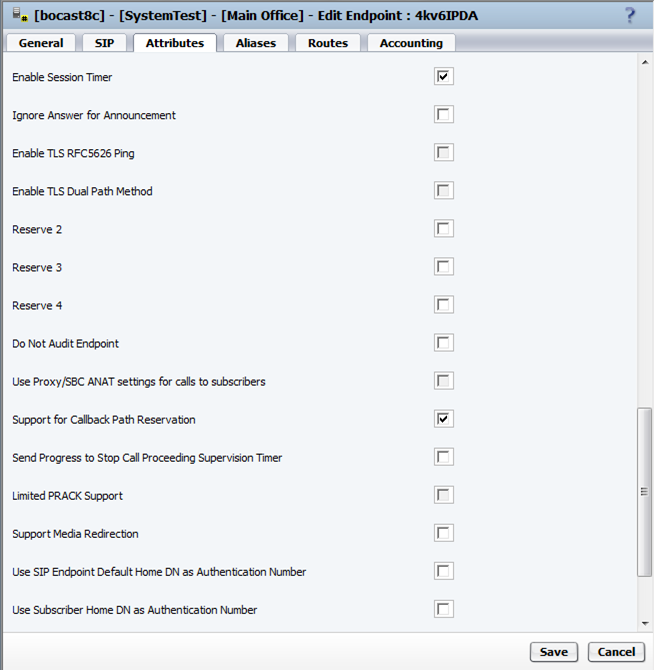
IMPORTANT:
Support for Callback Path Reservation is
especially important for Unified Communication!
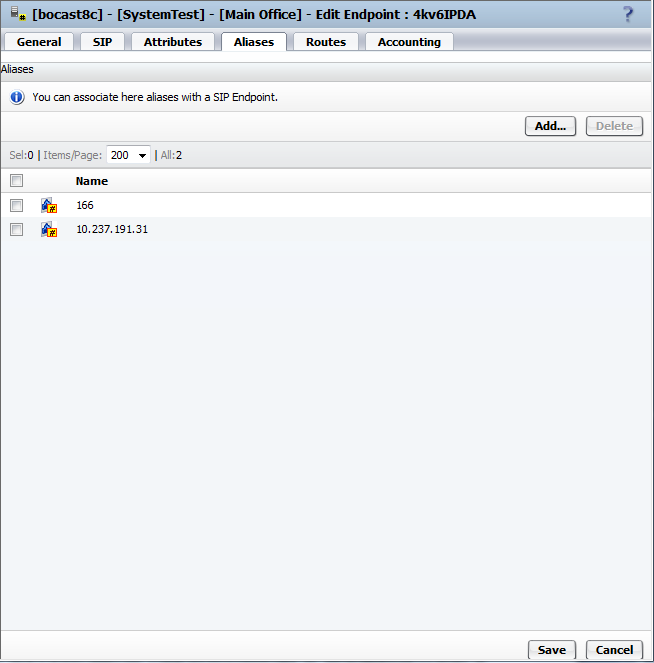
Endpoint toward the OpenScape 4000 folder “Aliases”:
Insert the IP address of HG 35xx from OpenScape 4000, e.g:
-
10.237.191.31 (check with AMO CGWB on OpenScape 4000 side).Insert the GWDIRNO from OpenScape 4000, e.g:166 (check with AMO CGWB on OpenScape 4000 side).
Figure 281. OpenScape Voice: Endpoint toward OpenScape 4000 folder “Aliases”
 All these names are defined in OpenScape4000 with AMO CGWB.IP address of HG 35xx:
ADD-CGWB:LTU=22,SLOT=2,SMODE=NORMAL,IPADR=10.237.191.31,NETMASK=255.255.255.0;
HG 3550 LEGKDATA for GWDIRNO and REGEXTGK:CHANGE-CGWB:MTYPE=CGW,LTU=22,SLOT=2,TYPE=LEGKDATA,GWDIRNO=166,REGEXTGK=YES;
INFO:
REGEXTGK can also be set to NO, however a GWNO will then need to be added.