15.1. Overview 


OpenScape 4000 V8R2 and higher support OSMO Pro only.
OSMO Pro at the OpenScape 4000 uses the same behavior like the OSV
– the so called Auto Pilot Routing. It can be compared with a hunt
group. As soon as the OSMO Pro is logged in the Auto Pilot Routing is
activated. Incoming calls are routed always in this sequence: First the
OSMO Pro rings and after a system-wide configured time (Default=15 sec)
the call is routed to the Deskphone (Info: Feature can also be used without
dedicated Deskphone). From then on the normal 4k call processing (No
Answer Advance ANSADV / Rufweiterschaltung RWEITER) is executed. If the
OSMO Pro client has a cell number configured and route call to cell is
active in the OSMO Pro settings then an incoming call is routed to the
cell number in case the client is logged off. Incoming calls to an OSMO
Pro / Desk Phone combination will be signaled with a busy signal on the
third caller in case of Voice-Only Mode (e.g. as long as auto-pilot routing
finds a free device it will route the call to that device). In Combined
Mode it is possible to set the Preferred Device to a dedicated device
and then it will have busy-on-busy on the second call.
Voice-Only Configuration Example:
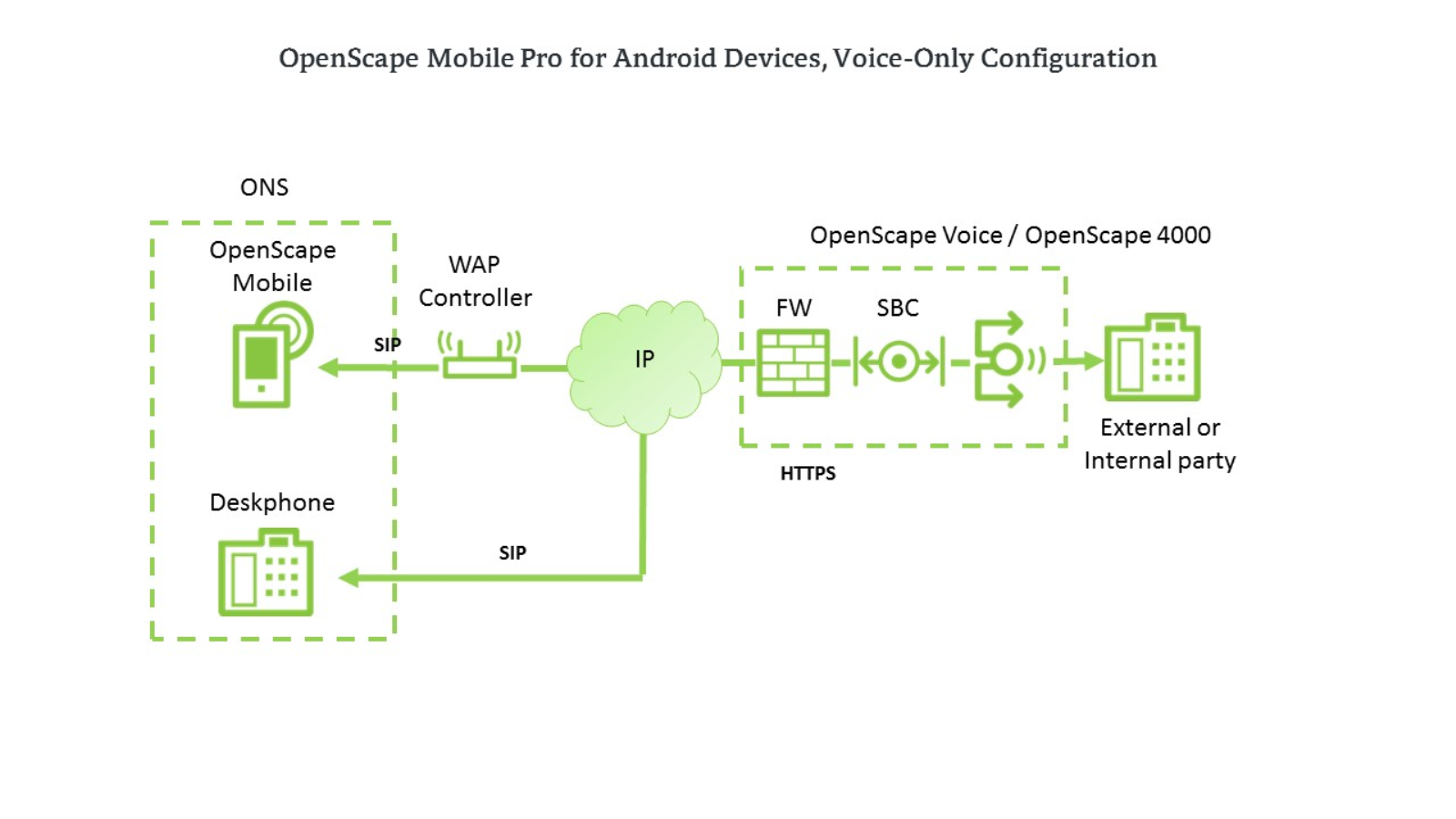
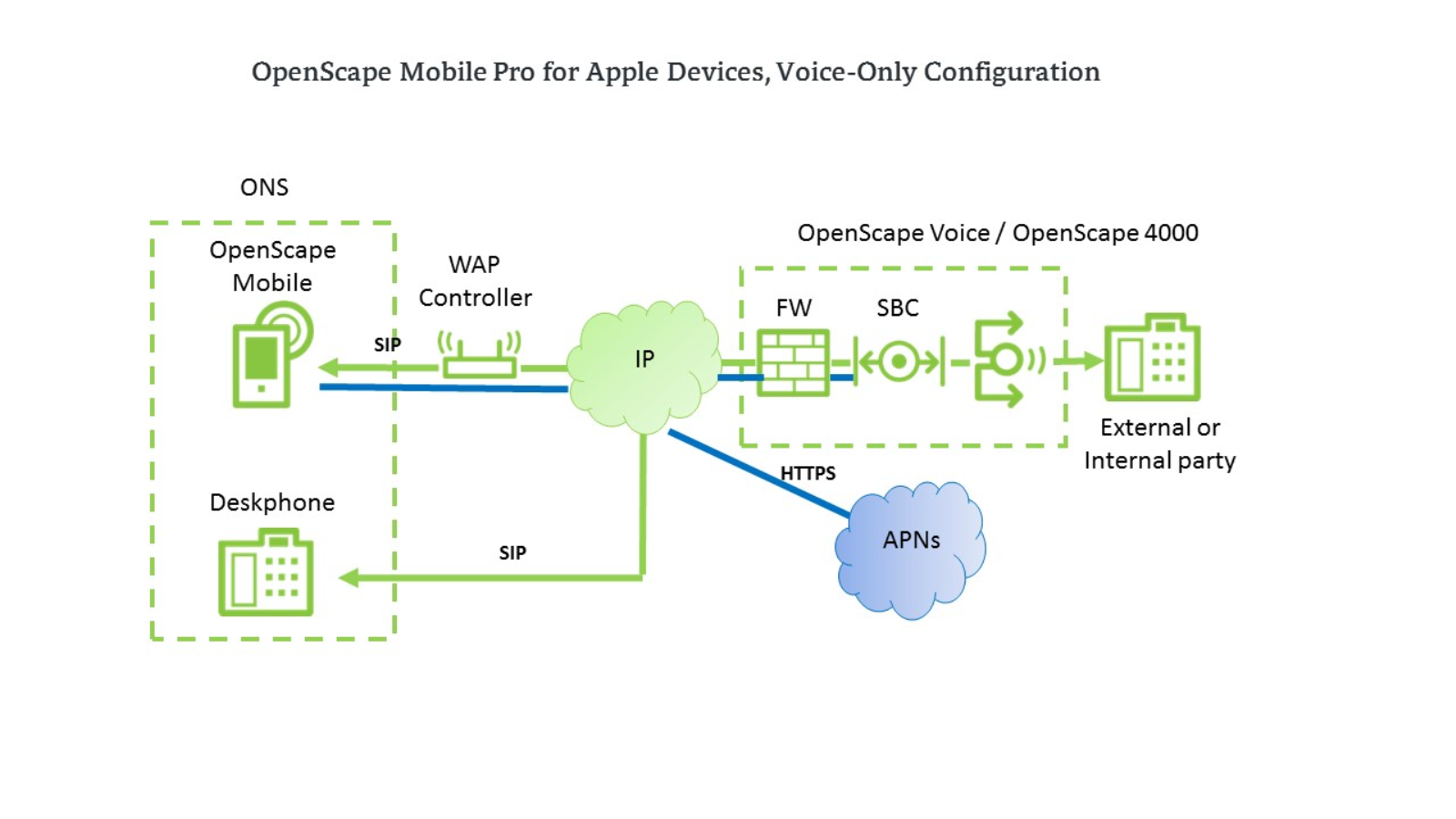
Combined-Mode (Integrated) Configuration example:
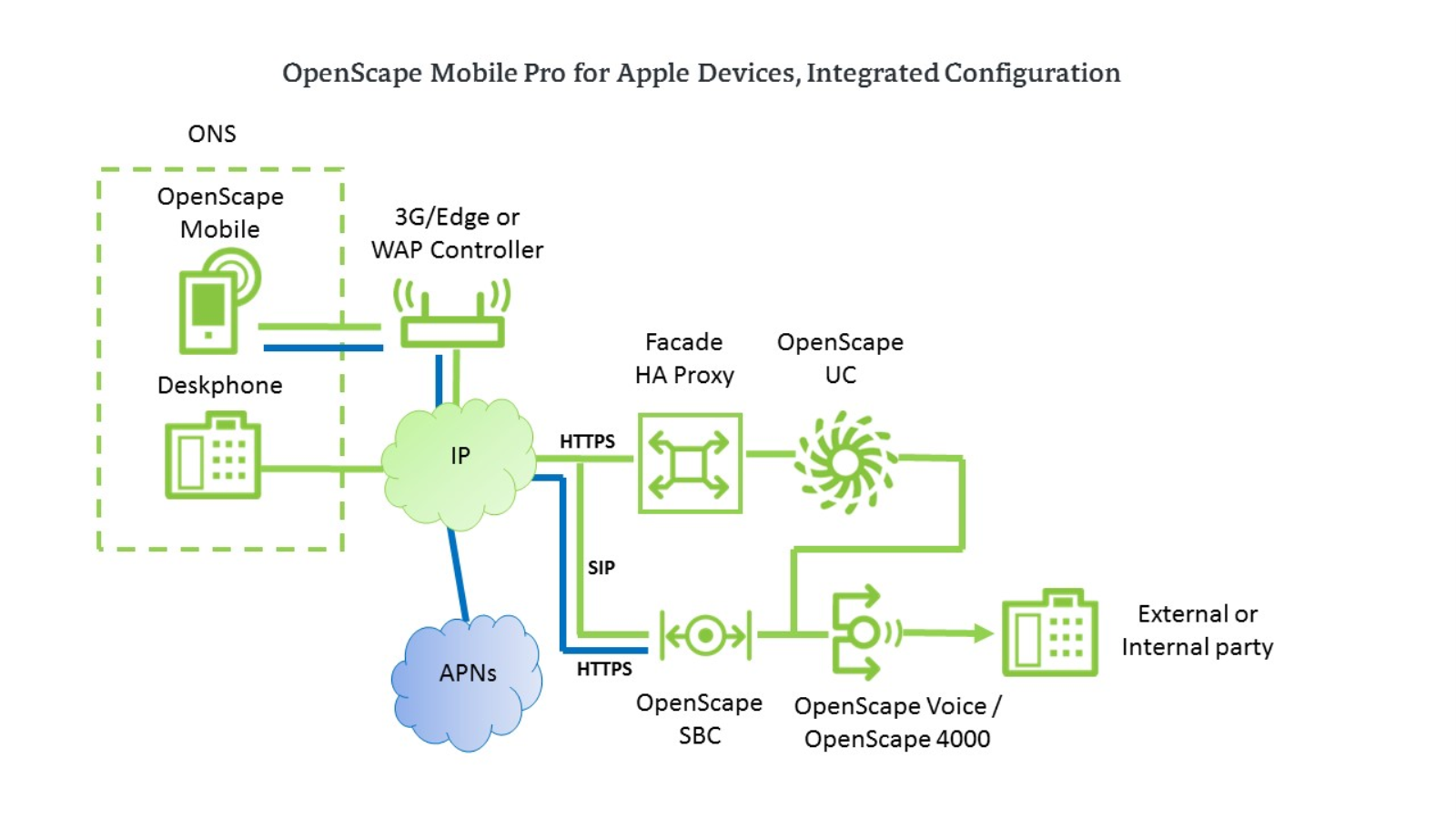
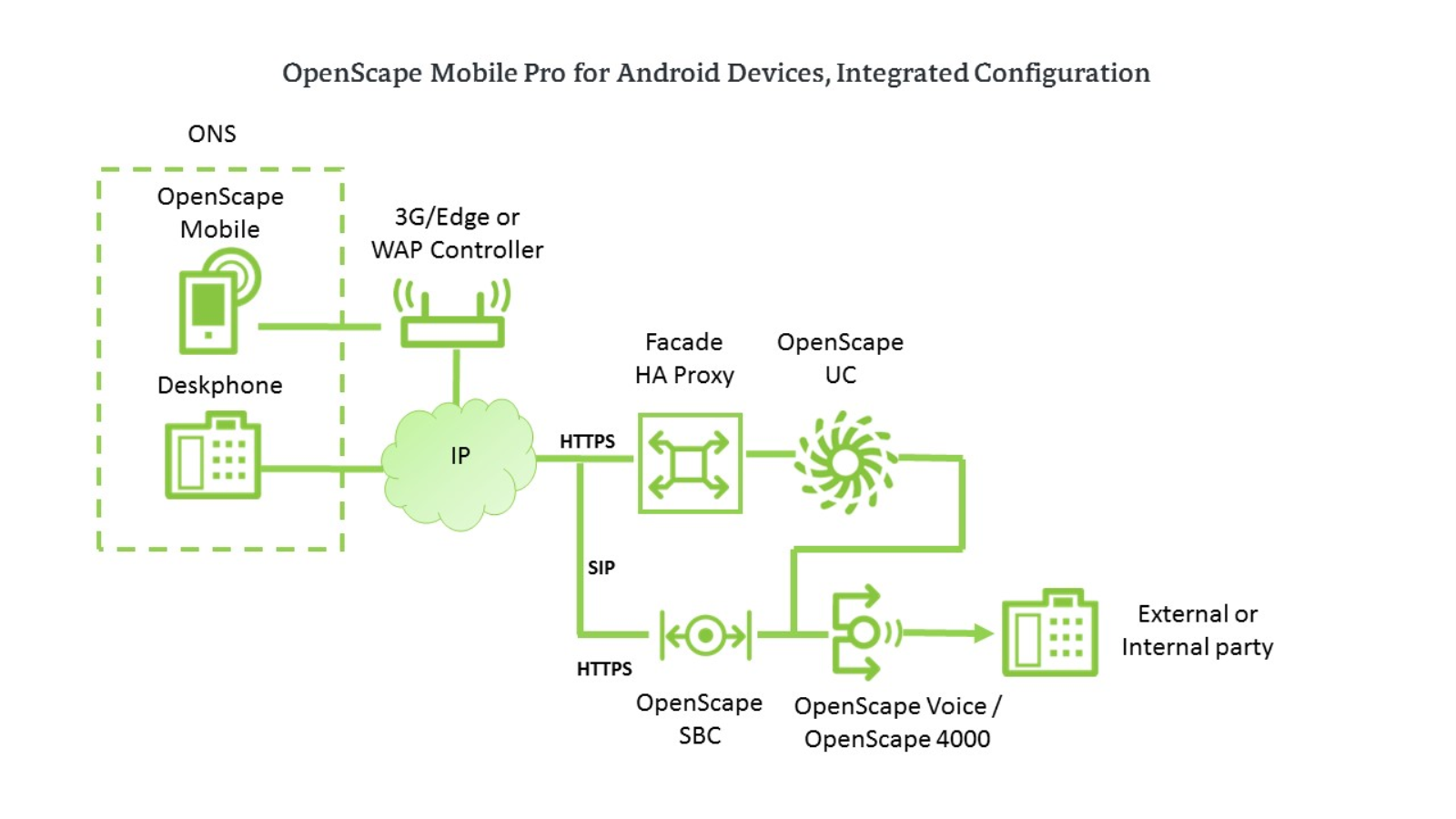
For detailed description please refer to OpenScape Mobile Pro, Administrator
Documentation.
INFO:
Hand-over between the two topologies is not possible.