18.7.8. Adding new Gateways after AutoSPE Activation 


The board has to be added in DLS as a virtual device, bootstrapped
and scanned as explained in Chapter 7,
“Distribution of Certificates to Gateways”).
You will then be able to see the board in the board list under AutoSPE
configuration, also under IP Devices > IP Gateway Configuration
> Signaling and Payload Encryption (SPE).
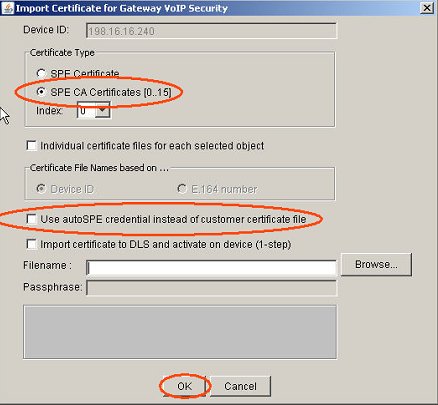
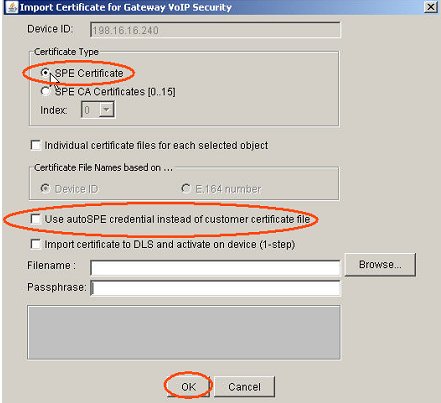
In order to send the already generated AutoSPE CA and SPE certificates
to the new gateway, you have to go to IP Devices > IP Gateway
Configuration > Signaling and Payload Encryption (SPE).
From there you can manually import the certificates onto the new gateway.