18.8.5.1.2. CA Certificate Management 


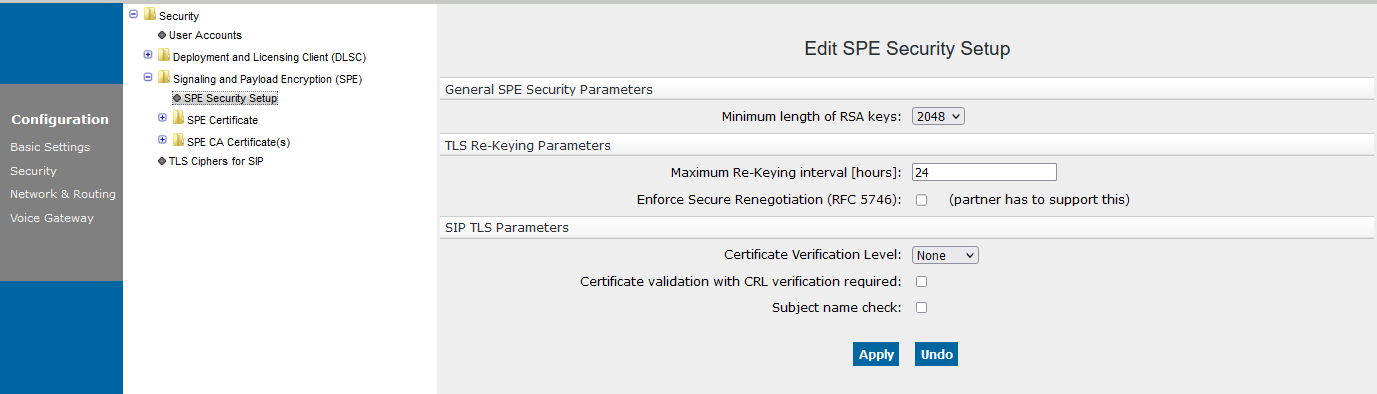
CA certificate is imported in PEM or DER format via HG3500 WBM:
Configuration > Security > Signaling and Payload Encryption
(SPE) > click on SPE CA Certificate(s) > Import trusted
CA certificate (PEM or binary)
Figure 415. HFA SPE CA Certificate Import
On following screen press button “Browse..” and select
appropriate CA certificate file to import. If CRL distribution point
for imported CA is available, select CRL distribution method (currently
only HTTP is supported) and fill CDP address in text field CDP.
IMPORTANT:
Before CA certificate is imported in CGW, its
fingerprint must be verified because from now on will be this certificate
treated as trusted.
List of currently available trusted certificates present on CGW can
be found in:
Configuration > Security > Signaling and Payload Encryption
(SPE) > single-click SPE CA Certificate(s).
Figure 416. HFA SPE CA Certificate
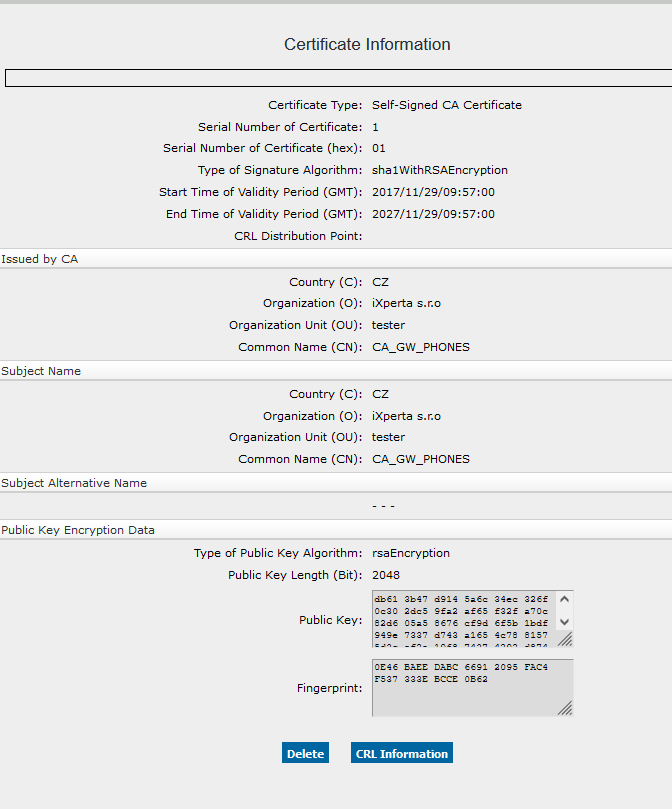
To view CA certificate details, click on appropriate entry in list.
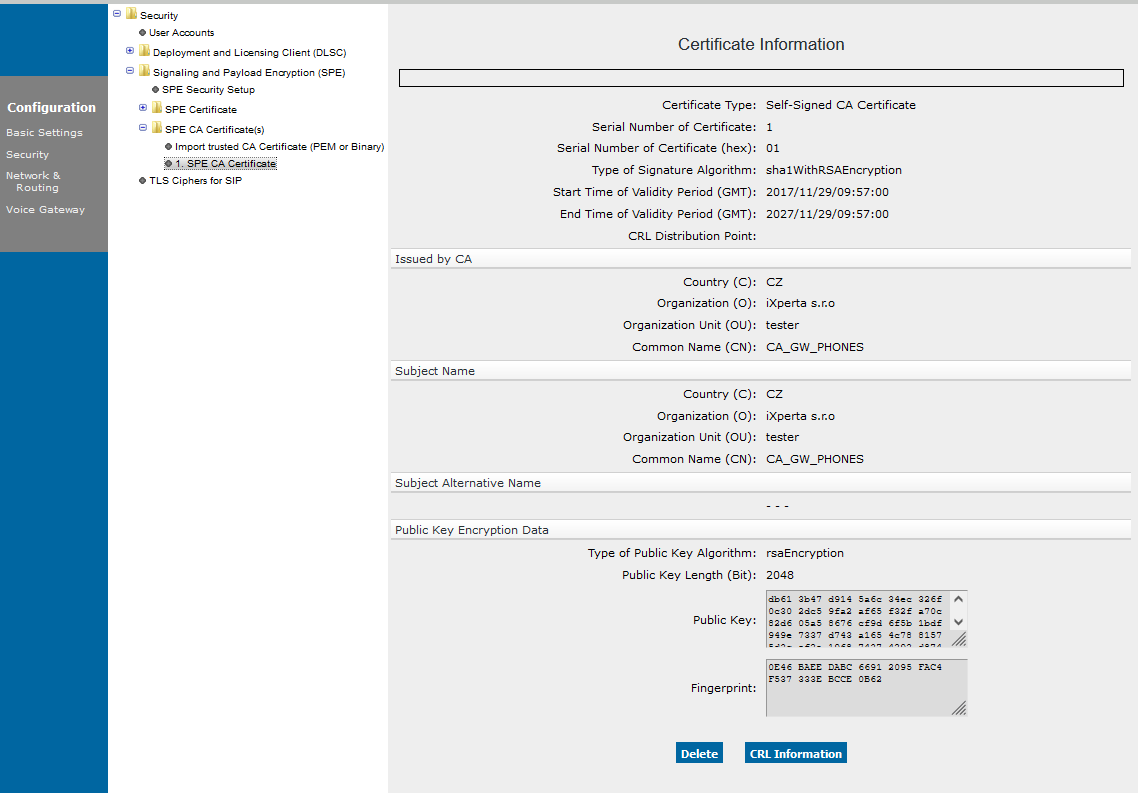
To view CDP address and list of currently revoked client certificates
click CRL Information. Certificate can be removed from trusted
certificate list with a single click on certificate in list and select
“Delete.”
Figure 417. HFA SPE CA Certificate CRL
CRL check is enabled by option:
Configuration > Security > Signaling and Payload Encryption
(SPE) > SPE Security Setup > HFA/H.323 TLS Parameters > Certificate
validation with CRL verification required.
When enabled, CRL is immediately downloaded from CDP. CRLs updates
are downloaded automatically on regular basis when CRL check is on. Note
that currently only binary form of CRL is accepted by CGW.