18.8.5.2.1. Configuration 


MTLS for HFA is indirectly enabled or disabled via “Certificate
Verification Level” select box in vHFA WBM. This option is located
in menu:
Configuration > SPE > SPE Security Setup > TLS Parameters.
In order to adjust settings click on Certificate Verification Level
select box and confirm by Apply button.
Figure 419. SPE Security Setup Key Certificate
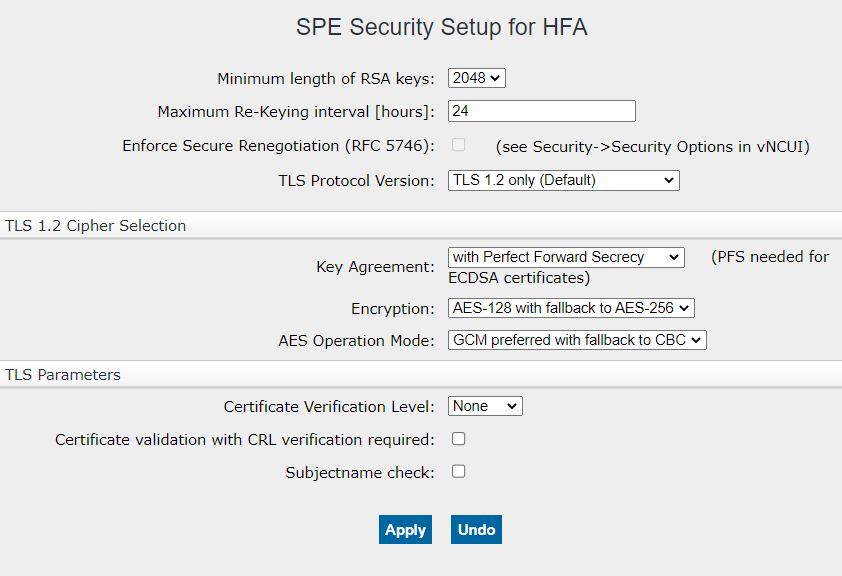
If verification level is set to None, no authentication of
the remote entity performed. When verification level is set to Trusted
or Full, client certificate is requested and verified during SSL/TLS
handshake. Client certificate must be signed by some trusted CA, whose
public key certificate must be present on SG (more CA certificates can
be present).