14.11.2.2. STMIX/STMIY/vHG WBM configuration 


This chapter presents the configuration for the STMIX/STMIY/vHG WBM side. MS Teams
trunk
profile need to be configured and enabled.
Perform the following steps:
- Go to vHG WBM > Configuration > Voice Gateway, extend SIP Trunk
Profiles and click on MS Teams.
Figure 323. MS Teams
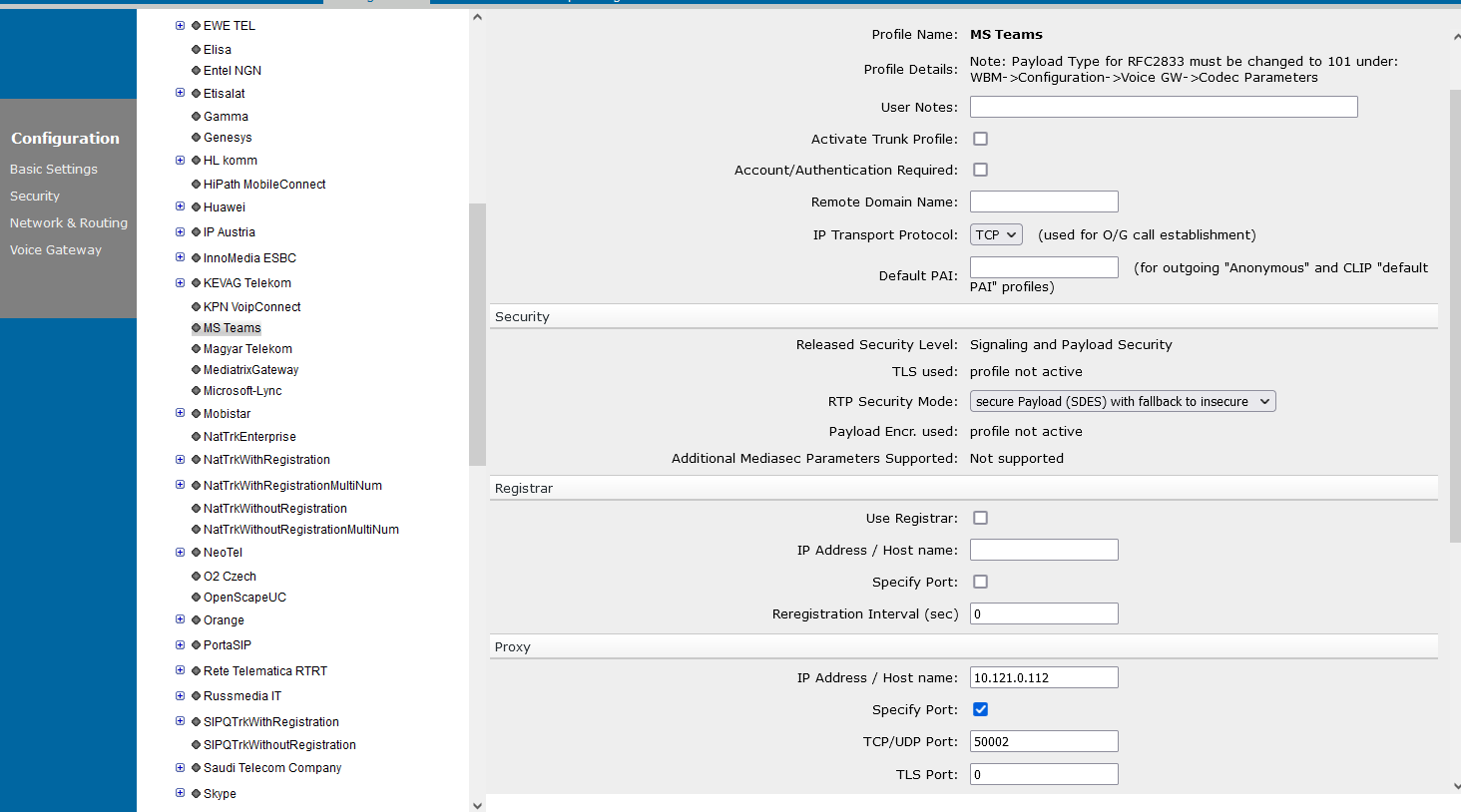
- Under Proxy settings, enable the Specify port check box and enter
the following:
- IP Address /Host name: SBC LAN IP.
INFO:
SBC LAN IP is the core side IP of the SBC used for direct routing to MS Teams. - TCP/UDP Port: 50002.
Click the Apply button.Click the OK button. - IP Address /Host name: SBC LAN IP.
- After the above configuration is done, the trunk profile must be activated:
Figure 324. Activate Trunk Profile
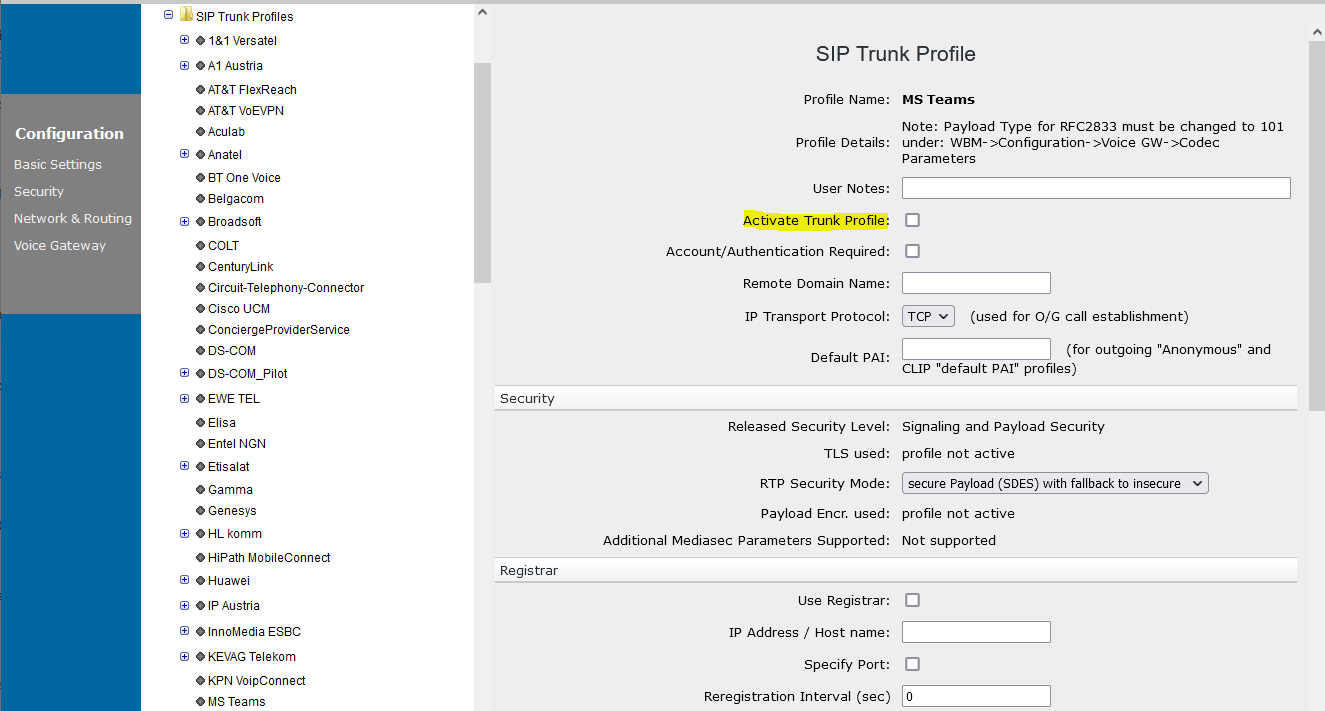 Check the Activate Trunk Profile box.Click the Apply button.Click the OK button.
 - Enable SIP OPTIONS for Keep Alive communication with MS Teams:
Go to vHG WBM > Configuration > Voice Gateway > SIP Parameters.The default value for Trunking Parameters > SIP OPTIONS ping interval is 0. It needs to be set to a higher value.
Figure 325. SIP OPTIONS ping interval
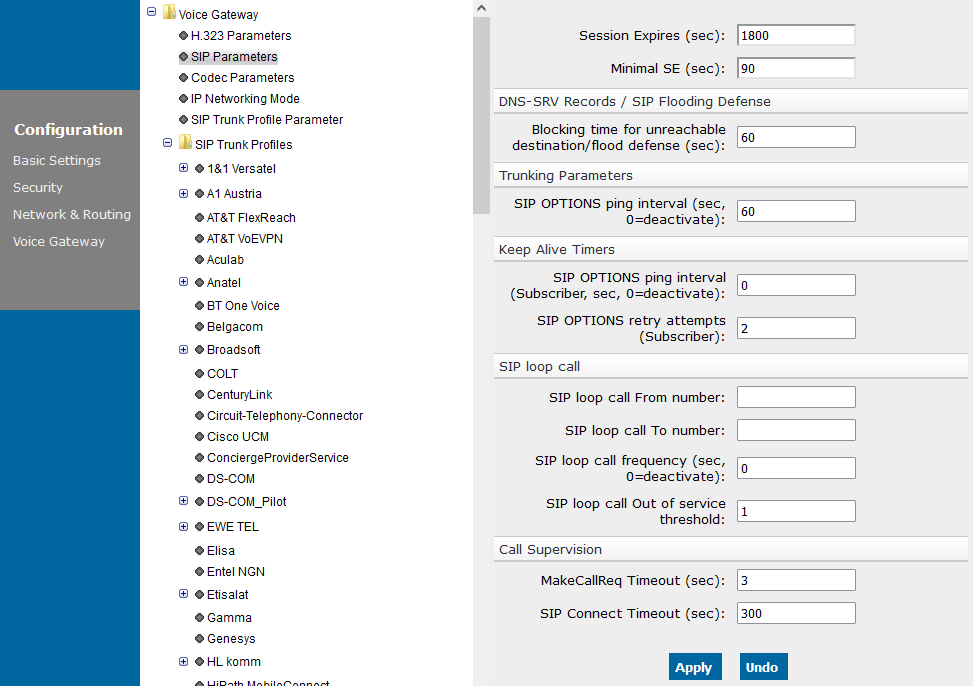 Click the Apply button.Click the OK button.
 - Repeat the procedure for the rest of the vHGs (if the desired configuration uses four vHGs).