16.3.1. Outgoing calls 


You can make outgoing calls in one of the following ways:
- Use the outgoing preferred device;
- Bypass the preferred device setting and use the UC softphone device;
- Choose the device from a menu prompted for every outgoing call.
The menu prompted to choose the device for outgoing calls is only shown for the
first outgoing call. Second calls, transfer calls and consultation calls will
use the same device as previously chosen.
Each time the user chooses a different device in the prompt, the outgoing
preferred device changes.
When choosing to make outgoing calls from prompt or from UC softphone, the
outgoing preferred device menu will not be shown in the main window.
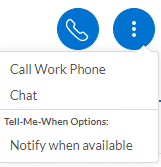
When choosing to make outgoing calls from prompt, the default menu will be
displayed as in the figure below:
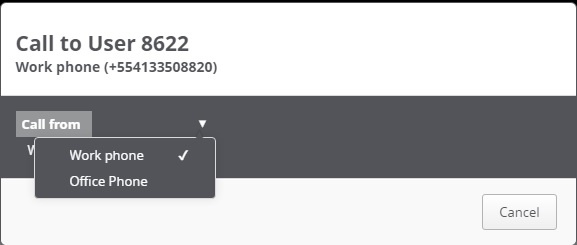
In case the hotkey feature is used, a pop-up window will be displayed as in the
figure below:
‣ Parent topic: Section 16.3. Options to make and receive calls