5.22.3.2. Identification via "APIN" Code (Manual PIN) 


The "APIN" code, i.e. the home station number followed by the assigned
PIN, must be entered as follows:
CDAPIN + STNOhome stno + # + PIN + #
(Note: STNOhome stno = CDnode number + STNOhome station/extension number)
The delimiter between the station number and the actual PIN is the "#" character.
In networks with open numbering schemes, users must enter the node number assigned
to their
"home" node in front of their home station number. If entering a PIN identification
procedure
within their own node, users can omit the node number.
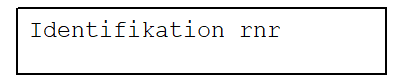
As a positive acknowledgement, the display will show "Identifikation STNOhome stno"
("Identification: STNOhome stno"). For wrong PIN or wrong home station number entries,
"nicht
erlaubt" ("not allowed") will be displayed as a negative acknowledgement. For other
wrong
entries, "nicht moeglich" ("not possible") will be displayed as a negative acknowledgement.
For Digites without display units, the appropriate positive or negative acknowledgement
tone
or announcement will be heard instead.
Users receive the following display outputs when identifying themselves:
1. Input: CD APIN
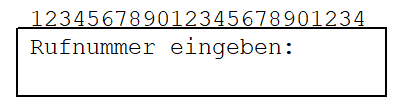
2. Input: 1st digit
of STNO home stno
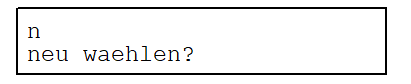
3. Input: remaining
digits of STNO home stno + #
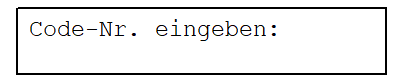
4. Input: 1st digit
of PIN
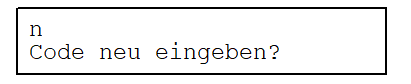
5. Input: remaining
digits of PIN + #
IMPORTANT:
stno
is normally the user's home station number, but may also be the
number of the "foreign" station used, depending on the user's COPIN.
Users have the option of correcting their entries at each stage of
the procedure, i.e. the home station number or PIN entry can be repeated
if mistakes are made during input.