2.11.3. Tool configuration for flashing 


INFO:
It is recommended to run the tools as administrator. Otherwise, the settings may
not be saved.
Tool configuration:
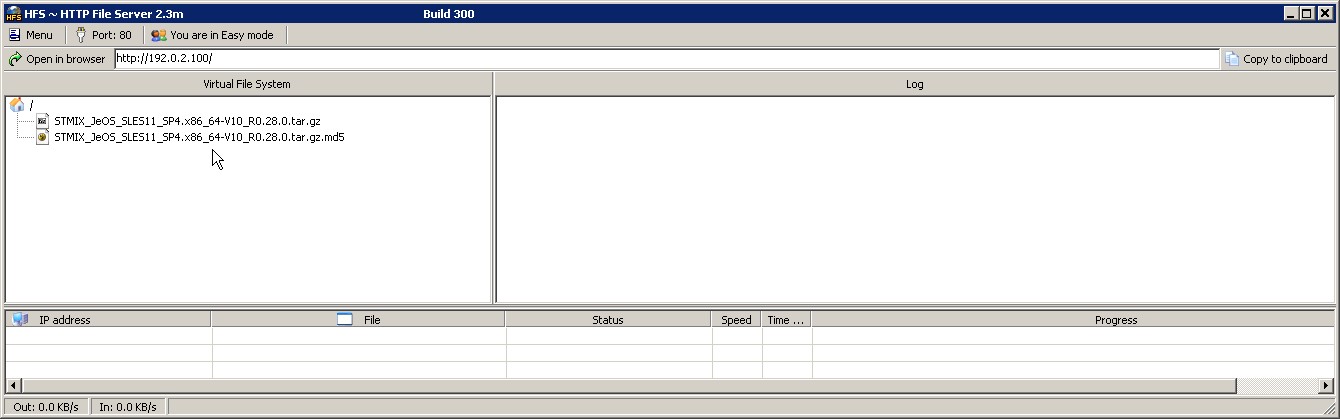
- Run the webserver hfs.exe file:
Menu -> Add filesSelect and open the following files from the "D:/stmix-image-repo" folder:
STMIX_JeOS_SLES11_SP4.x86_64-V10_R0.28.0.tar.gz
STMIX_JeOS_SLES11_SP4.x86_64-V10_R0.28.0.tar.gz.md5
Menu -> IP AddressSelect the IP address used on the interface connected to the STMIX LAN port (e.g. 192.0.2.100).Figure 16. IP settings for hfs.exe
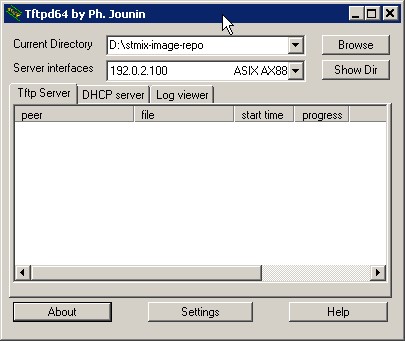
- Run the tftpd64.exe. Make sure the following settings are in place:
- Current directory: D:/stmix-image-repo
Server interfaces: select the interface connected with the STMIX
Figure 17. Settings for tftpd64.exe
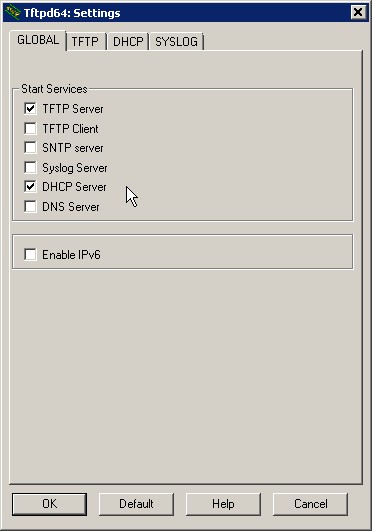
- Under the GLOBAL tab ensure:
- The “TFTP Server” box is checked.
- The “DHCP Server” box is checked.
Figure 18. GLOBAL settings for tftpd64.exe
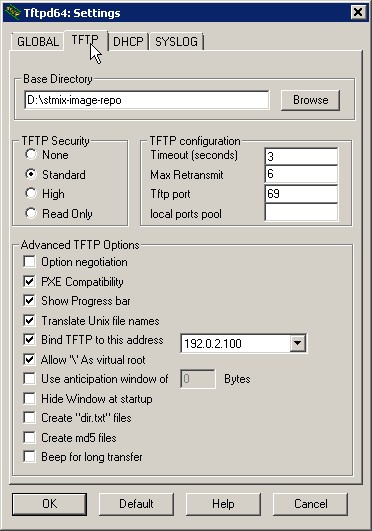
- Under the TFTP tab ensure:
- The Base Directory is set to "D:/stmix-image-repo".
- The "PXE Compatibility" box is checked.
- The "Bind TFTP" box is checked and the IP address of Windows PC Lan interface connected to STMIX is selected from the drop down menu.
Figure 19. TFTP settings for tftpd64.exe
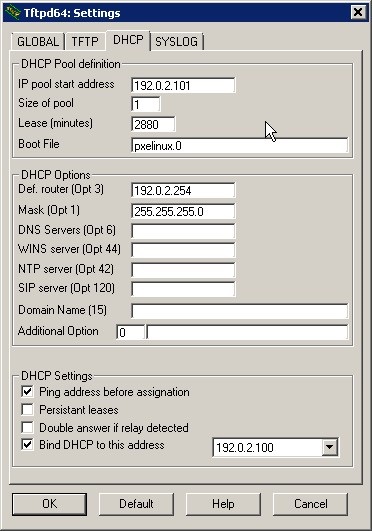
- Under the DHCP tab ensure:
- IP pool start address: IP Address of STMIX (e.g. 192.0.2.101)
- Size of pool: 1
- Boot file: pxelinux.0
- Mask: 255.255.255.0
- Persistent leases: box must not be checked
- Bind DHCP to this address: IP of Windows PC LAN interface connected to the STMIX (e.g. 192.0.2.100)
Figure 20. DHCP settings for tftpd64.exe
- Current directory: D:/stmix-image-repo
IMPORTANT:
After proceeding with the above steps, exit and restart the
tfdtp64 tool to initialize the configured settings.