2.11.4. STMIX USB configuration 


USB Terminal
Install the STMIX USB driver on the Windows PC.
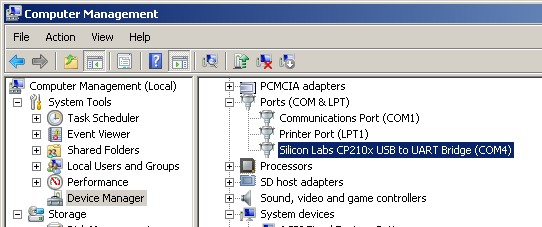
With the USB cable connected and the STMIX board powered on, identify the COM
port allocated to the STMIX in the Device Manager of Windows PC:
Figure 21. Device Manager, COM port
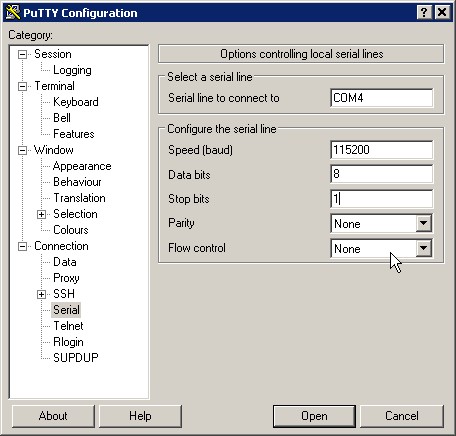
Configure in Putty a new connection for the identified COM port. The Serial port
should be configured with "115200", "8", "1", "None", "None" values.
Figure 22. PuTTY configuration
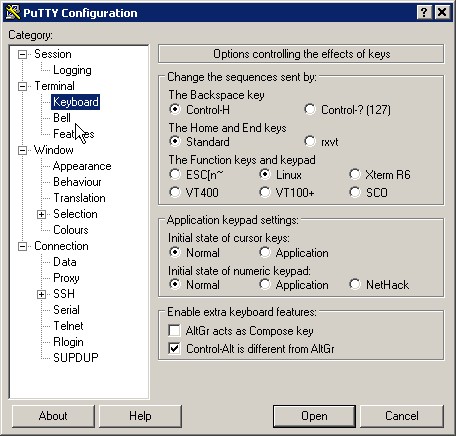
The Keyboard should be set to type "Linux", shown under “The Function keys and
keypad”.
Figure 23. Settings for the keyboard
Save the session. You can now connect to the STMIX USB-COM. The username is TRM
and the password is as configured in AMO CGWB.