3.3.3.5. Analog Stations (Mediatrix 41xx) 


Analog stations for the "Voice" or "Fax" service can
be configured at a Mediatrix 41xx gateway.
IMPORTANT:
For this device only DGW firmware is released.
If you use SIP firmware, there is a high risk, that some of your
scenarios will not work.
Analog stations in a Mediatrix 41xx gateway must be configured
as SIP subscribers in OpenScape 4000.
Example:
ADD-SBCSU:STNO=25030,OPT=OPTI,CONN=IP2,PEN=1-50-3-0,
DVCFIG=UFIP,TSI=1,COS1=2,COS2=2,LCOSV1=1,LCOSV2=1,LCOSD1=1,
LCOSD2=1,DPLN=0,ITR=0;
IMPORTANT:
The DGW Mediatrix with default settings
will not work correctly. Therefore, some of the parameters have
to be changed manually. Please, pay attention to the sections SIP->Servers,
SIP->Registrations, SIP->Interop, and SIP->Transport.
Management > Access Control
Configure the parameters for line administration and public.
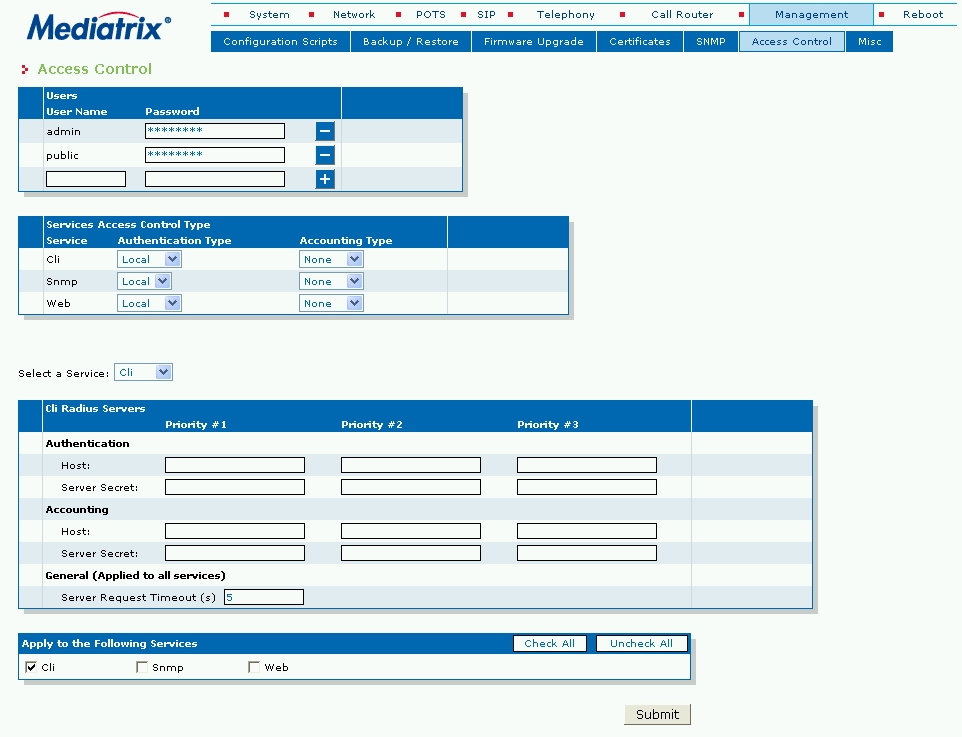
Mediatrix 41xx - Management -> Access Control
Network > Interfaces
Configure the parameters for network settings in this mask. Configure
the IP address, subnet mask, default router and SNMP port.
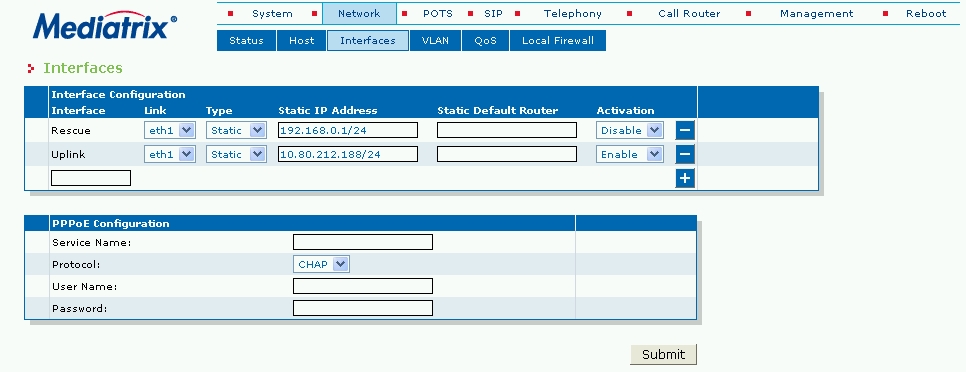
Mediatrix 41xx - Network -> Interfaces
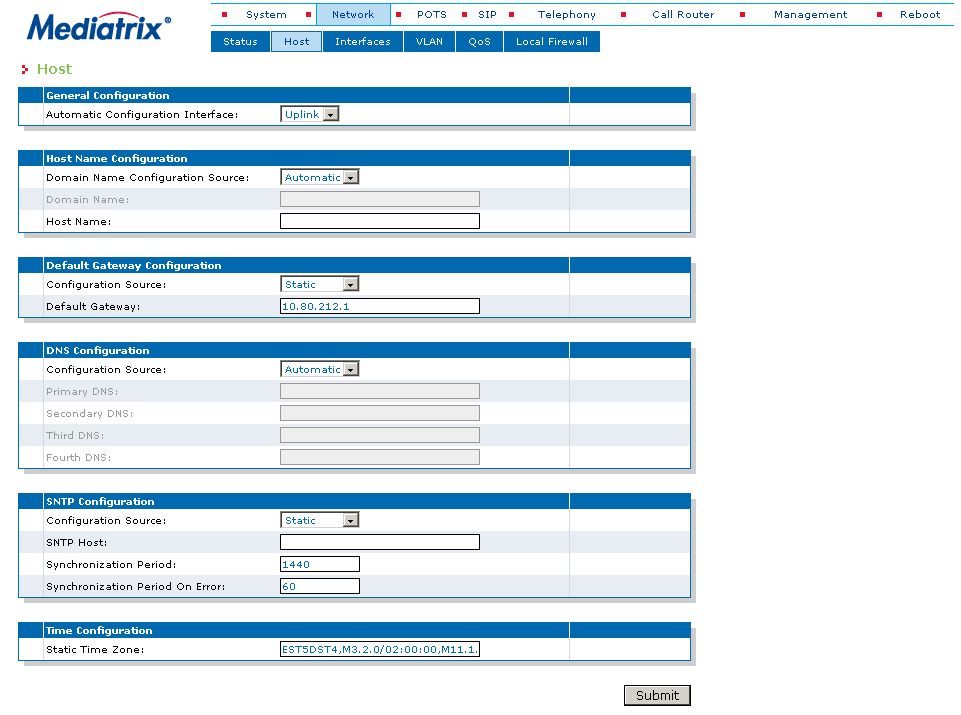
Network > Host
Configure the parameters for network settings in this mask. Configure
default router, DNS, SNTP.
Figure 80. Mediatrix 41xx - Network -> Host
Management > Configuration Scripts
The download parameters for the configuration scripts are administered
in this mask.
Enter the values for the configuration file server.
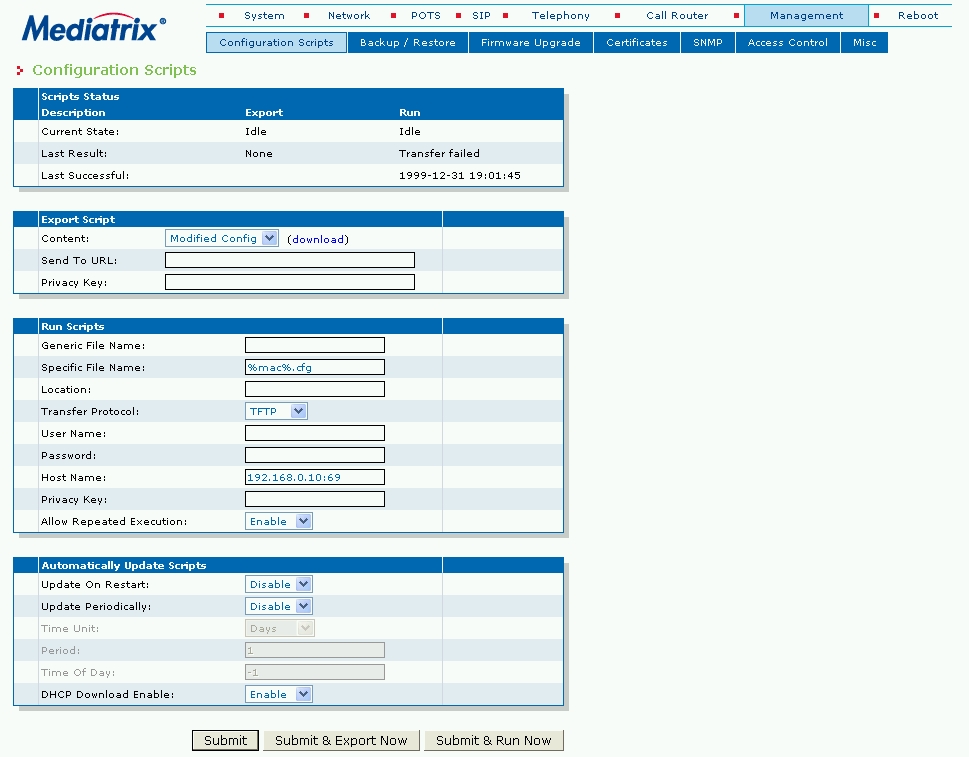
Mediatrix 41xx - Management -> Configuration Scripts
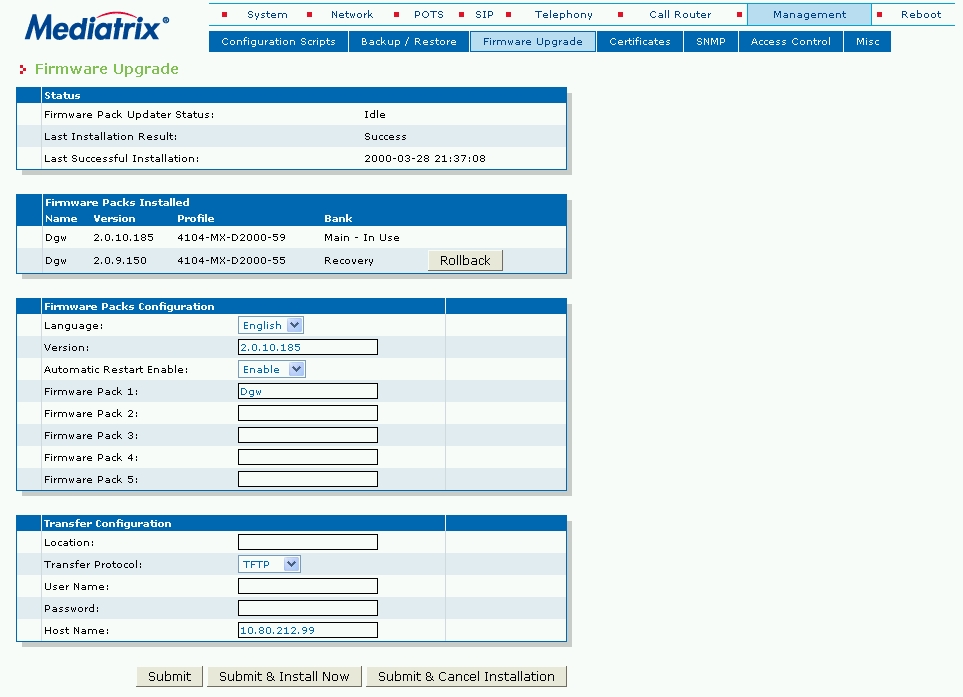
Management > Firmware upgrade
The download parameters for the firmware are administered in
this window.
Figure 81. Mediatrix 41xx - Management -> Firmware Upgrade
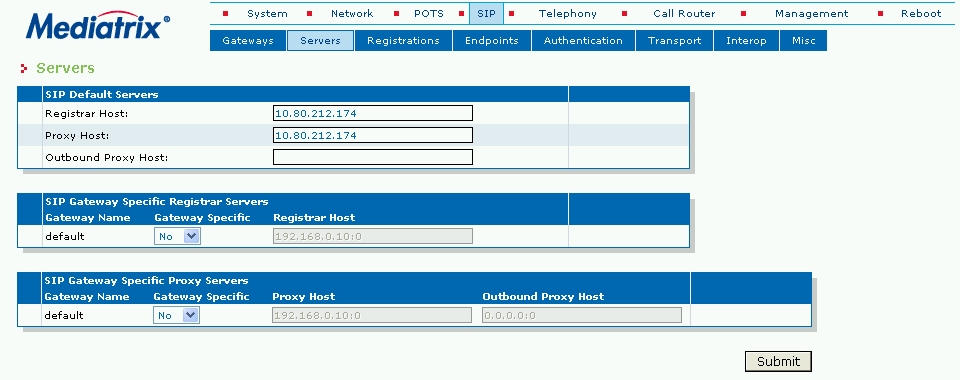
SIP -> Servers
The parameters for the SIP servers are administered in this mask.
Enter the IP address of the SIP server.
Figure 82. Mediatrix 41xx - SIP -> Servers
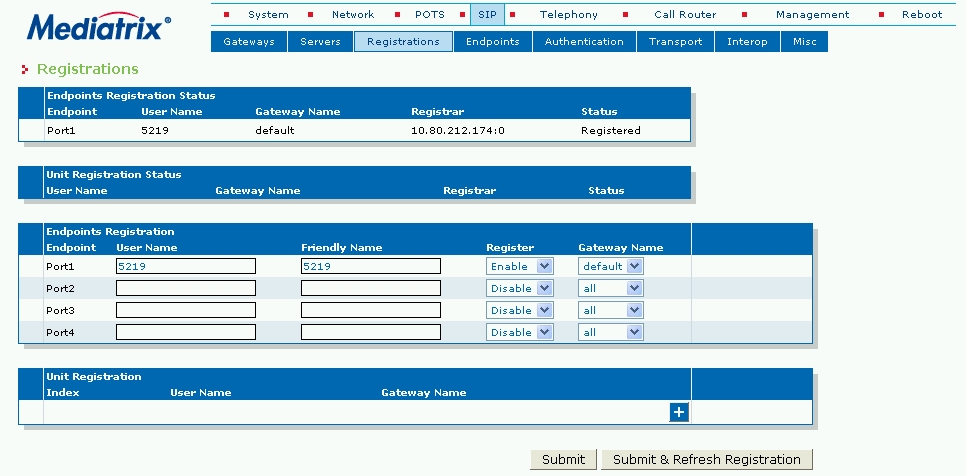
SIP -> Registrations
The parameters for the SIP subscribers are administered in this
mask. Enter the station number and name for each subscriber. This
data is also used to display caller ID information.
Mediatrix 41xx - SIP -> Registrations
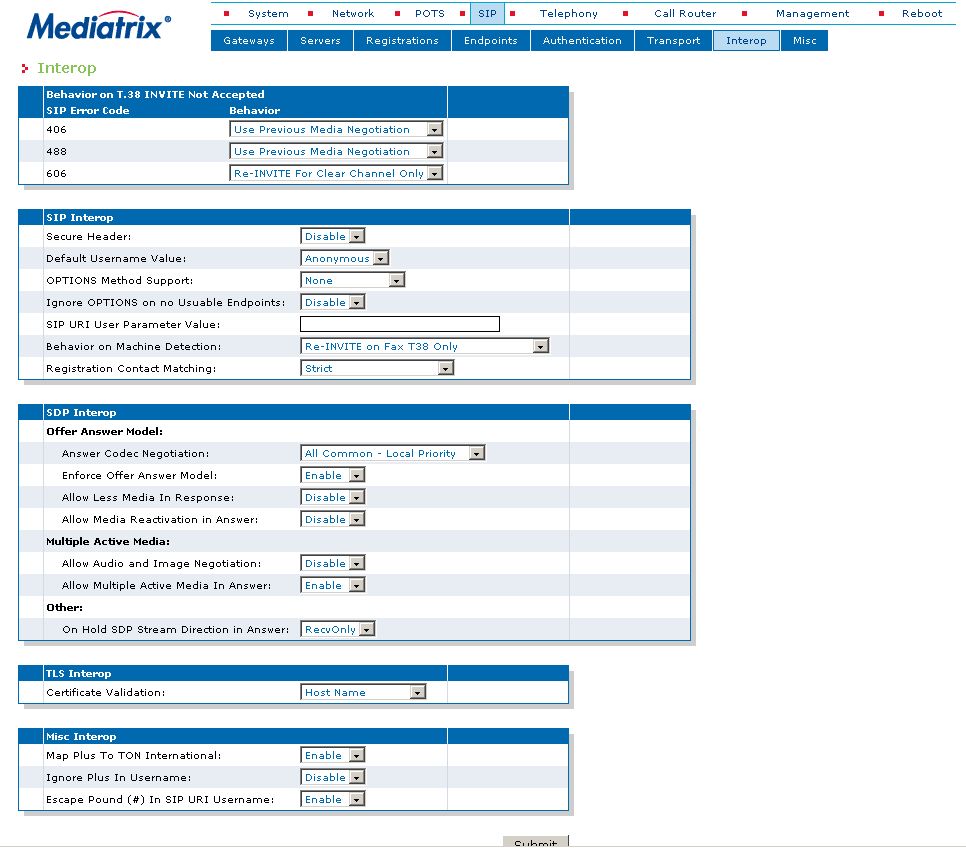
SIP -> Interop
For correct functioning of Mediatrix 41xx, it is recommended
to set values in boxes 406 and 488 to Use Previous Media Negotiation.
Figure 83. Mediatrix 41xx - SIP -> Interop
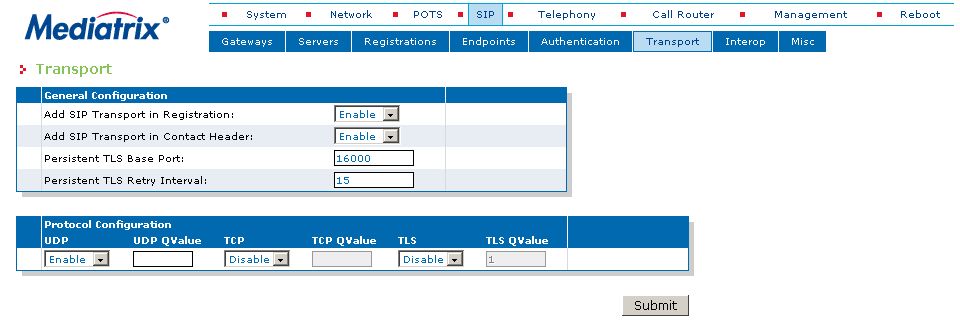
SIP -> Transport
For correct functioning of Mediatrix 41xx, it is recommended
to set values for Transport to Enable.
Figure 84. Mediatrix 41xx - SIP -> Transport
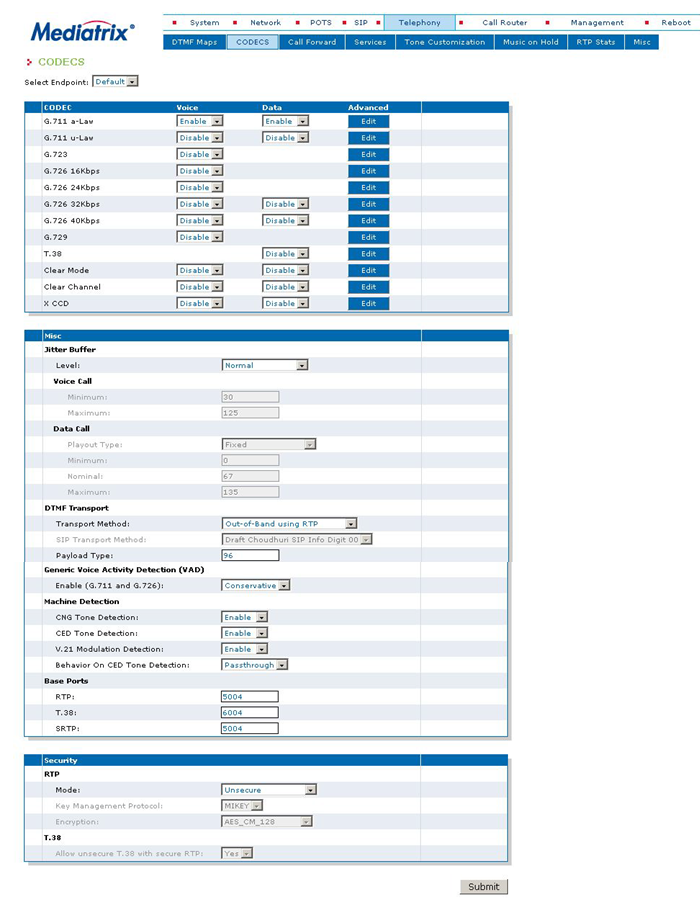
Telephony -> Codecs
Codec parameters are set in this mask (next three screenshots).
The preferred codec is G.711 a-Law.
Figure 85. Mediatrix 41xx - Telephony -> Codecs
If more than one codec is needed to be allowed, then priority
of each codec can be set under button Edit. Usable values
are values in the range from 0 (lowest priority) to 10 (highest
priority).
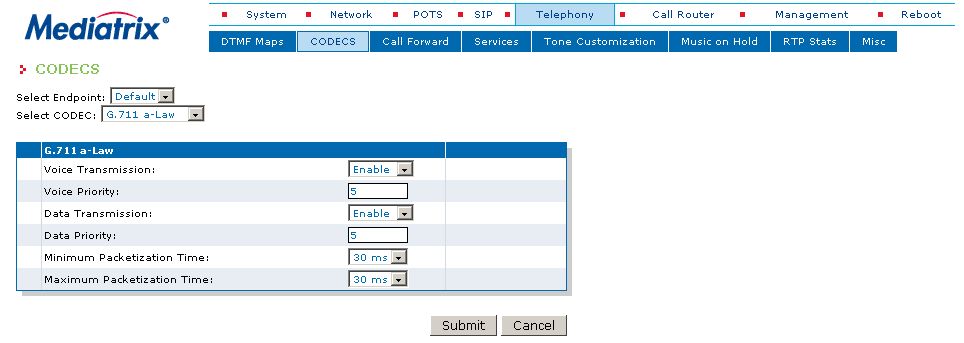
Mediatrix 41xx - Telephony -> Codecs
Telephony -> Misc
This mask allows you to configure country settings and custom
tones.
- Country Selection germany1 = permanent dial tone
- Country Selection germany2 = interrupted dial tone (3 short beeps)
Figure 86. Mediatrix 41xx - Telephony -> Misc
