3.3.3.6.2. Configuration Notes 


On Default MDX1204 is set to DHCP. Get a wireshark or ethereal sniffer
trace on mirrored port at customer data switch to find the ip assigned
by DHCP to MDX or ask the customer IT department. If a recovery mode
is performed, the Mediatrix 1204 uses the default IP address 192.168.0.1.
Overview
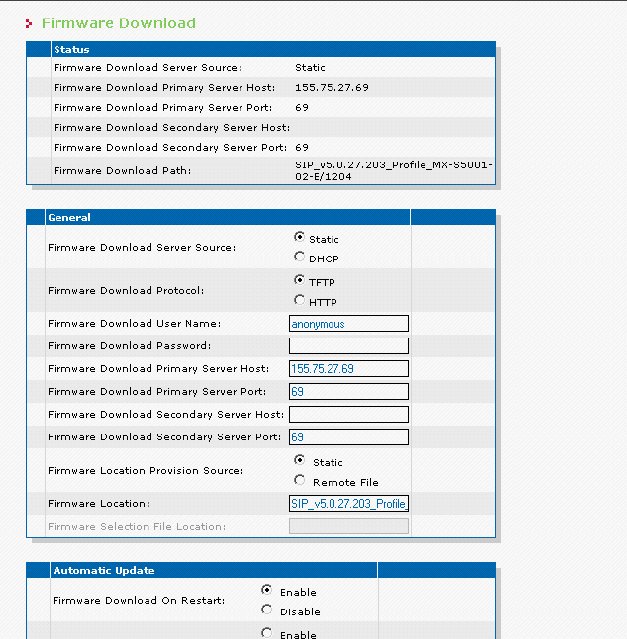
- LAN Settings on fixed IP 155.75.27.57
- General Configuration of Mediatrix 1204
- Configuration with Mediatrix software Unit Manager Express (UME)
- Mediatrix 1204 firmware upgrade
LAN Settings on fixed IP 155.75.27.57
Management > Network Settings
Figure 88. Mediatrix 1204 Gateway - LAN settings
General Configuration of Mediatrix 1204
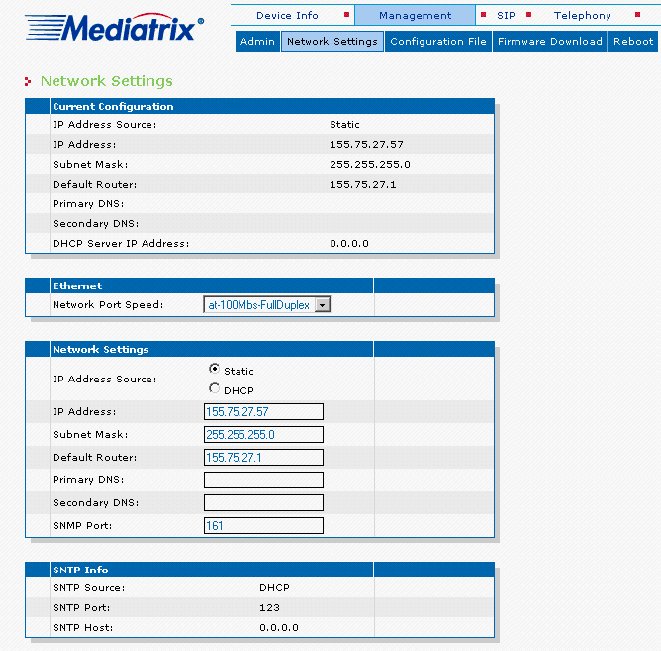
Mediatrix 1204 pointing to OpenScape 4000 SoftGate 50 SIP trunk (AMO
BCSU, PEN 1-50-8-0 = IP 155.75.27.58)
Port User Name = Telco Analog Trunk
Connected to the port of MDX, will appear 1234567890 on the display
of the stations on Telco incoming calls from Line 1.
Incoming calls from Line 4 will display 333004 on OpenScape 4000 station;
designated for line 4.
Also utilized on SIP: Invite 333004@ip_addr.
Management > Configuration File
Figure 89. Mediatrix 1204 Gateway - configuration
Configuration with Mediatrix software Unit Manager Express
(UME)
The following changes on MDX1204 requires an installation of Mediatrix
software UMN (Unit Manager Network) on your
PC. It can be found on SWS > Partner Products > Mediatrix 1204
or on Internet (http://www.media5corp.com/support/mediatrix--media5boss/downloads).
Also the documentation is on DMS or on MDX web site.
The UME (Unit Manager Express) below is
a subprogram of UMN.
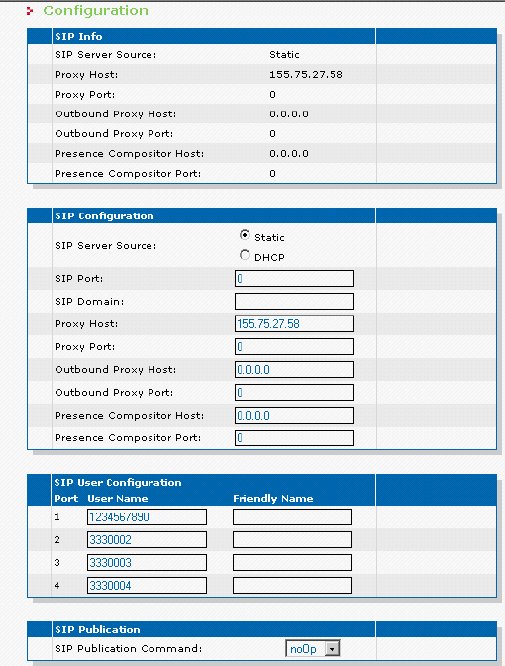
The Right Mouse Click on Field fxoIfAnalogLineType will show:
- Get = retrieve the parameter and show it.
- Set = send your change of the parameter to MDX.
- mx1204_MIB_line_type_change_set = Telco analog trunk LS or GS on Lines 1 to 4.
Figure 90. Mediatrix 1204 Gateway - Telco analog trunk LS or GS on lines 1 to 4
- mx1204_MIB_enable_incoming_ringing_direct_to_stn
-
Has enabled on line 1 & 4 the incoming calls to ring direct to OpenScape 4000 station. The lines 2 & 3 will receive second dial tone from MDX on incoming calls from Telco and the external party should dial the OpenScape 4000 station number to be connected.
Figure 91. Mediatrix 1204 Gateway - Enable incoming ringing direct to station on line 1 and 4
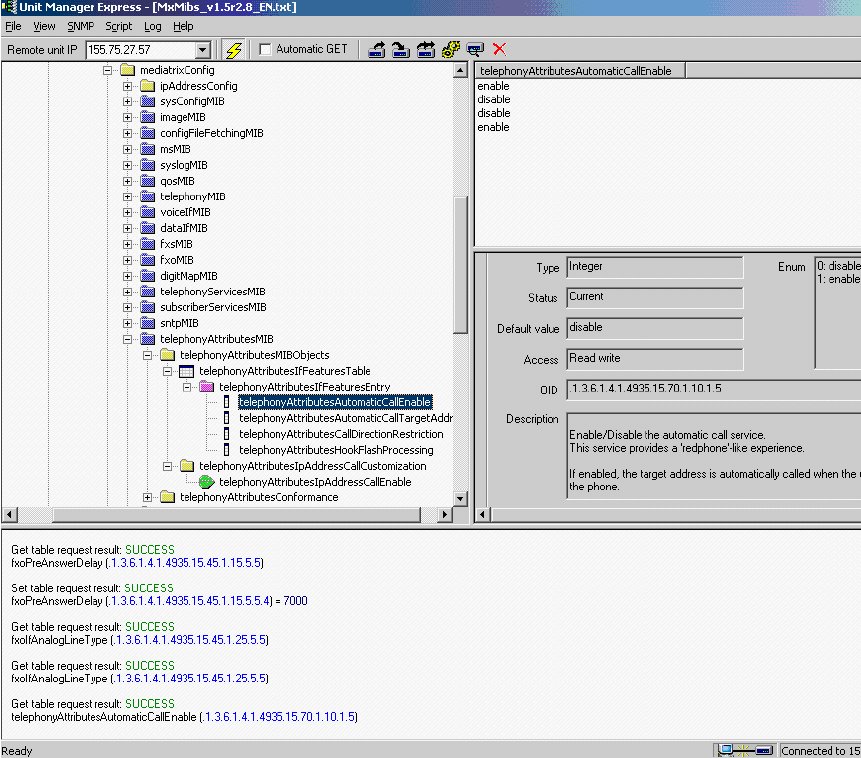 Line 1 on incoming call from Telco will ring on station 25015
Figure 92. Mediatrix 1204 Gateway - Line 1 on incoming call from Telco will ring direct on station 25015
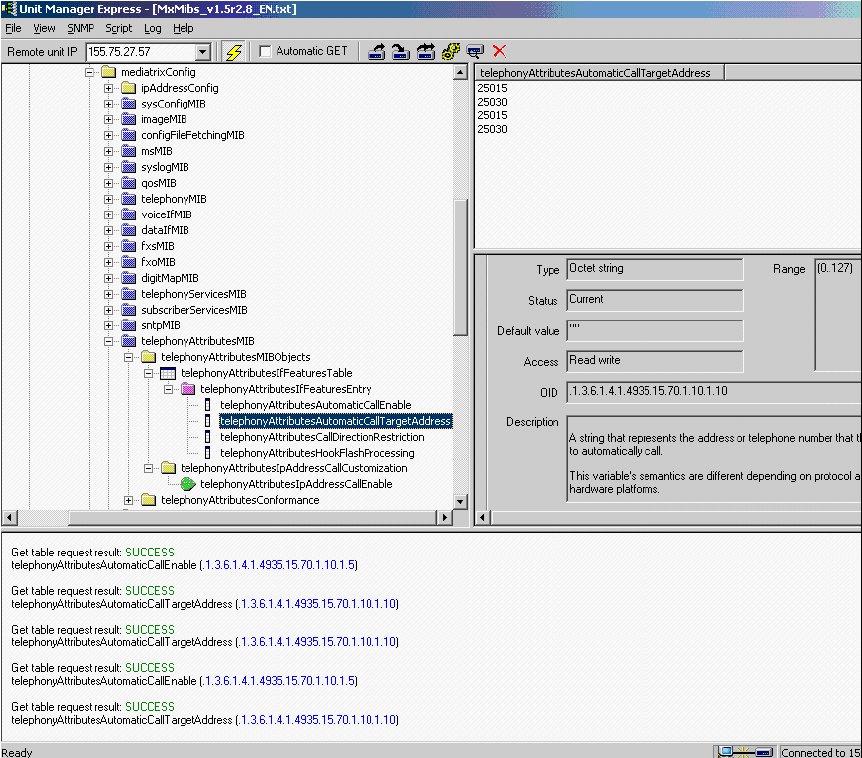
- mx1204_MIB_delay_incoming_ringing
-
Lines 1 & 4 will be delayed in 1 second to ring on OpenScape 4000 station from Telco incoming calls.
Figure 93. Mediatrix 1204 Gateway - Dealy of incoming ringing
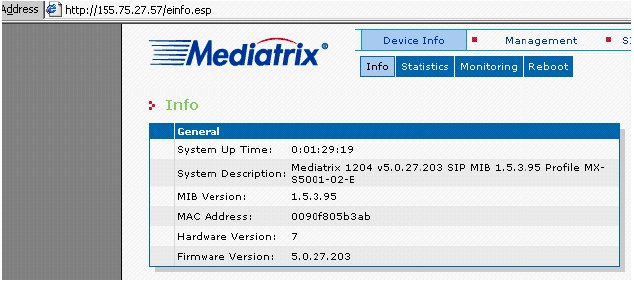
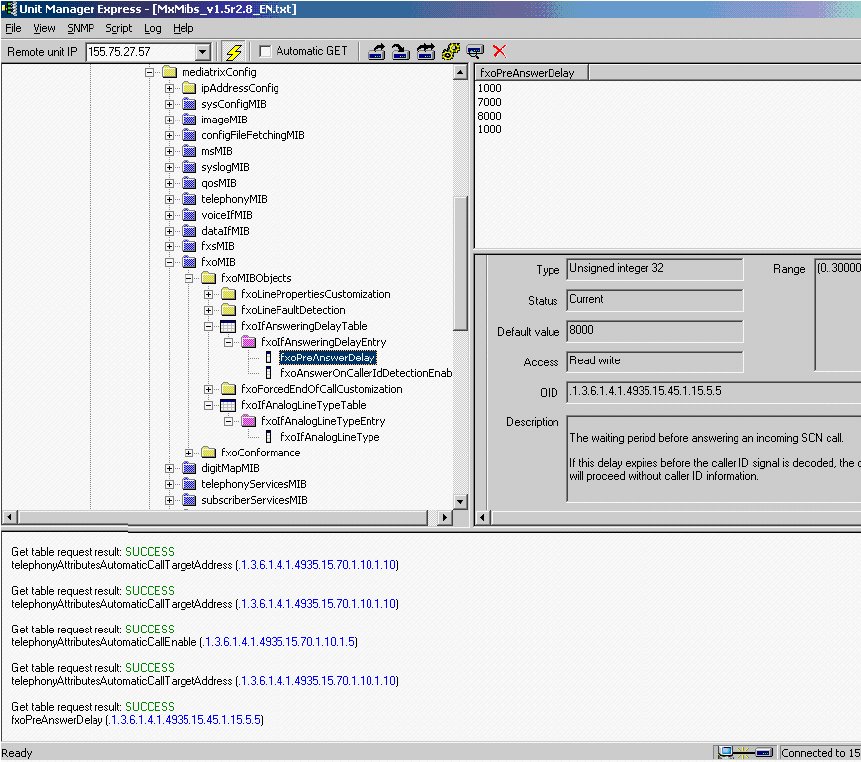 Mediatrix 1204 firmware upgradeSW version upgraded to:
Figure 94. Mediatrix 1204 - Firmware
 Procedure:
 - Download the new version from MDX web page (http://www.media5corp.com/support/mediatrix--media5boss/downloads).
- Use a TFTP software (e.g. 3CDaemon, free on Internet)
- Unzip/Extract the download firmware file to a directory set on TFTP (our example C:\Documents and Settings\om837441\My Documents\0_Lixo\)
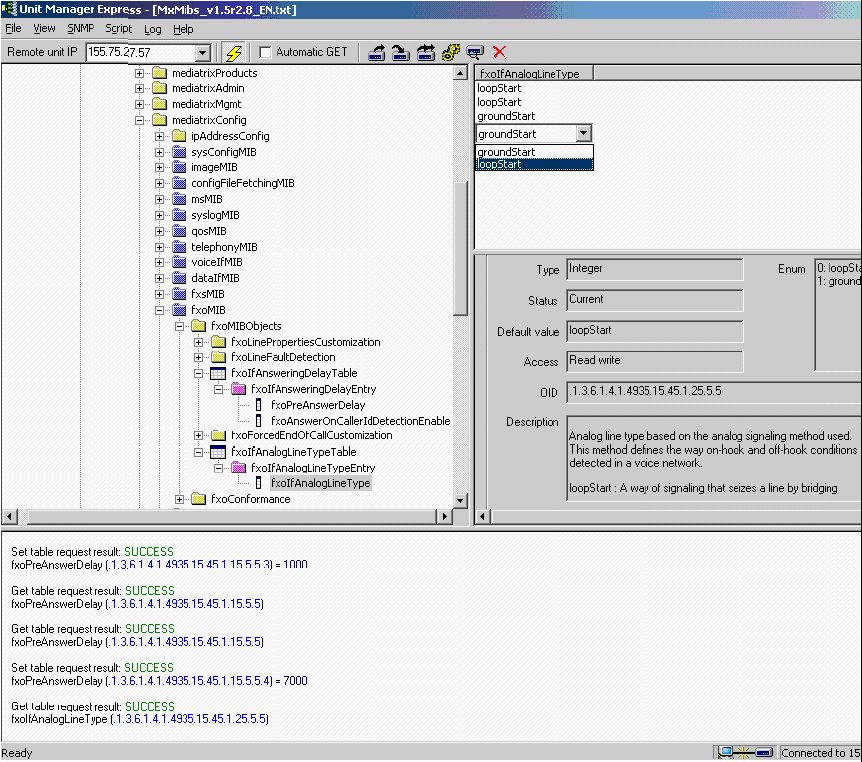
Figure 95. Mediatrix 1204 - Firmware download
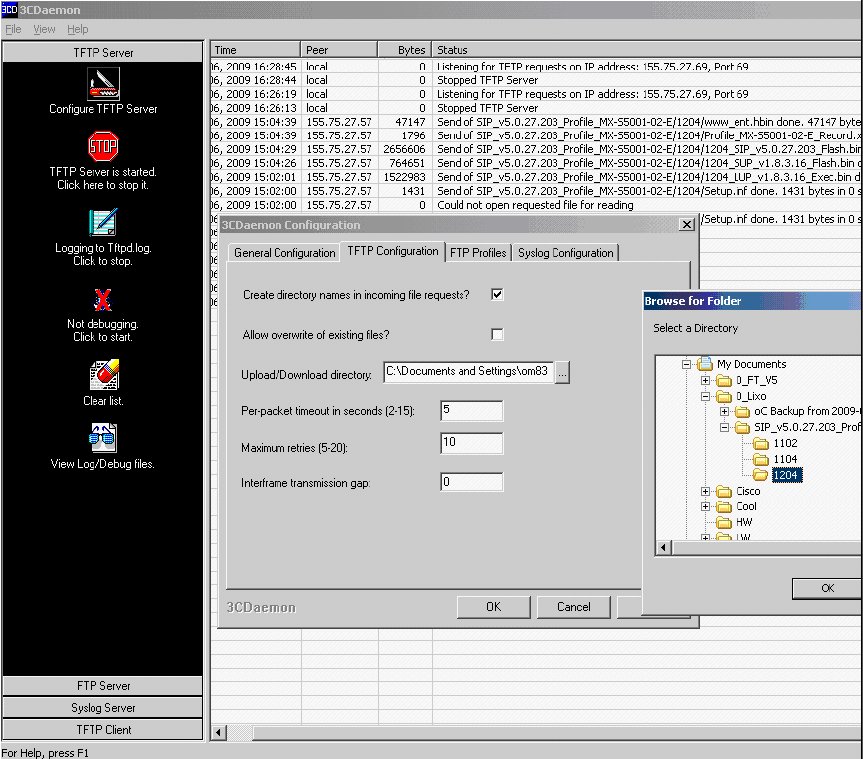
Back on MDX, the Server Host is your PC IP Address 155.75.l27.69 where
the 3CDaemon is running. Fill the Firmware Location, the final Status
you see on window FW Download.
Path:
Attend that requires only the name SIP_v5.0.27.203_Profile_MX-S5001-02-E\1204
where the file Setup.inf is located after unzip is done!
C:\Documents and Settings\om837441\MyDocuments\0_Lixo\SIP_v5.0.27.203_Profile_MX-S5001-02-E\1204
FW Download on Restart = REBOOT THE Mediatrix1204 and the 3CDaemons
log will show the FW being transfered (Send of Sip....) from your PC
(IP.69) to MDX1204 (IP.57) as on 3CDaemon screenshot 15:02:00....
Figure 96. Mediatrix 1204 - Managent > Firmware Download