- Change the profile
-
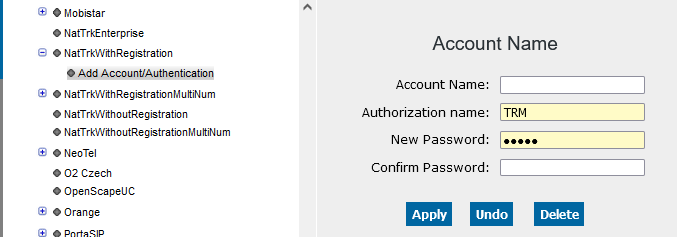
Use the "NatTrkWithRegistration" profile for native SIP trunk configurations
with registration. Configure the account name and authentication
Configuration > Voice Gateway > SIP Trunk Profile > NatTrkWithRegistration
> Modify > Activate checkbox Add Account/Authentication
Figure 250. Account/authentication data
- Configure the IP address/host name and domain name
-
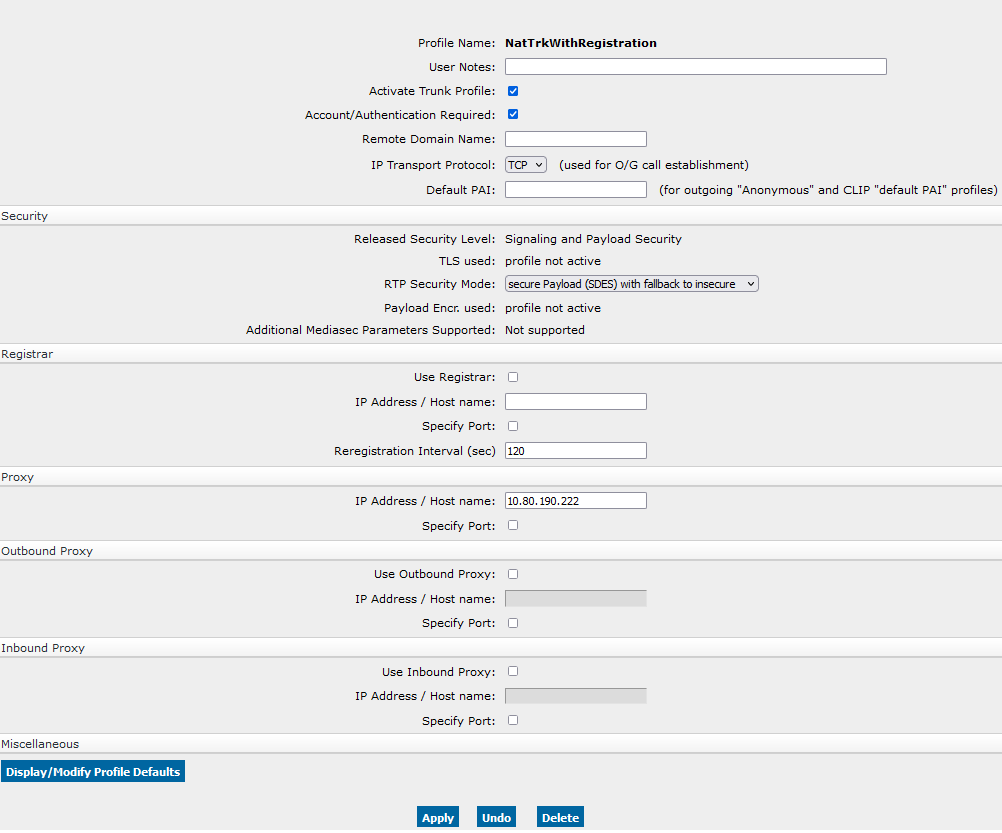
The IP address/host name (e.g. DNS name = provider.com) of the
SIP trunk partner is configured in the Registrar section and in
the Proxy section. The remote domain name usually has the
same value as the IP address/host name (see Sections Registrar
or Proxy) and is used as a host part in the URL of the SIP messages.
Configuration > Voice Gateway > SIP Trunk Profile > NatTrkWithRegistration
> Modify
Figure 251. SIP trunk profile of a provider with registration
- Activate the profile
-
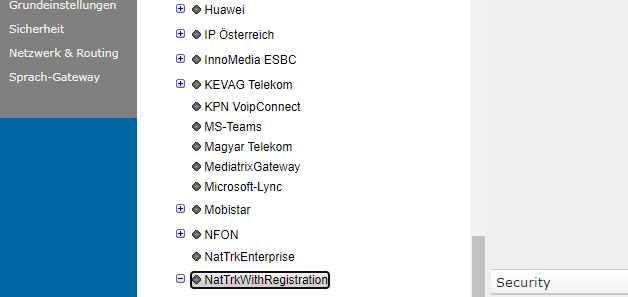
After the profile has been configured activate it. If the profile was
activated successfully, it turns green.
Configuration > Voice Gateway > SIP Trunk Profile > NatTrkWithRegistration
> Activate
Figure 252. Activated SIP trunk profile (with registration)
Figure 253. Activated SIP trunk profile (with registration)