4.1.3.2. Configuration for OpenScape 4000 SoftGate or Enterprise Gateway 


It is recommended to first perform the changes in the WBM and then
in AMO STMIB.
IMPORTANT:
If you change this sequence, you have to make
sure that you do not update the board list in the dashboard (Expert
mode > Dashboard > button Update Board List), because
the board (vHG 3575) is still only accessible for administration via
the old IP address even though the new IP address has already been assigned
with the AMO. This applies for as long as the Management LAN interface
is assigned in the WBM.
Step 1: Assign the Ethernet interface to the Management LAN
The Ethernet interface for the Management LAN has to be assigned in
the WBM. You have to launch the dashboard for this purpose in the OpenScape
4000 Assistant.
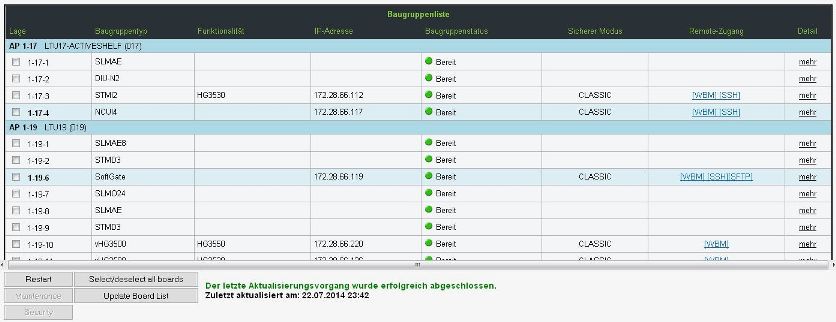
Expert mode > Manager
Figure 145. Separate LAN interfaces - Manager
Now select the board and start the WBM. Navigate to Configuration
> LAN Interfaces > Management Interface.
In the drop-down list for the Management LAN Interface select
an Ethernet interface and confirm your input with Apply.
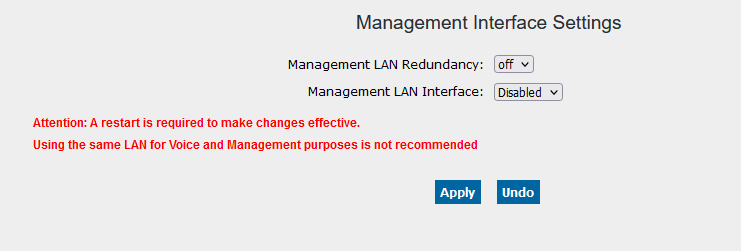
Management LAN interface for OpenScape 4000 SoftGate (including vHG 3500) and Enterprise
Gateway
Step 2: Assign the IP address
You will find the Management LAN data for OpenScape 4000 SoftGate (vHG 3575) or
Enterprise Gateway in AMO STMIB and for vHG 3500
in AMO CGWB.
Use the branch MANLANIF with the following parameters:
MIPADR=<number>,
MNETMASK=<number>,
MVLAN=<param>,
MVLANID=<number>,
MDEFRT=<number>
If these parameters are changed, the boards
must be reset to get the changed data.