14.11.3.1. Core Realm Interface 


Use the TCP port number for the connection of OpenScape SBCs eth0 (core) interface
to
OpenScape 4000.
Go to OS SBC Management Portal > Network/Net Services.
Figure 326. Network/Net Services
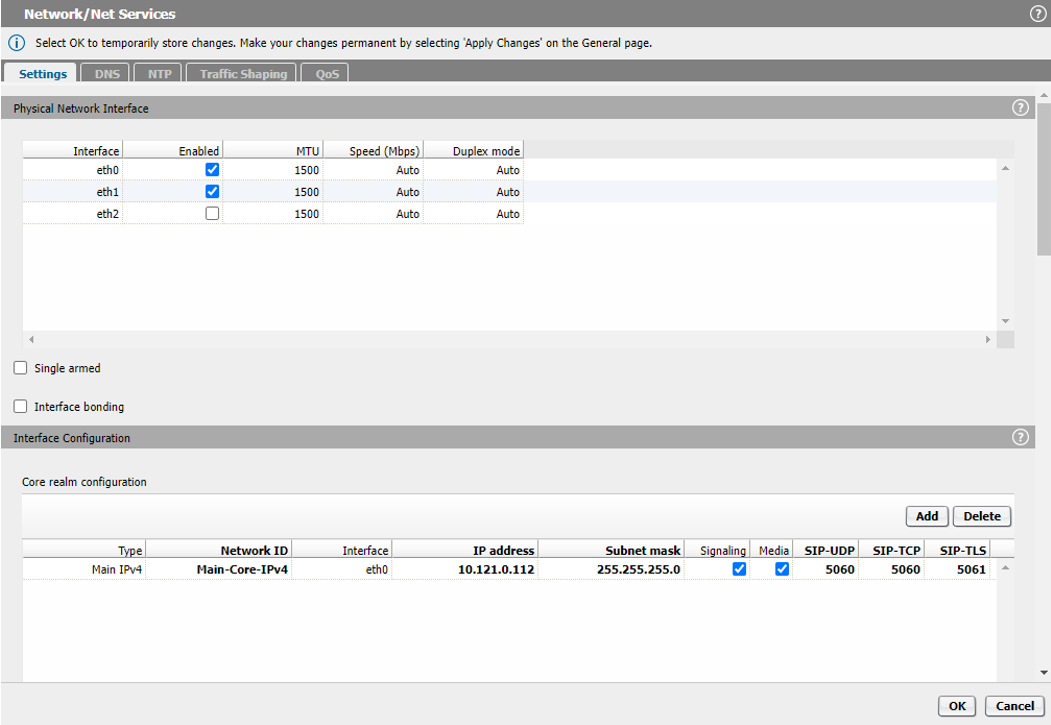
On Settings tab, in the Core realm configuration area, ensure that for
the eth0 interface, the value of the SIP-TCP filed is 5060.
Click the OK button.
On the SBC main page, click the Apply Changes button.