14.11.3.2. SIP Server 


There are two possible setups:
- Simplex Mode, with one vHG configured.
- Cluster Mode, with more than one vHGs configured
The SIP connectivity to OpenScape 4000 is configured in OS SBC Management Portal
> VOIP > Sip Server Settings window.
Simple Mode
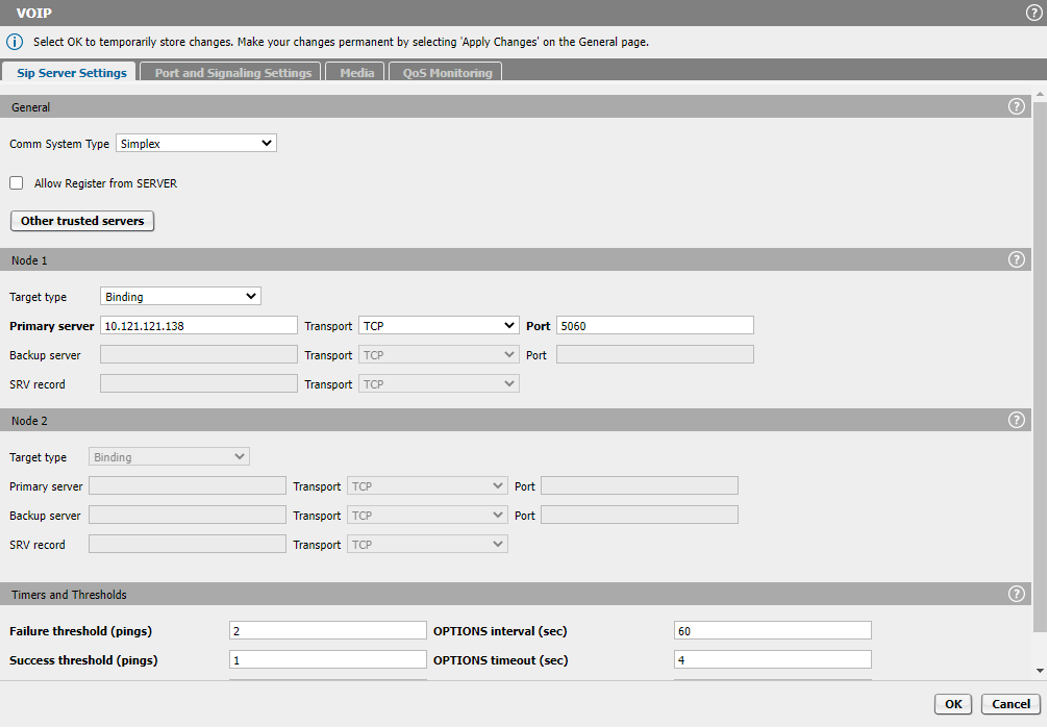
The following parameters must be entered in the Sip Server Settings
window:
- Comm System Type: Simplex
- Target Type: Binding
- Primary Server: 10.121.121.138 (vHG address)
- Transport: TCP
- Port: 5060 (listening port for the vHG)
Figure 327. Simplex configuration
Once the above parameters are set, click the OK button. Next, on the main OS SBC
page, click the Apply Changes button.
Clustered Mode
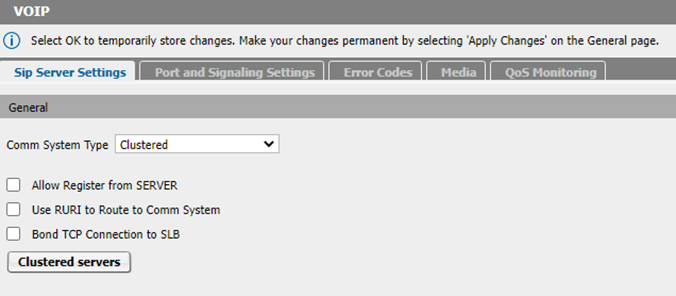
In the Sip Server Settings window, for the Comm System Type select the Clustered
option.
Figure 328. Clustered Mode
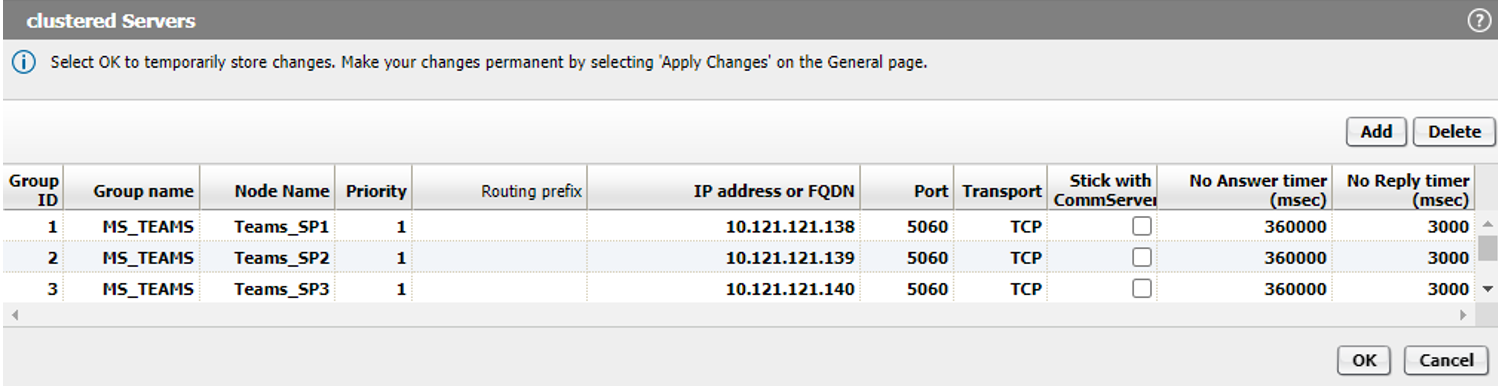
Next, click the Clustered servers button and add all the vHGs configured
under chapter 14.11.2.2. Click the Add button to select each vHG and enter the
following parameters:
- Group Name: MS_TEAMS (friendly name)
- Node Name: Teams_SP1 (friendly name)
- Priority: 1
- IP address or FQDN: 10.121.121.138 (vHG address)
- Port: 5060 (listening port for vHG)
- Transport: TCP
Once the above parameters are set, click the OK button twice. In the OS SBC main
page, click the Apply Changes button.
The Clustered servers window should look like the figure below:
Figure 329. Clustered servers
Navigate to OS SBC Management Portal > VOIP > Error Codes and make
sure the option Enable routing for all codes is checked.
Figure 330. Enable routing for all codes
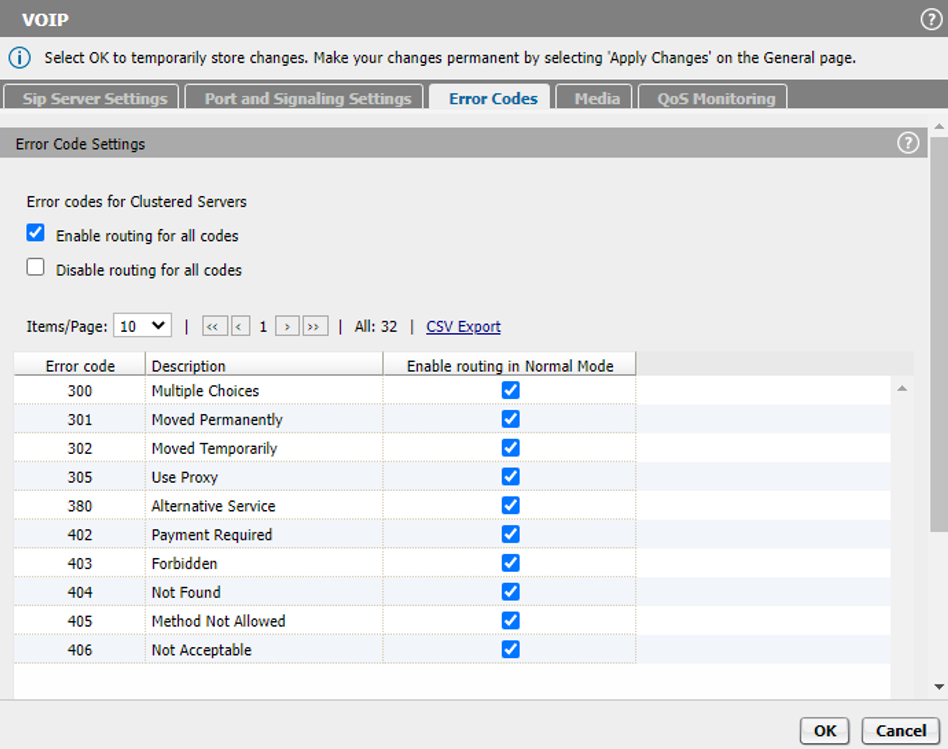
Once the Enable routing for all codes option is enabled, click the OK
button. In the OS SBC main page click the Apply Changes button.