21.8.2. PC after HFA (IP) Terminal 


Figure 443. PC and HFA terminal with “single wire to the desk“
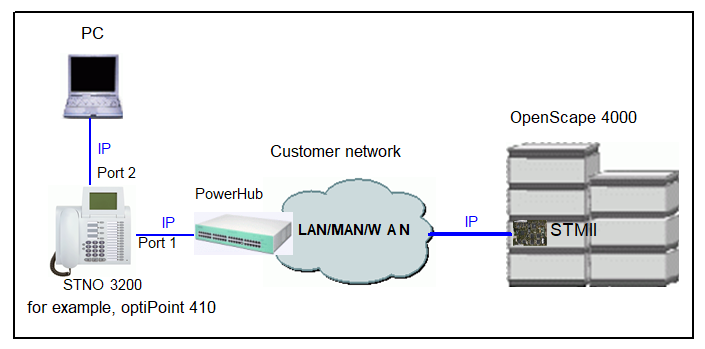
To configure an IP telephone at the STMI, enter:
ADD-SBCSU:STNO=<number>,TYPE=OPTI,CONN=IP2,PEN=<ltg-ltu-slot-cct>,
DVCFIG=OPTIIP,COS1=<number>,COS2=<number>,LCOSV1=<number>, LCOSV2=<number>,LCOSD1=<number>,LCOSD2=<number>,ITR=<number>,
DPLN=0,STD=<number>,[IPPASSW=<Password>];
IMPORTANT:
For OpenStage and Desk Phone IP: HEADSET=WITHIND
must be configured to get the correct display message in case the headset
key is pressed and no headset is connected.
No special OpenScape 4000 configuration is necessary for the PC. You
only have to coordinate the port settings on the telephone with those
on the PC network card.
IMPORTANT:
You cannot connect a PC without 802.1p/q to an
optiPoint 410 where 802.1p/q is active. The 802.1p/q settings should
be activated at the telephone and in the AMO, as well as in the LAN components.