18.6.1.1. Creating a Virtual IP Device 


IP Devices > IP Device Management > IP Device Configuration
Press button New to create a new virtual IP device.
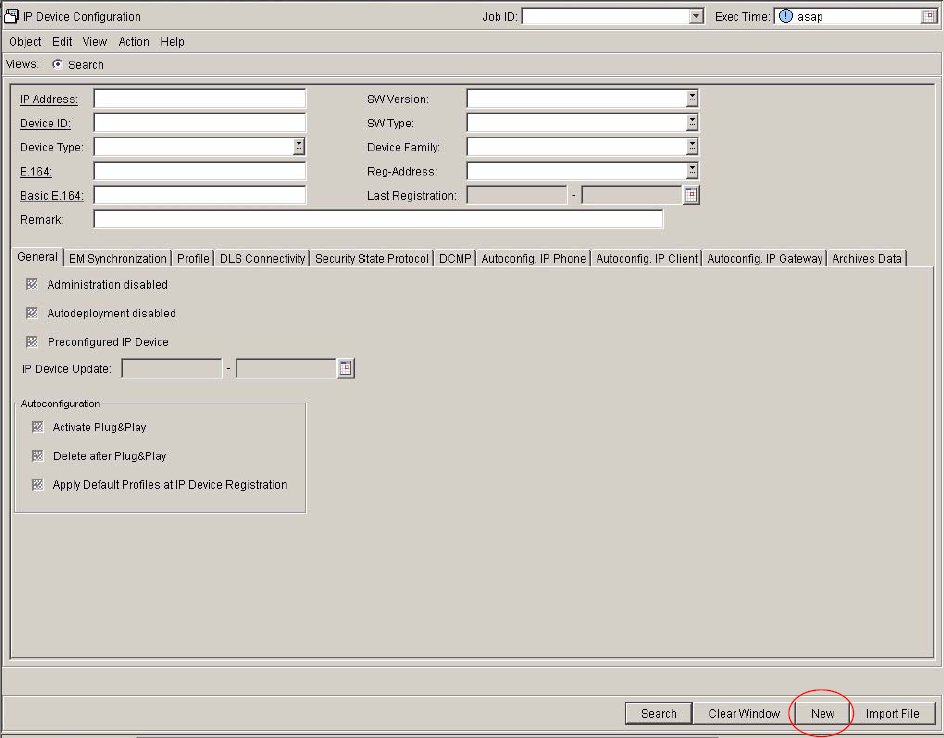
In
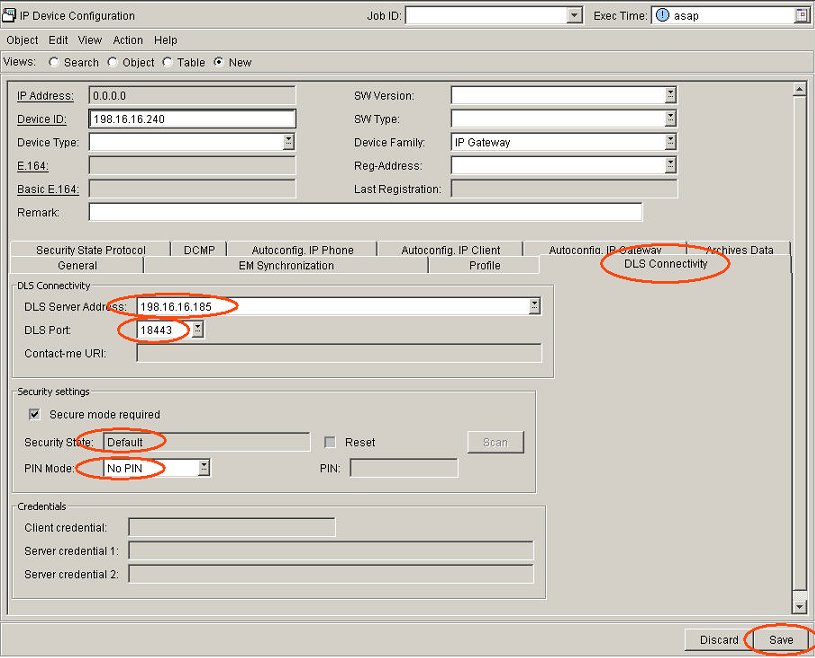
the general data area enter the Device ID (IP address of the gateway)
and select from the drop-down list IP Gateway as Device Family.
Choose now the tab DLS Connectivity.
In the section DLS Connectivity enter the DLS Server Address
(IP address of the DLS) and the DLS Port (18443).
These data must be the same as the data configured in the system.
Please make sure the DLS port and IP address are configured correctly
in the system:
CHANGE-ZANDE:TYPE=DLS,DLSIPADR=198.16.16.185,DLSPORT=18443;
Also make sure that AMO CGWB for the individual gateways
is configured correctly:
CHANGE-CGWB:MTYPE=CGW,LTU=1,SLOT=4,TYPE=DLSDATA,DLSIPADR=198.16.16.185,DL SPORT=18443;
In the section Security Settings the checkbox Secure
mode required must be activated. The Security State is at the
moment Default.
Communication
between DLS and the IP devices (gateways) is a secure TLS connection
using default certificates that are the same for every DLS and gateway.
In the drop down menu Pin Mode you can choose between different
security settings:
- No PIN
-
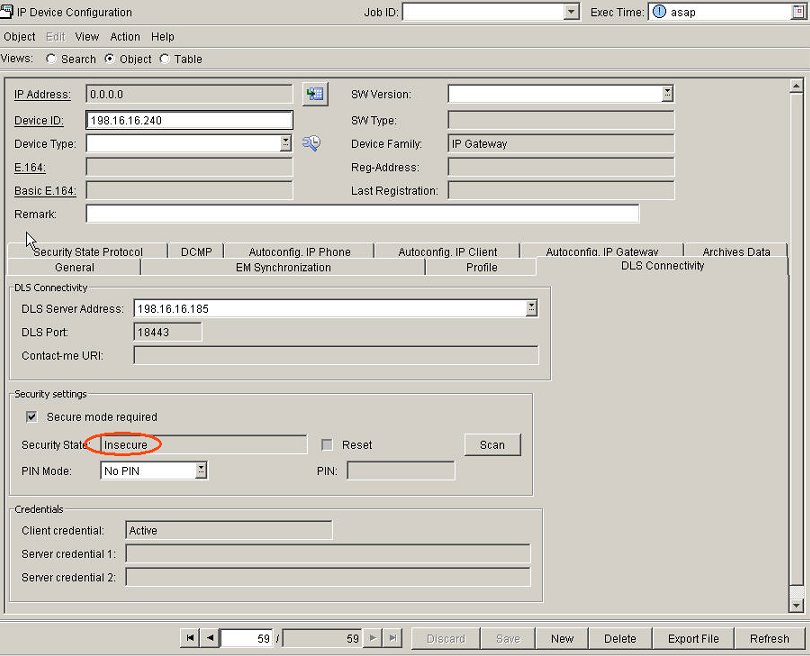
Access data is sent encrypted to the IP Device using a hardcoded passphrase.This mode can only be used if the parameter DLSACPAS = NO is set. Please check with AMO CGWB and change it if necessary.CHANGE-CGWB:MTYPE=CGW,LTU=1,SLOT=14,TYPE=DLSDATA,DLSACPAS=NO;After saving the settings the Security State changes from Default to Insecure.
- Default PIN
-
In order to make this TLS connection more secure we can additionally encrypt the content of the TLS communication with a PIN.Default PIN will use the same PIN for every gateway. You can view an already randomly generated PIN in the Secure Mode tab under Administration > Workpoint Interface Configuration and also generate a new random PIN.
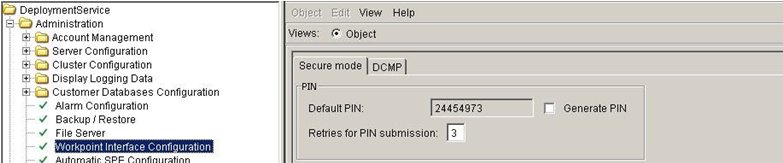
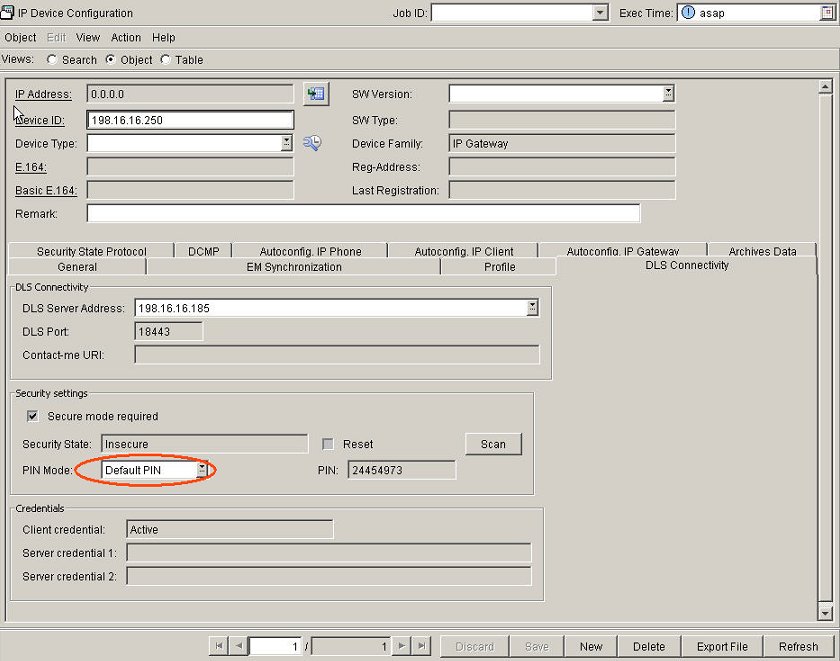 After pressing the Save button you can see the default PIN.
 - Individual PIN
-
Individual PIN will use different PINs for every gateway.
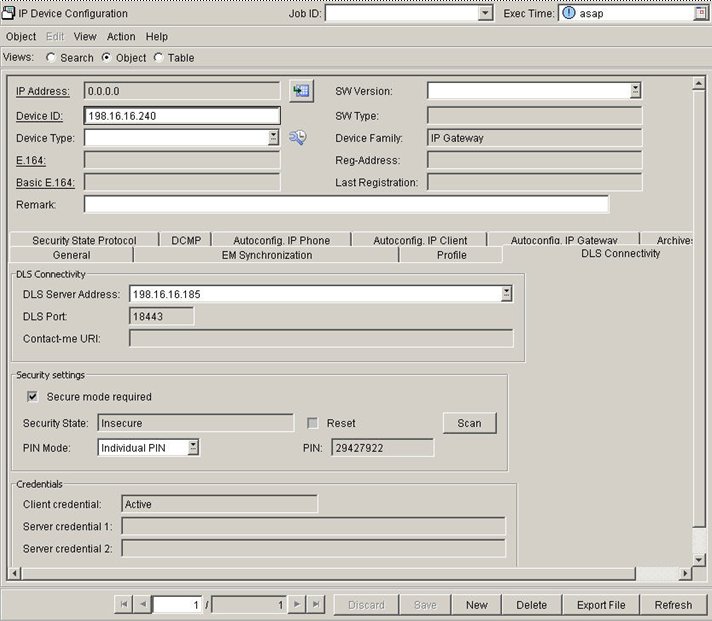 DLS generates the PINs randomly and automatically when you press the Save button.