18.8.4.2. Certificate Upload 


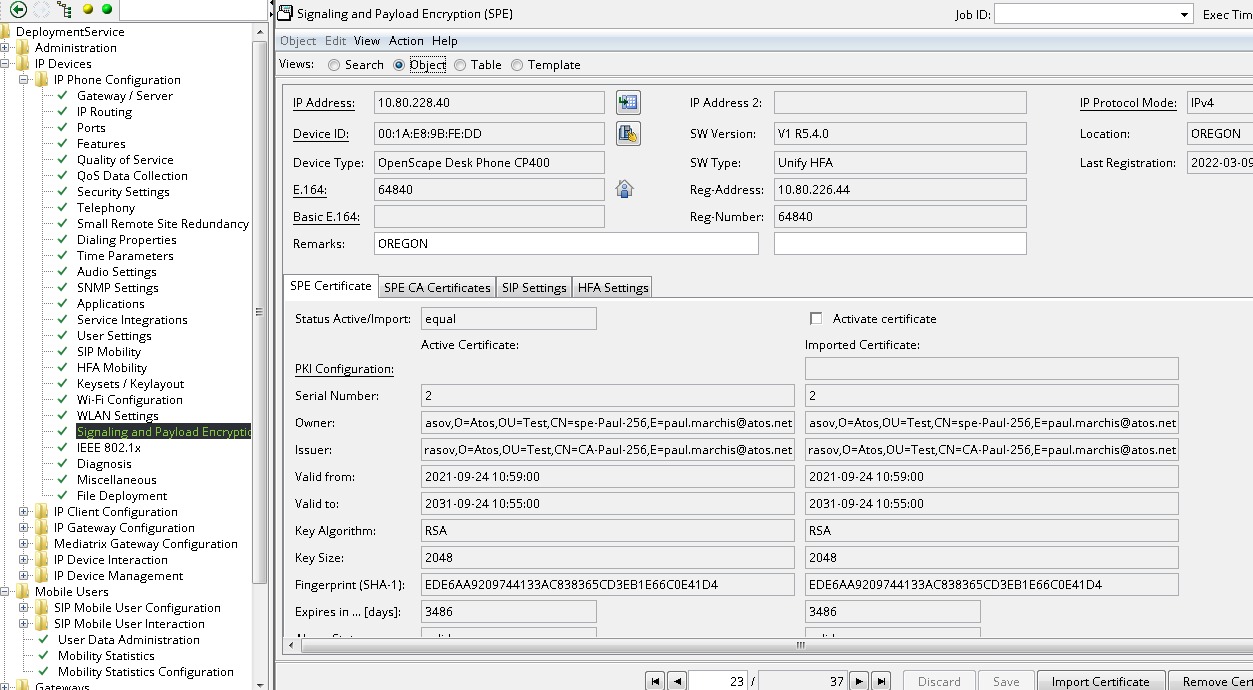
Certificate for the phone verification on the GW side is possible
to upload to the phone via DLS server only.
This option is located in menu: Deployment service > IP Devices
> IP Phone Configuration > Signaling & Payload encryption >
SPE Certificate
Figure 410. DLS Phone Certificate Setting
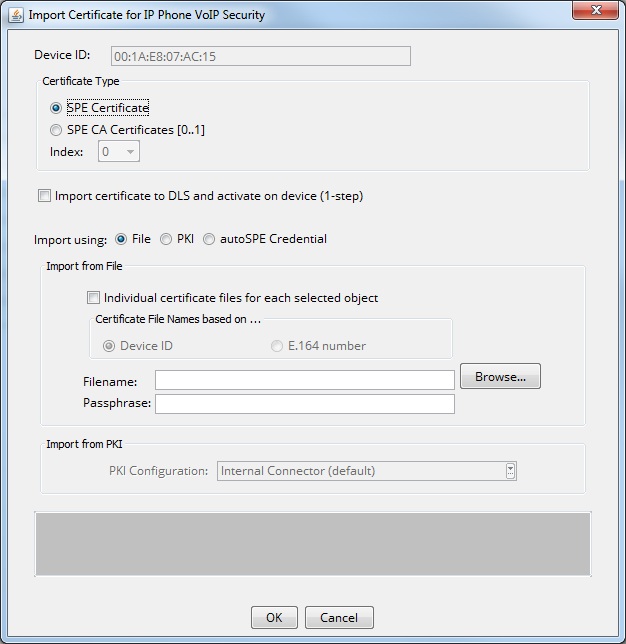
For new certificate import or currently used certificate rewriting
use Import Certificate button. On following screen press Browse
button and select appropriate certificate file to import. Insert the
private key password, fill Import certificate to DLS and activate
on device check box and press OK.
Figure 411. DLS Phone Import Certificate Dialog