18.8.6.1.2. CA Certificate Management 


CA certificate is imported in PEM or DER format via HG3500 WBM:
Configuration > Security > Signaling and Payload Encryption
(SPE) > SPE CA Certificate(s) > Import trusted CA certificate (PEM
or binary)
On following screen press button “Browse..” and select appropriate
CA certificate file to import. CRL check is NOT supported in current
version (will be supported in V7R3).
IMPORTANT:
Before CA certificate is imported in CGW, its
fingerprint must be verified because from now on will be this certificate
treated as trusted!
Figure 423. Import trusted CA certificate (PEM or binary)

List of currently available trusted certificates present on GW can
be found in:
Configuration > Security > Signaling and Payload Encryption
(SPE) > click on SPE CA Certificate(s) > Load a SPE CA Certificate
via HTTP
Figure 424. Certificate Information
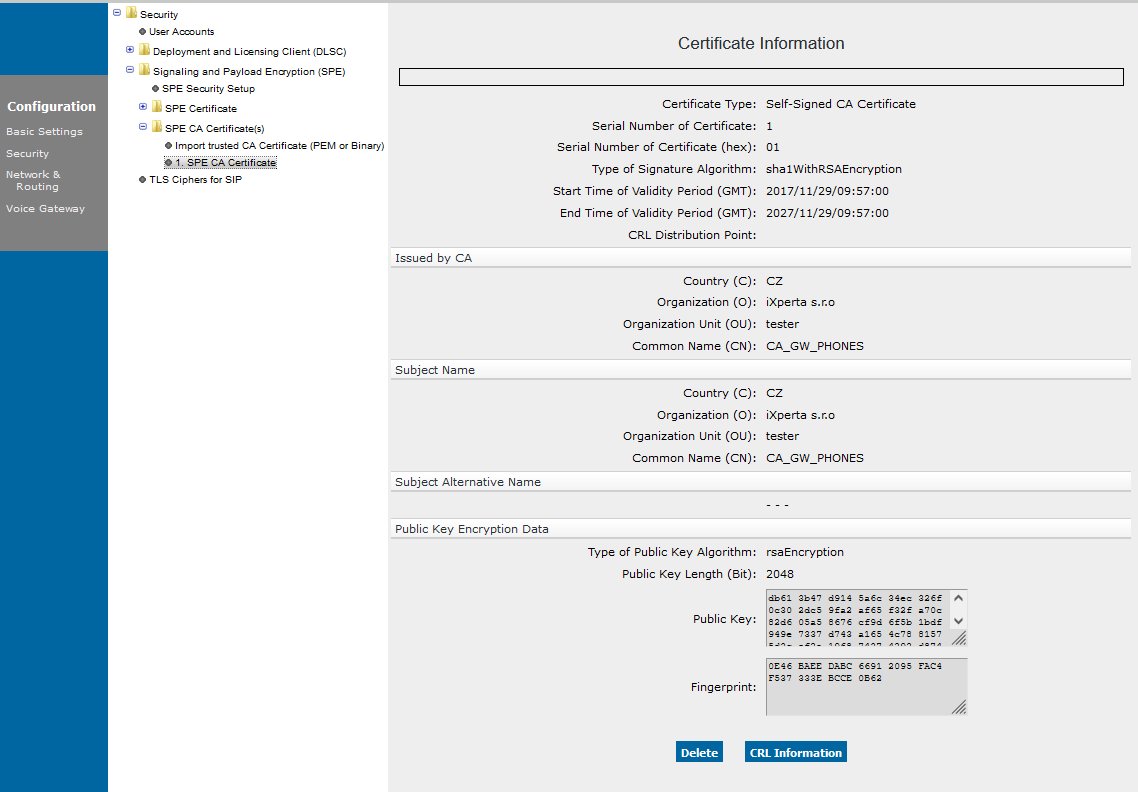
To view CA certificate details, click on appropriate entry in list.
Certificate can be removed from trusted certificate list, click the certificate
in the list and select “Delete” button.