16.3.1.3. Configure OpenScape SBC 


The usage of OpenScape SBC is mandatory for the Unify Phone configuration.
The Remote Subscriber feature in OpenScape SBC must be enabled. Unify Phone
Clients will register via OpenScape SBC in the OpenScape 4000 Gateways that host the
UFIP auxiliary devices. For more information about the OpenScape SBC configuration,
refer to the OpenScape SBC Configuration Guide.
Follow the steps below to activate the cluster mode:
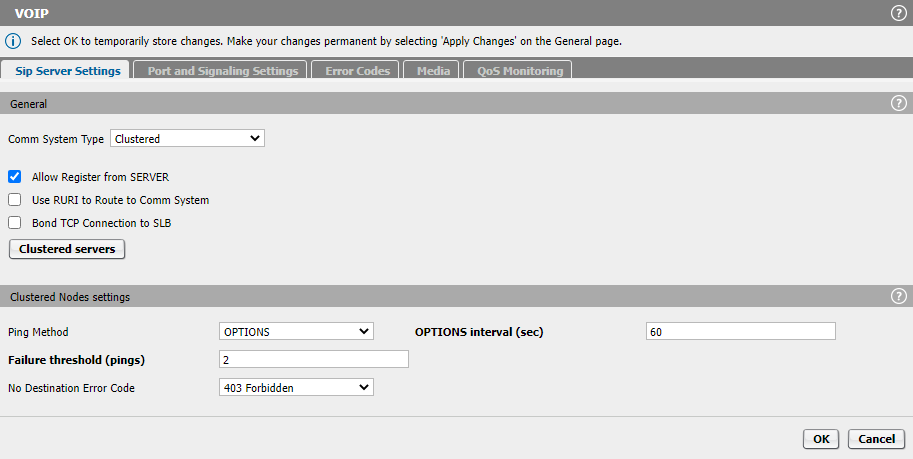
- Navigate to VoIP > Sip Server Settings.
- Select Clustered as Comm System Type.
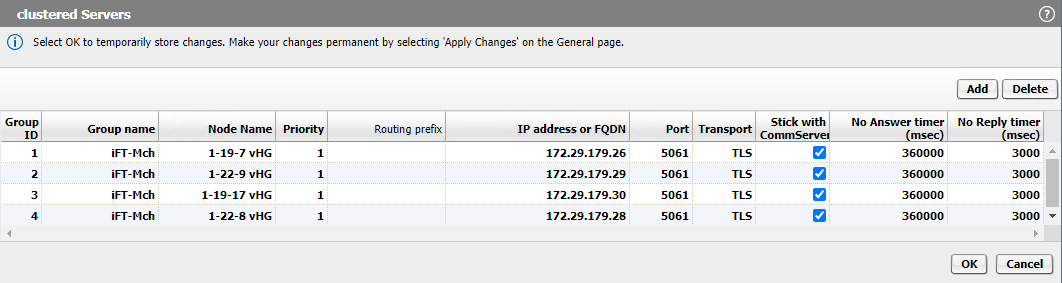
- Click the Clustered Servers button and add all the gateways that will
host UFIP auxiliary devices for Unify Phone or OSMO.
Figure 357. Sip Server Settings
 Each gateway must have priority 1 and the Stick with CommServer option enabled, as displayed in the figure below.
Figure 358. Clustered Servers
- Navigate to VoIP > Error Codes and activate 404 Not Found, as
displayed in the figure below.
Figure 359. Error Codes
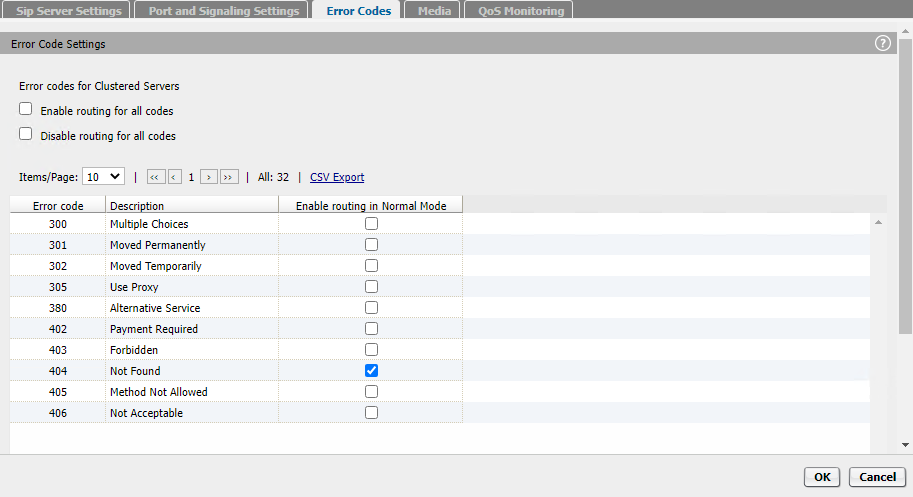 When the SBC receives the first SIP registration, it will send REGISTER to each configured gateway until it receives an answer which is not "404 Not Found". Only the gateway where the device is configured will answer with 200 OK. After the first message, the SBC will send further SIP messages only to the GWY where the device is configured.
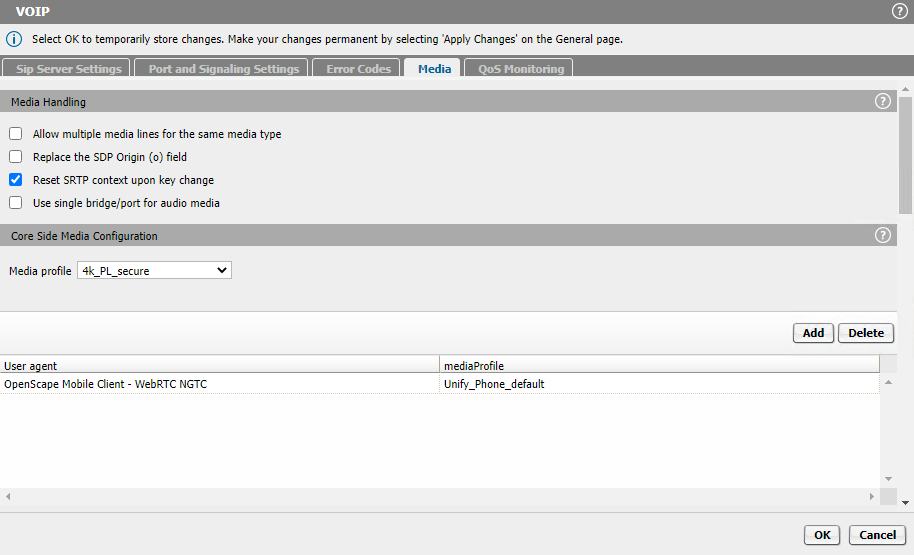
 - Navigate to VoIP > Media and add the Unify_Phone_default Media
Profile to the OpenScape Mobile Client - WebRTC NGTC user agent.
Figure 360. Media profile
- Navigate to Features and enable the checkboxes for Enable Remote
Subscribers and Enable Codec Support for transcoding.
Figure 361. Features
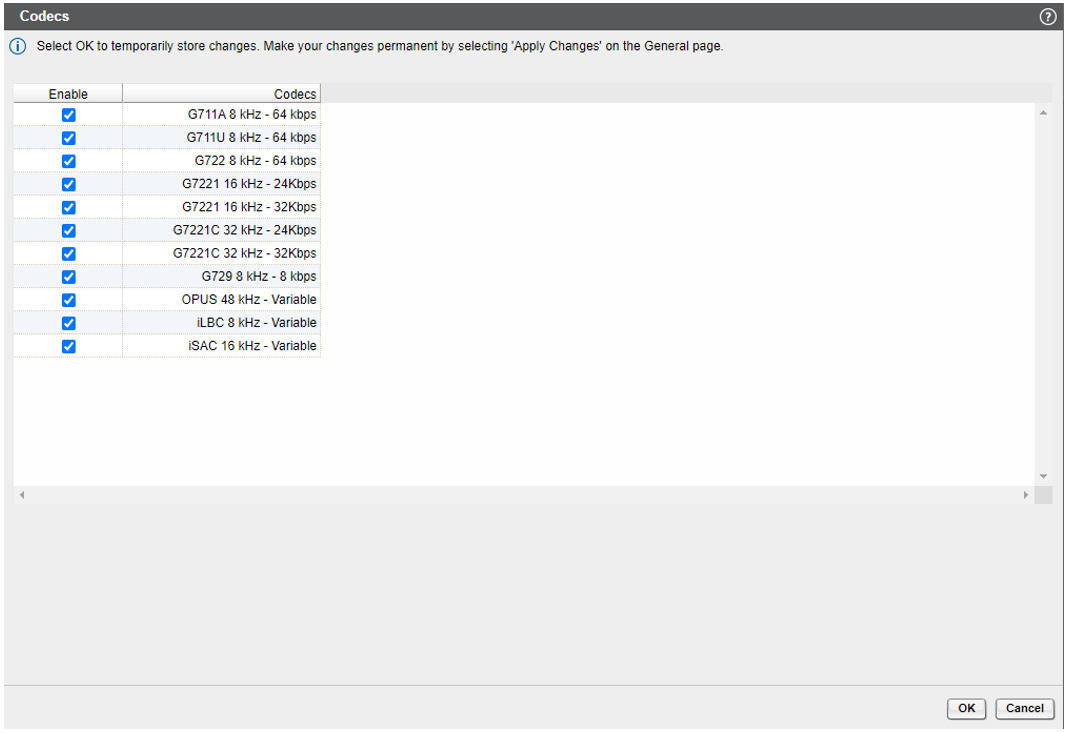
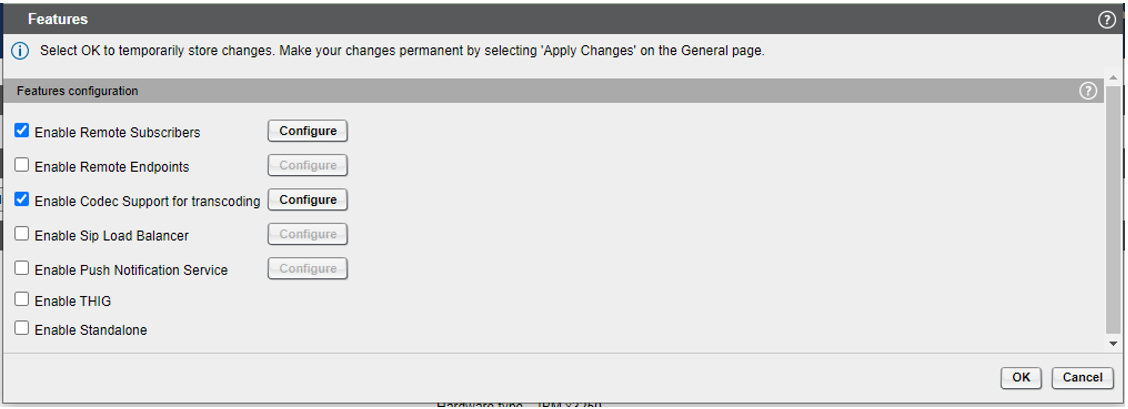 No input is required in the Enable Remote Subscribers configuration tab.In the Enable Codec Support for transcoding the following codecs can be enabled:
Figure 362. Codecs