3.9.3.2. Outgoing/Incoming Calls via SIP Load Balancing Server 


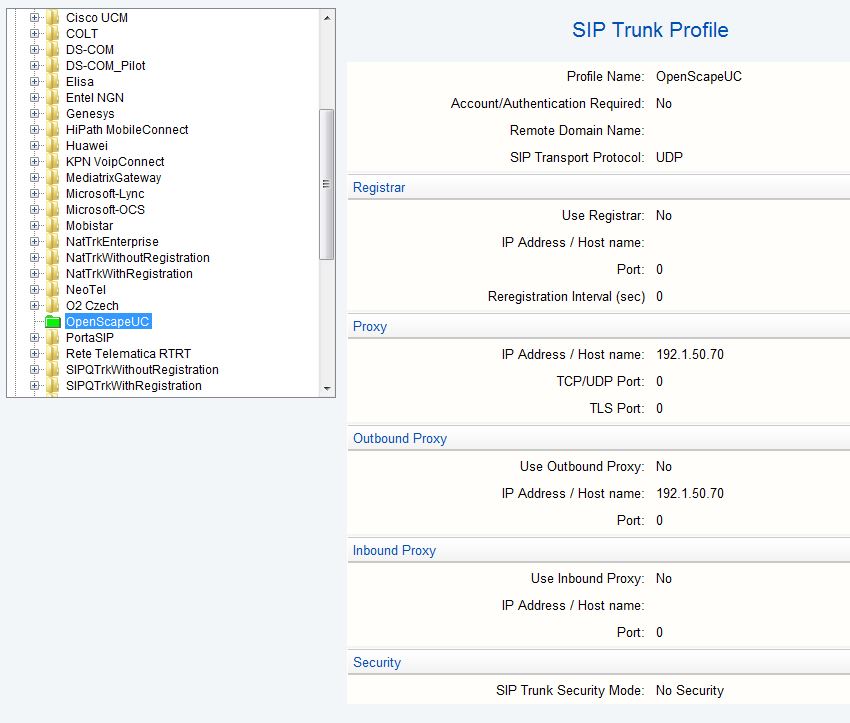
Open WBM > Configuration > Voice Gateway > SIP Trunk Profile
Parameter
Section Security
This section lists the following security settings: Released Security
Level, TLS used and Payload Encryption used.
Section Proxy
You can configure the IP address of the Load Balancer via the Proxy.
Section Outbound Proxy:
For the routing of outgoing calls from the gateways via the Load Balancer
to i.e. the provider, the IP address of the SIP Load Balance server has
to be configured as an outgoing proxy in the corresponding trunk profile.
Section Inbound Proxy:
A DNS name is configured under Inbound Proxy for IP Address/Host
Name. A number of IP addresses can be defined for this DNS name on
the DNS server. This is important, because the IP address of incoming
calls is checked against proxy or inbound proxy entries. OpenScape UC
calls can come from more than two IP addresses and are then sent via
DNS.
INFO:
Instead of the IP address, the DNS server name of the Load Balance
server can be entered as well.
Figure 123. SIP Load Balancer trunk profile parameter
Specific characteristic in case of OpenScape UC Media Server Farms
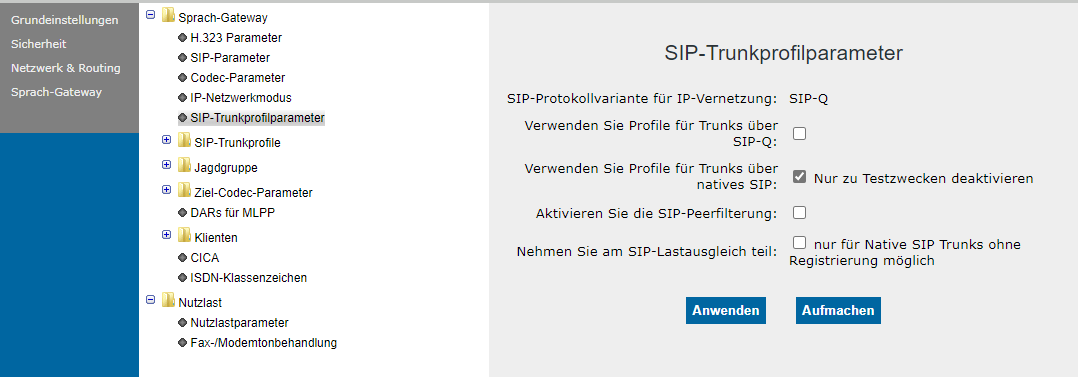
The SIP Load Balancer knows the IP addresses of the OpenScape UC Media
Server. Thus, inbound and outbound proxies do not need to be configured.
It is enough only to enter the proxy (=IP address of the SIP Load Balancer).
Figure 124. SIP Load Balancer trunk profile parameter for OpenScape UC Media Server