14.9.3.6. Create Voice Policy 


Users assigned to specific voice policy will be able to dial out through
the Direct SIP connection to the OpenScape 4000 system.
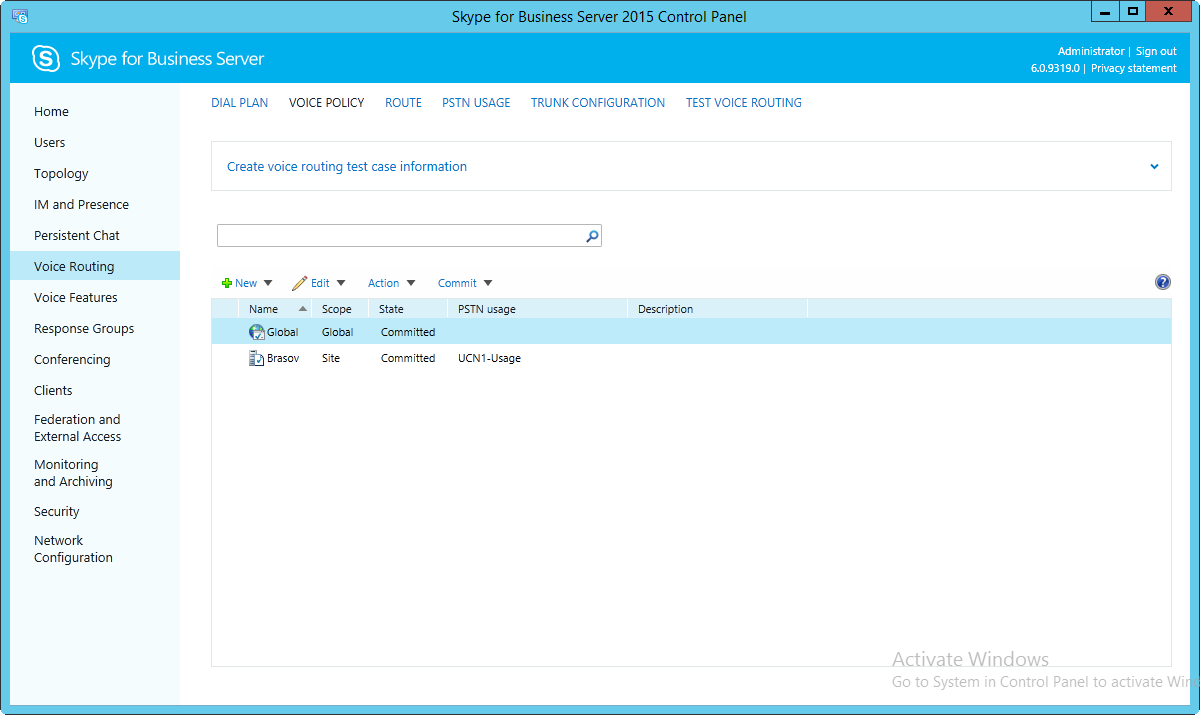
- Click Voice Routing, and then click the Voice Policy tab.
- Click New, and depending on the scope of the policy you want to create, click Site Policy or User Policy.
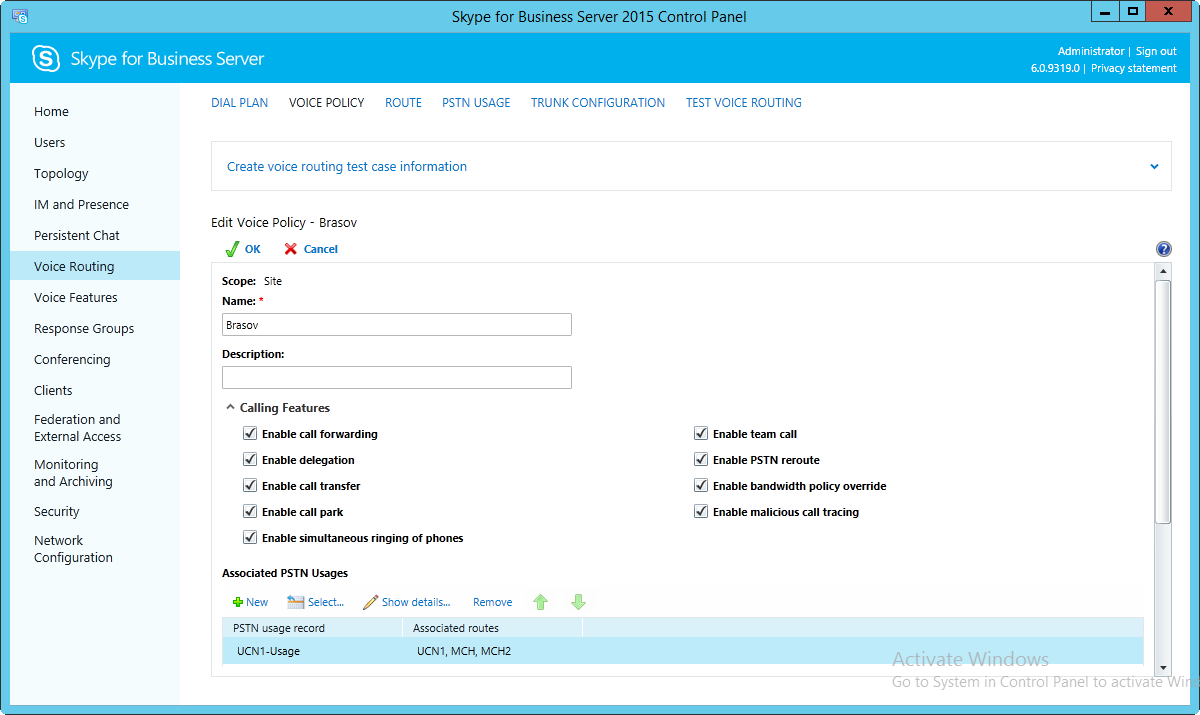
- Specify a unique name for this voice policy, and provide a description (optional).
- Create a new PSTN usage for this policy, click New.
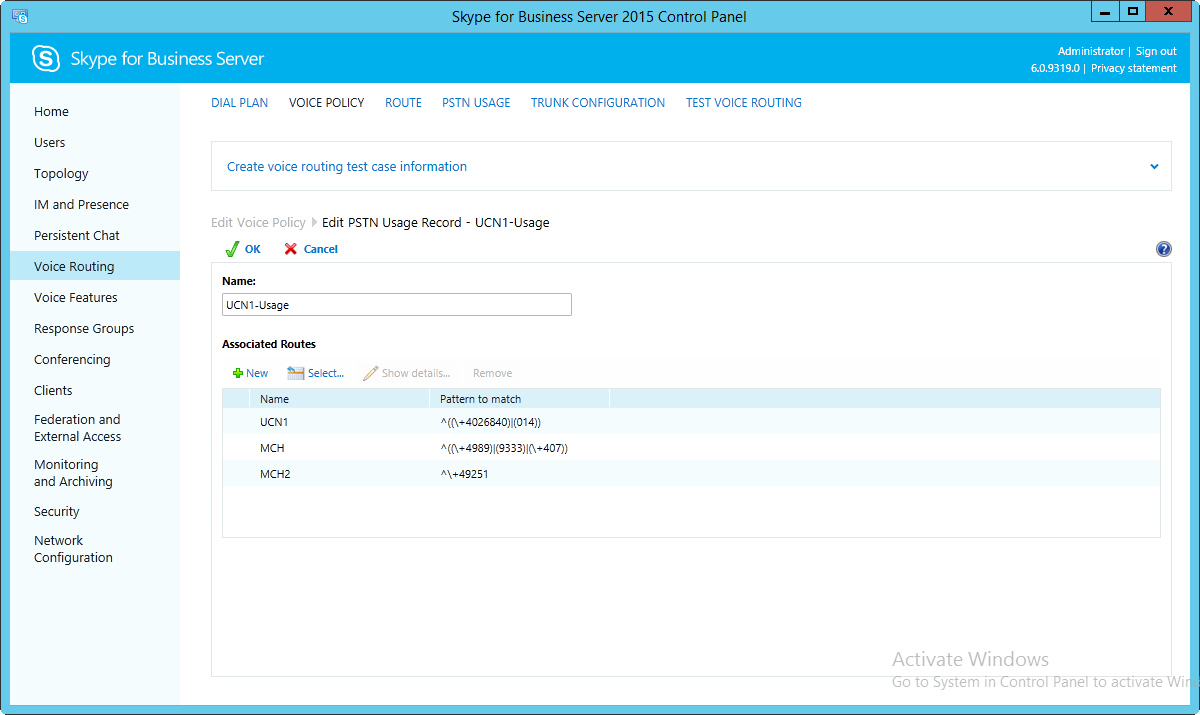
- Specify a name for the new PSTN usage record. The name must be unique to this specific voice policy. Also, provide a detailed description of the PSTN usage record.
- To associate a route with this PSTN usage, click New.
- Specify a name for this route, and provide a meaningful description.
- To associate the OpenScape 4000 gateway with this new route, click Add.
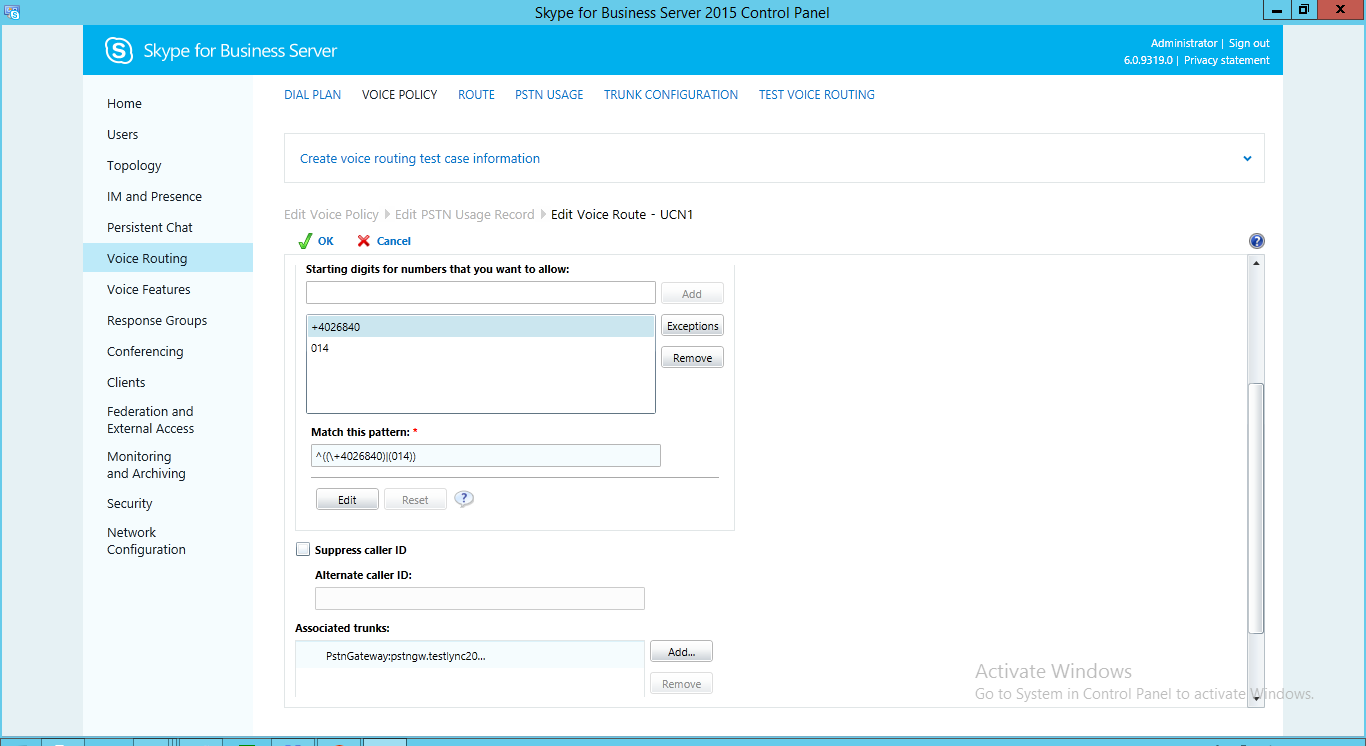
- Select the OpenScape 4000 gateway that you created earlier.
- Click OK in all different dialog boxes to complete the creation of the voice policy.
- To commit your changes, click Commit, and then click Commit all.