14.3.3.4.2. Authentication 


If the trunk partner requires "Authentication" this must be configured
in the profile. The authentication data (login and password) is provided
by the trunking partner.
IMPORTANT:
Authentication must be configured prior to activating
the SIP trunk profile.
Procedure:
- In the SIP trunk profile menu activate the Account/Authentication required checkbox.
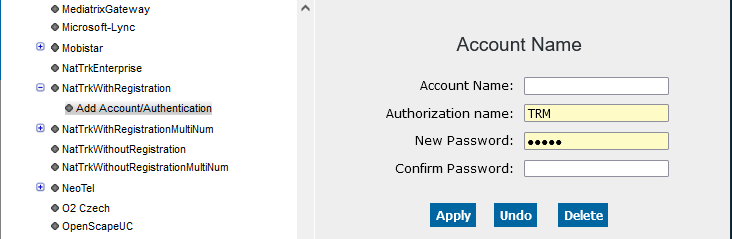
- Click Add Account/Authentication from the menu and enter the data provided by the trunking partner.
Figure 248. Add Account/Authentication (Example)
- Activate the profile (see Section 3.3.4.4, “Activate”).