3.11.3.1. OpenScape 4000 SoftGate configuration 


The OpenScape 4000 SoftGate configuration provides the information
needed to access the LDAP directory server. It must be possible to access
the LDAP directory server from the OpenScape 4000 SoftGate via IP.
The configuration of the OpenScape 4000 SoftGate is performed via
WBM.
Configuration > Picture CLIP
- Direct picture retrieval:
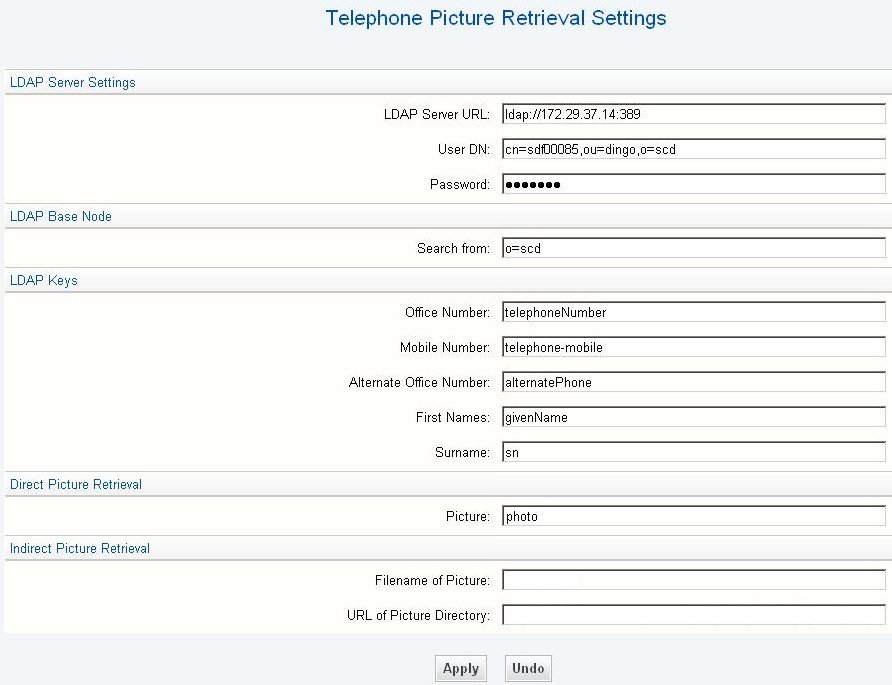
Direct picture retrieval configuration
in OpenScape 4000 SoftGate
- Indirect picture retrieval:
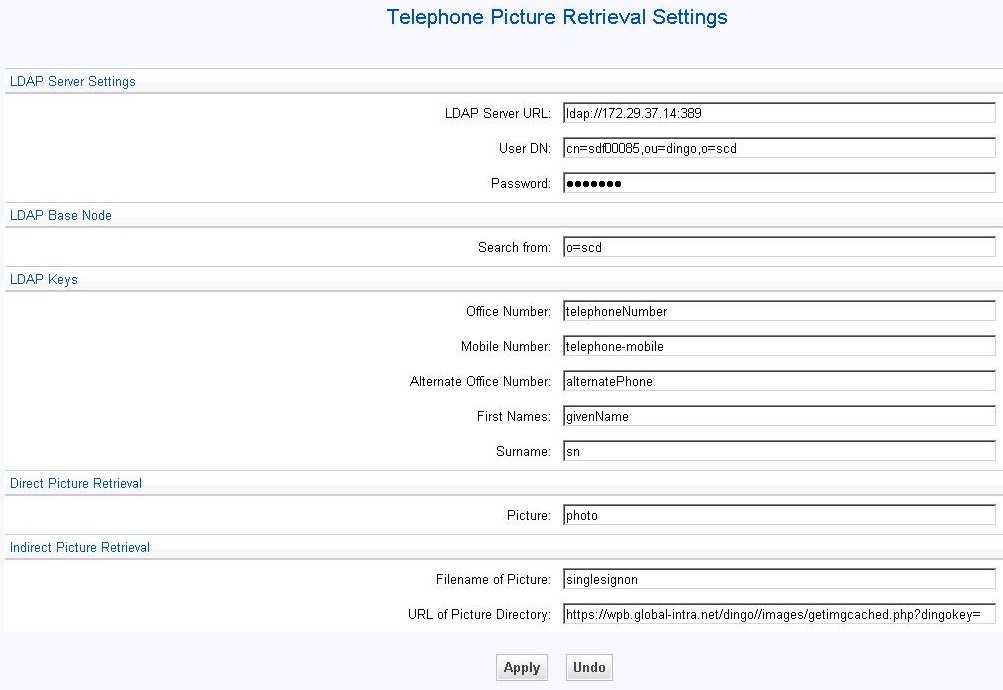
Indirect picture retrieval configuration
in OpenScape 4000 SoftGate
IMPORTANT:
The configured entries in the Picture CLIP
Settings must correspond to the entries on the LDAP directory server.
The fields Picture (for direct picture retrieval) and Filename
of Picture (for indirect picture retrieval) contain the matching
keys on the LDAP directory server for the picture that is to be displayed.
For more information on the LDAP configuration, please refer to LDAP directory server configuration.
INFO:
LDAPS can be used by changing URL to ldaps. The corresponding
port and ldap configuration must of course support the feature. LDAPS with introduced
starting with TLS1.2 support.