3.11.3.3. LDAP directory server configuration 


The LDAP directory server must offer an LDAP V2 or V3 interface and
provide access using password-based, so-called "simple" security.
The contact data is stored on the LDAP directory server using the
keys that were configured on the OpenScape 4000 SoftGate via WBM.
It is recommended that the telephone numbers are stored in a fully
qualified format including country code and area code (e.g. 4989700754321).
If the numbers are stored using separators such as brackets, dashes or
plus signs (e.g. +49 (89) 7007-54321), then the LDAP directory server
has to apply conversion rules when checking for a match. The OpenStage
phone issues an LDAP query using plain digits without separators.
Example of an LDAP structure:
The entries in the attribute type column marked red must be
provided to the OpenScape 4000 SoftGate via the WBM configuration (see
OpenScape 4000 SoftGate configuration).
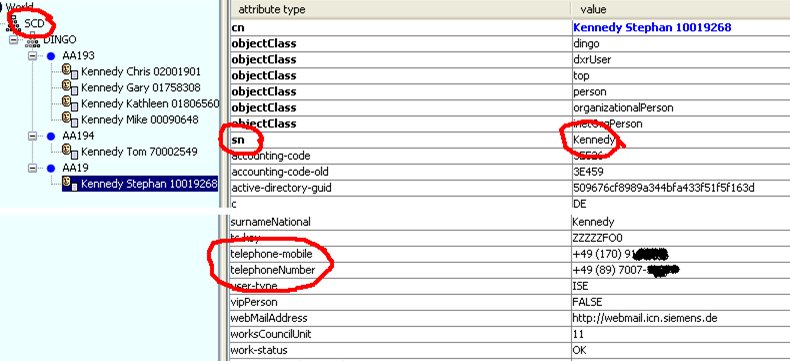
LDAP server - OpenScape 4000 SoftGate
data
The screenshot below looks at the nodes where the telephone contact
data is found.
The base node for searching is selected with o=scd.
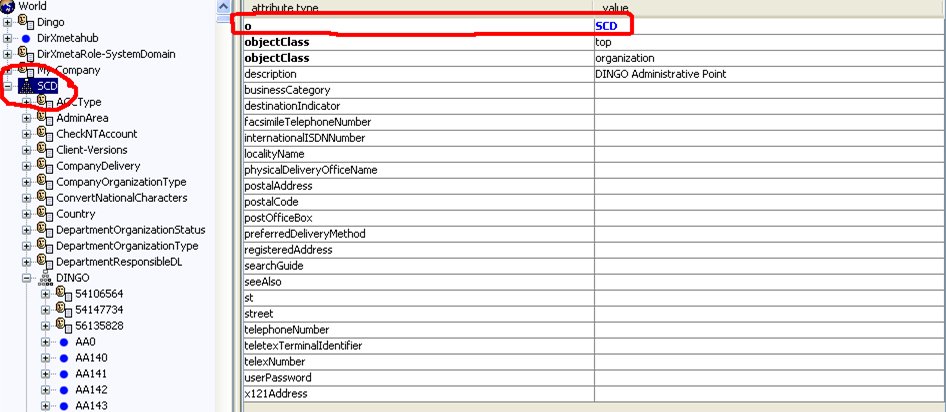
LDAP server - Telephone contact data
Another example using a different LDAP directory server in direct
mode:
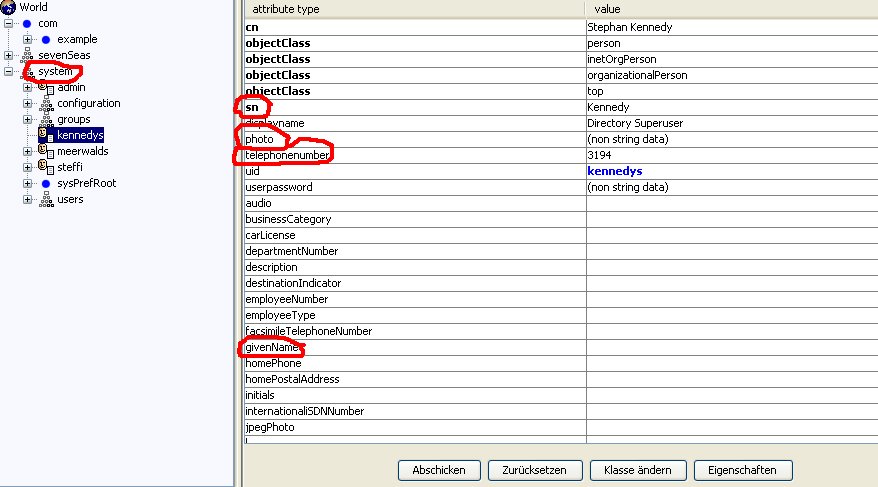
LDAP server - Example of direct picture
retrieval (01)
As can be seen, the node structure in this server is very simple.
The base node is selected with ou=system.
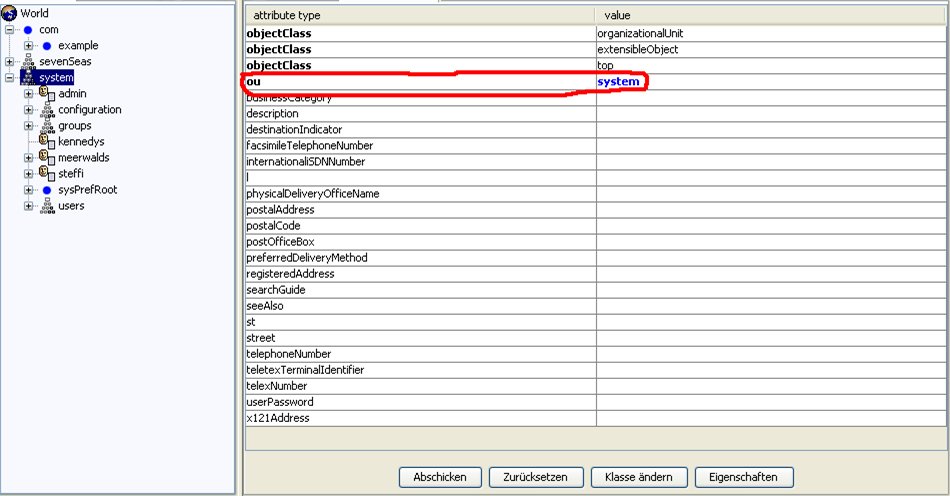
LDAP server - Example of direct picture
retrieval (02)