18.6.1.3. Distribution of the SPE CA Certificate 


Import CA certificate: IP Devices > IP Gateway Configuration
>Signaling and Payload Encryption (SPE)
All successfully bootstrapped boards (see Section 7.1.2,
“Scanning the IP Devices (IP Gateways)”) will be
shown using the radio button Search.
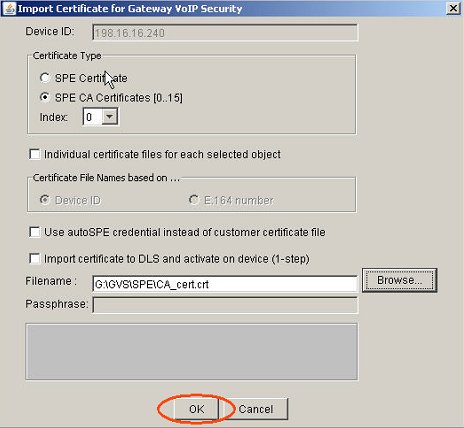
Press the button Import Certificate.
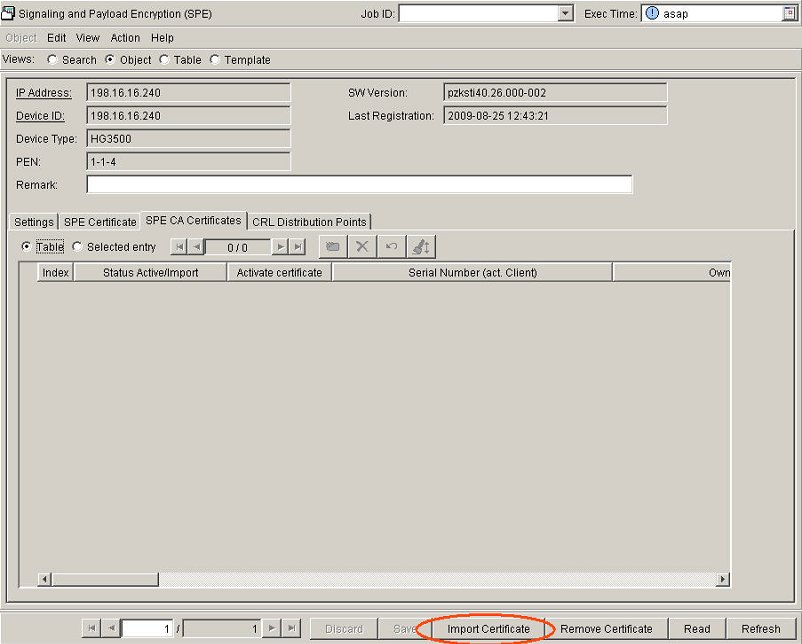
A
new window now appears where you can browse for the CA certificate. Up
to 16 CA certificates can be imported. The importing and activation of
CA certificates can be combined in one step.
Figure 389. Select CA certificate
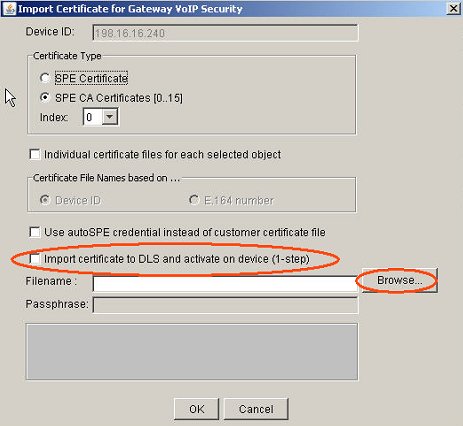
Figure 390. Confirm your selection.
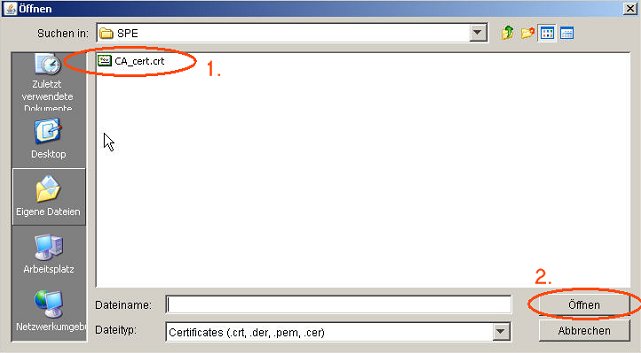
Figure 391. Activate CA certificate.
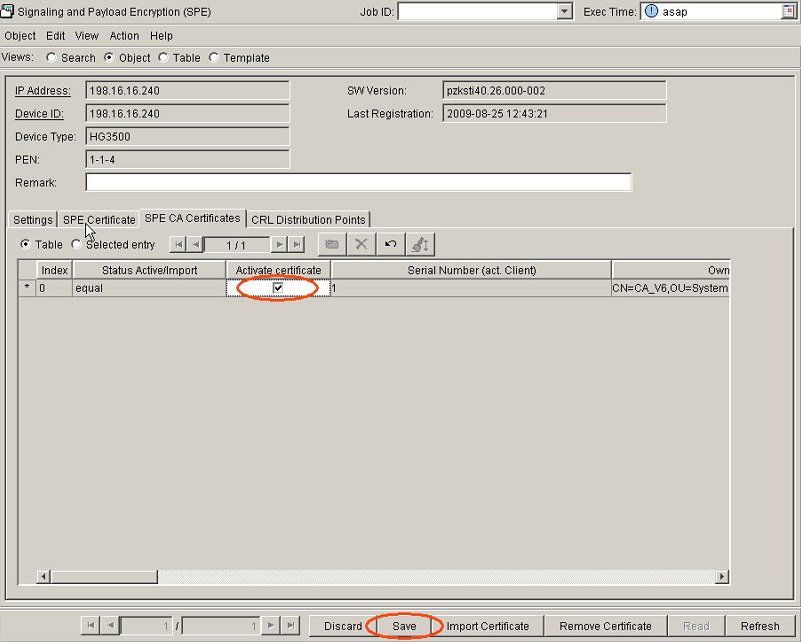
Activate the checkbox Activate certificate and click Save
to activate the certificate. The status of the imported certificate will
change from no active certificate to equal if the certificate
is valid. Additionally some data will be read by the DLS, e.g. CN, OU.