14.11.3.6. General Media Settings 


After creating the media profiles, the general media setting must be configured. To
do so, the below procedure must be followed:
- Go to OS SBC Management Portal > VOIP > Media window.
Figure 334. VOIP window
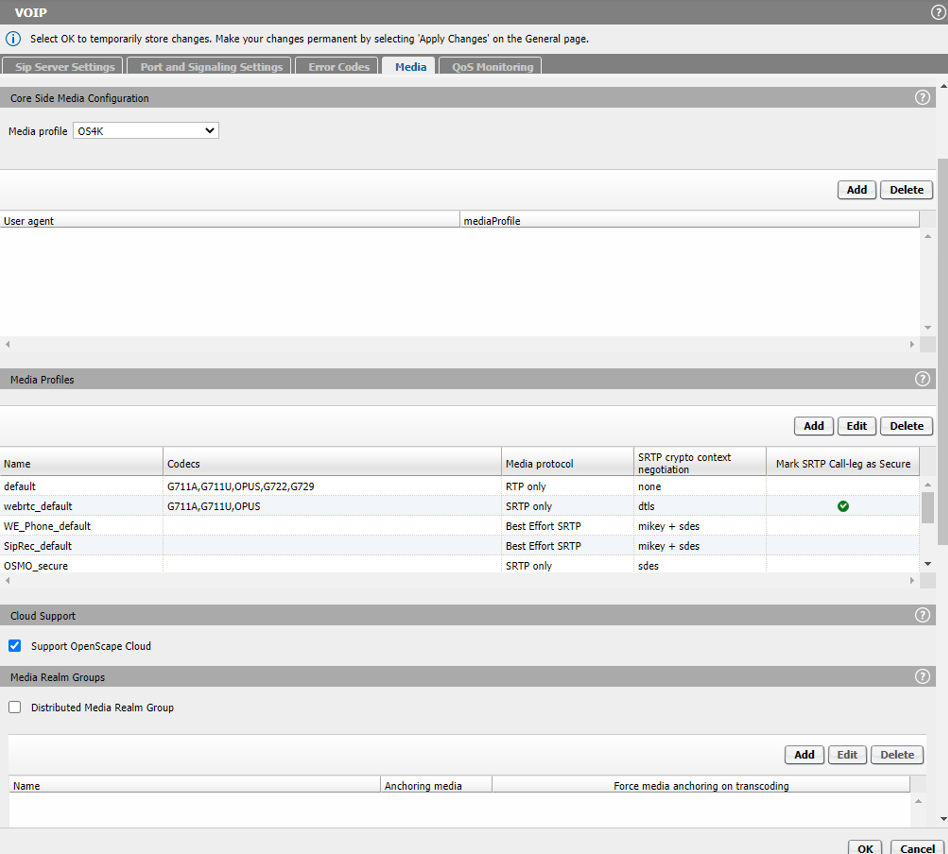
- Under Core Side Media Configuration chose from the drop down list the
corresponding media profile added in section Section 14.11.3.5.
- Media profile: OS4K
- Click the OK button.
- In the main OS SBC page, click the Apply Changes button.